Texture Variations
intermediate featureThis feature lets you define optional rules to pick different voxel textures when the world is being generated.
Usually, you define textures at the voxel definition for sides like top, bottom, sides, etc. With a Texture Variations asset, you can specify that such textures can be replaced randomly by a set of other textures, producing more variation to the world.
To use this feature, start by creating a Texture Variation asset. Click on the Project hierarchy and select Create -> Voxel Play -> Texture Variation:
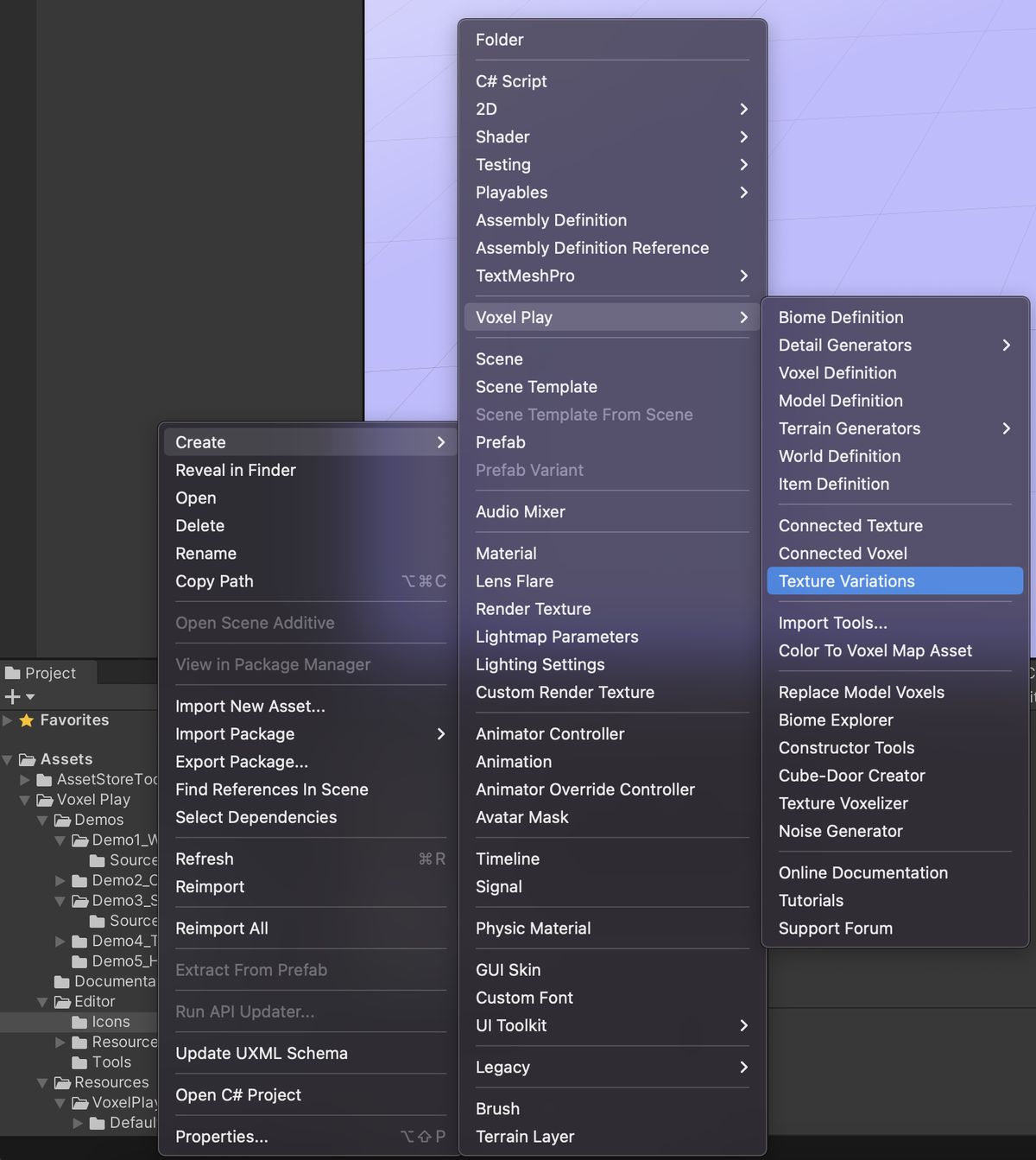
Similarly to Connected Textures or Connected Voxels, a Texture Variations asset will be created in your project.
Specify to which Voxel Definition and sides will these rules apply:
The Side selector accepts a single face (Top, Bottom, Forward, Back, Left or Right), or one of the grouped values: Lateral Sides applies the rules to the four vertical faces at once, Top And Bottom applies them to the two horizontal faces, and Any Side applies them to all six. The grouped values let one asset cover a whole set of faces instead of duplicating the same rules once per side.
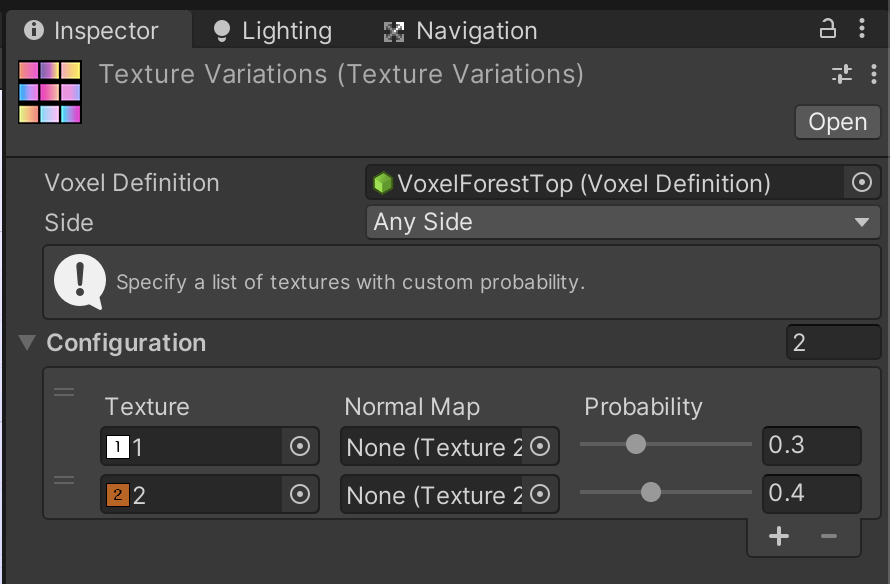
You can add any number of textures, with optional normal maps, an optional height map and a custom probability. The sum of probabilities should be 1.0 but the system will automatically weight them based on the sum of all probabilities.
The Height Map slot feeds the relief mapping (parallax occlusion) of that variation, the same way the height map on a Voxel Definition does. A variation without one falls back to a flat surface, so if the base voxel uses relief mapping give every variation its own height map or the surface will alternate between embossed and flat. Relief mapping must be enabled on the Voxel Play Environment for the slot to have any effect.
Texture variations also apply to smooth terrain. A smooth surface uses a single side texture per material, so rules for one lateral face (Forward, Back, Left or Right) follow the direction the surface faces the most, while Lateral Sides and Any Side rules apply everywhere. On smooth terrain the Height Map of each variation also shapes the blend between materials, even with relief mapping off.
Make sure the Texture Variations asset is located within the World folder structure in order for Voxel Play 4 to locate and use these rules.
When you play the game, you will see that the usual texture used by the voxel definition will be replaced randomly by the textures set in the Texture Variations asset.
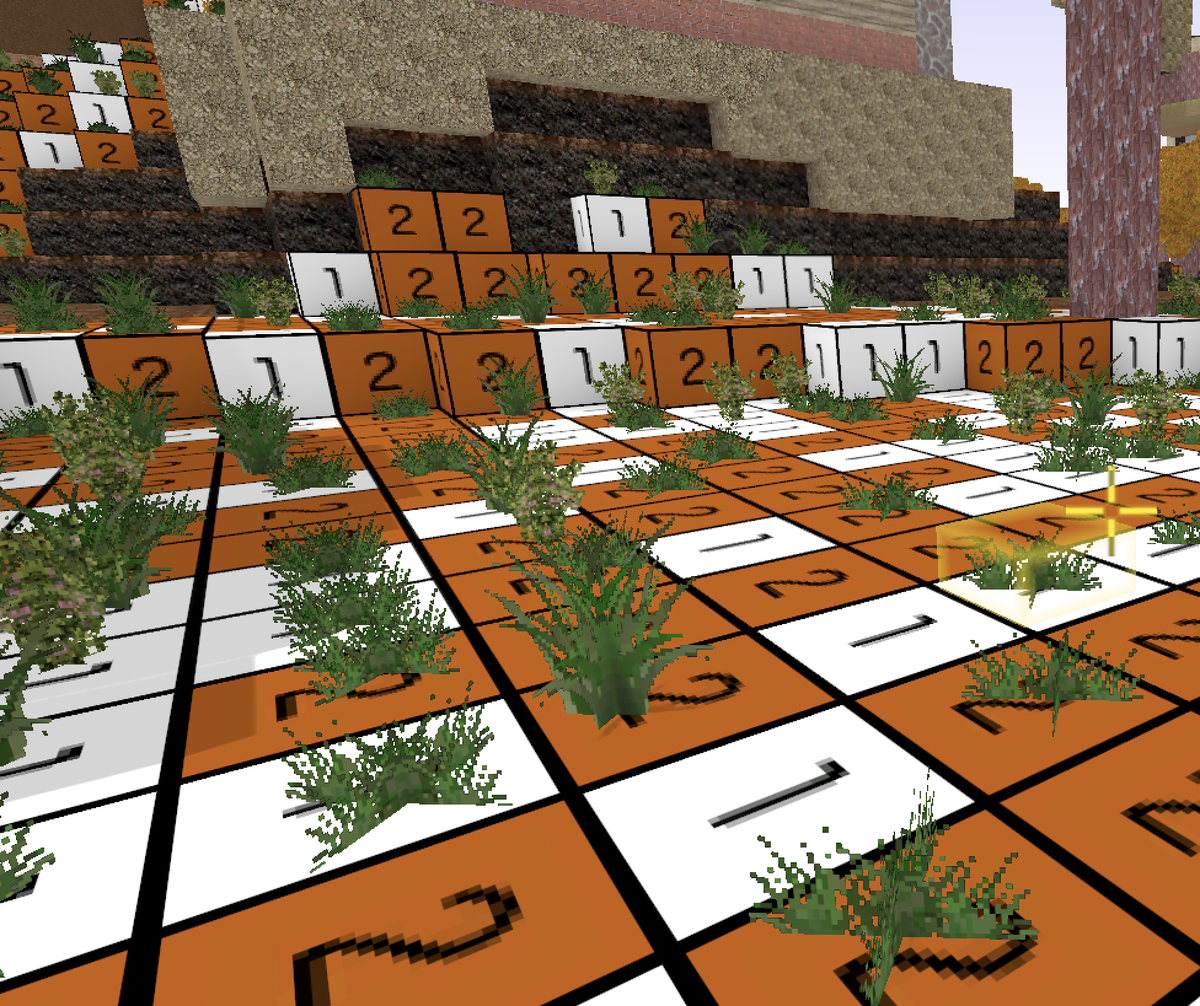
Note that this feature doesn't change the contents of the chunk - it only changes the texture used to render the chunk so if you change the Texture Variation asset, the visualization will also be different when you play the game again.
Suggest an improvement
Help us improve this documentation page.