Smooth Terrain & Smooth Voxels
intermediate conceptsVoxel Play 4 · World Architecture
Smooth Terrain renders voxel surfaces as continuous, rounded geometry instead of hard cubes, using a Surface Nets mesher driven by the 3D Terrain Graph density field. Each voxel type can opt in or out, so you can mix smooth ground with blocky structures in the same world.
Smooth terrain requires a 3D Terrain Graph with a density output. It is not available for 2D heightmap generators.
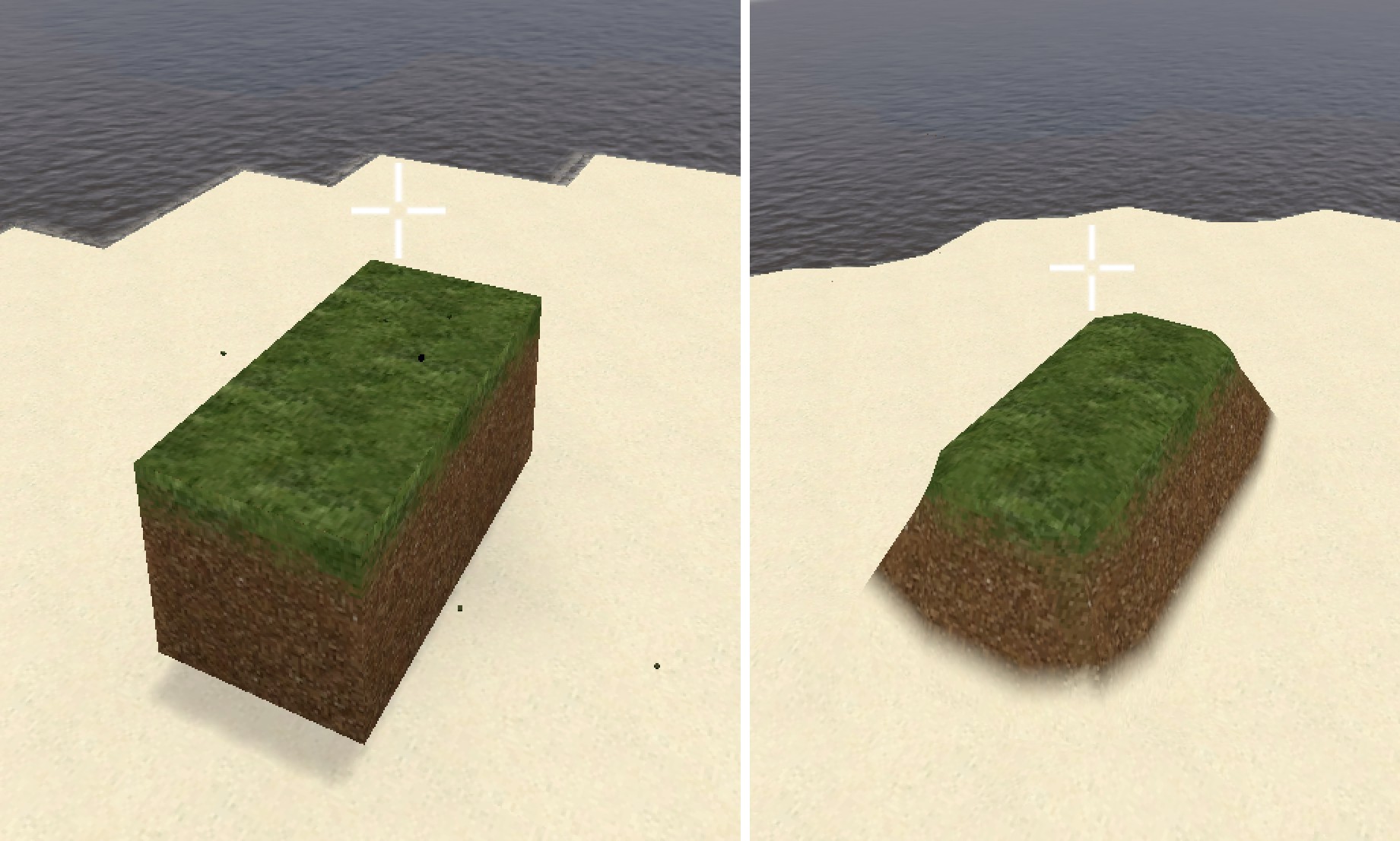
Enabling Smooth Terrain
- Open your Terrain3DGenerator graph asset.
- Enable Smooth Terrain (the
enableSmoothTerrainfield). - Make sure the graph has a density output - Surface Nets reads the density field to locate the surface crossing.
From code:
terrain3DGenerator.enableSmoothTerrain = true;While smooth terrain is on, the enableHalfStepSurface option is ignored (a warning is logged).
Smooth Corner Radius
The Smooth Corner Radius field (smoothCornerRadius, range 0 to 0.25, default 0.2) controls how rounded convex edges and corners look. It applies a visual chamfer only to vertices that face air, so flat joins between solid voxels stay flush and the density halo is not changed.
- 0 - sharp blocky corners, even with Surface Nets on.
- 0.1 to 0.15 - subtle rounding, terrain still reads as voxelized.
- 0.2 (default) - balanced look, recommended for most worlds.
- 0.25 - maximum rounding, organic feel.
terrain3DGenerator.smoothCornerRadius = 0.2f;Tessellation
To push rounding beyond what Smooth Corner Radius geometry allows, enable Tessellation under VoxelPlayEnvironment > Shader Features (see Environment Options). It applies GPU Phong tessellation to smooth terrain surfaces, subdividing triangles near the camera and bending them toward the curve suggested by the surface normals, so edges and corners render fully rounded. It only affects smooth terrain, and changes apply in real time.
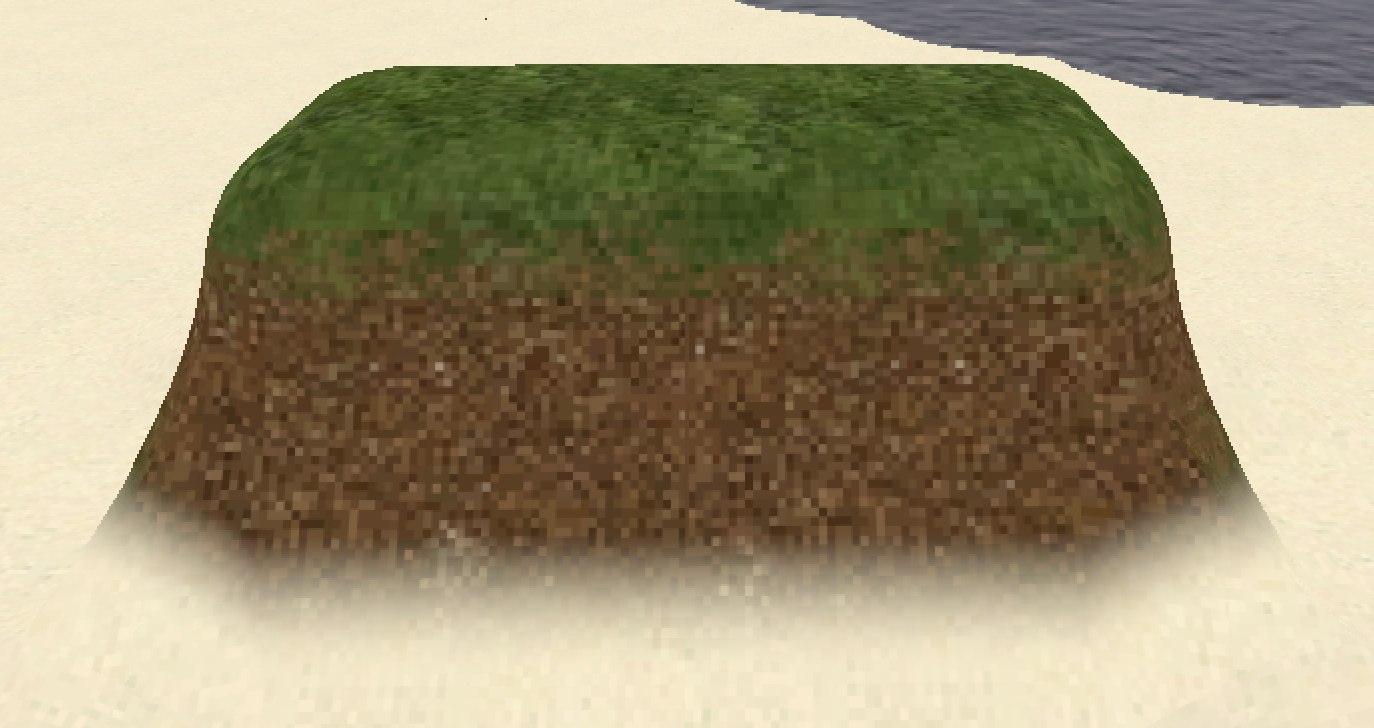
Smoothing controls the rounding strength, Max Subdivisions caps the geometry added on curved edges, and Fade Distance fades the effect out with camera distance so distant terrain adds no GPU cost.
Per-Voxel Control
Each VoxelDefinition has a Smooth Geometry mode:
| Mode | Behavior |
|---|---|
| Auto (default) | The voxel can be smoothed when smooth terrain is active. Terrain voxels are smoothed automatically; other voxels (such as placed blocks) stay blocky by default and can be smoothed one by one (see below). |
| No | The voxel always uses regular cube geometry and is never smoothed, even when smooth terrain is on. |
voxelDefinition.smoothGeometry = SmoothGeometryMode.No;Only opaque solid voxels can be smoothed; cutout, cross and transparent voxels keep their own rendering. Use No for blocks that must always stay sharp.
For per-cell control at runtime you can flip an individual voxel between smooth and blocky, without changing the voxel type or its material:
// Flip a voxel away from its default look:
//   - a terrain voxel (smooth by default) becomes a crisp cube (kerbs, steps, platform borders)
//   - a placed block whose Smooth Geometry is Auto becomes smooth
env.VoxelSetSmoothOverride(position, true);

// Restore its default look
env.VoxelSetSmoothOverride(position, false);

bool isOverridden = env.VoxelGetSmoothOverride(position);

// Effective state: true when the voxel is currently meshed smooth,
// whether by its type or by an override
bool isSmooth = env.VoxelIsSmooth(position);
The override flips the voxel relative to its default and is stored per voxel, preserved when saving and loading. Re-typing a voxel (placing a new type or destroying it) clears the flag, so set it after the voxel is in place. The surrounding smooth terrain seals against the resulting edge with no gap, just like the mixed smooth/cube case below.
Saved models keep the override: capturing a selection into a ModelDefinition (constructor mode or ModelWorldCapture) stores the flag per bit (ModelBit.smoothOverride), and placing the model restores it - so saved selections preserve which voxels were smooth and which were cubed.
Textures and Materials
Smooth surfaces keep per-face texturing: the mesher picks the top, side or bottom texture of each voxel from the world-space normal, so grass tops and dirt sides render correctly on rounded slopes. PBR surface maps behave the same as on cube voxels. Anti Tiling and Texture Variations also work on smooth terrain.
Material Blending
Where different voxel types meet on a smooth surface, their textures blend across a narrow band instead of meeting along a straight line. Up to four materials can meet at the same spot. The blend follows the height map of each texture: raised details such as stones or grass tufts stay on top while the other material fills the gaps. Textures without a height map use a built-in noise pattern instead.
Height maps assigned to Voxel Definitions and Texture Variations are used for this blend even when Relief Mapping is off, so they take some extra texture memory in smooth terrain worlds.
Two options in the Smooth Terrain Blending section of the Voxel Play Environment inspector control the look of the transition:

| Setting | Range (default) | What it does |
|---|---|---|
Blend SoftnesssmoothBlendSoftness | 0 - 1 (0.6) | Softness of the transition: 0 gives crisp edges, 1 gives soft edges. |
Contact WidthsmoothBlendWidth | 0.01 - 0.25 (0.15) | Width of the transition on each side of the seam between two materials, in voxels. |
Both settings update in real time and do not rebuild chunks. From script, call UpdateMaterialProperties after changing them:
env.smoothBlendSoftness = 0.3f;
env.smoothBlendWidth = 0.1f;
env.UpdateMaterialProperties();
Mixed Smooth and Cube Terrain
Smooth and cube voxels can sit side by side. Where a non-smooth opaque voxel touches a smooth voxel, the mesher seals the seam so there are no gaps or z-fighting. Caves, overhangs and multi-level terrain are handled correctly.
Vegetation and Interaction
Cross/vegetation voxels (grass, flowers) snap to the real smooth surface instead of the voxel grid, and selection highlights and raycasts follow the rendered surface. Picking, placing and destroying voxels work as usual.
Performance
Smooth meshing evaluates a higher-resolution density halo around each chunk and costs more than cube meshing. Halo evaluation is parallelized across CPU cores. Set Smooth Geometry to No on voxel types that don't need it to keep the smooth candidate set small.
Saving and Loading
Smooth terrain is a rendering and meshing feature: it changes how surfaces are drawn, not the underlying voxel data. It does not alter the world state, so it does not interfere with normal world saving and loading. You can turn it on or off without affecting saved worlds, and a world saved with smooth terrain on loads identically with it off (and vice versa).
See Also
- 3D Terrain Graph - the density-based generator smooth terrain builds on
- Node Reference - density, noise and shaper nodes
- Super Chunks - extend visible terrain past the full-res chunk radius
Suggest an improvement
Help us improve this documentation page.