MicroVoxels Overview
beginner feature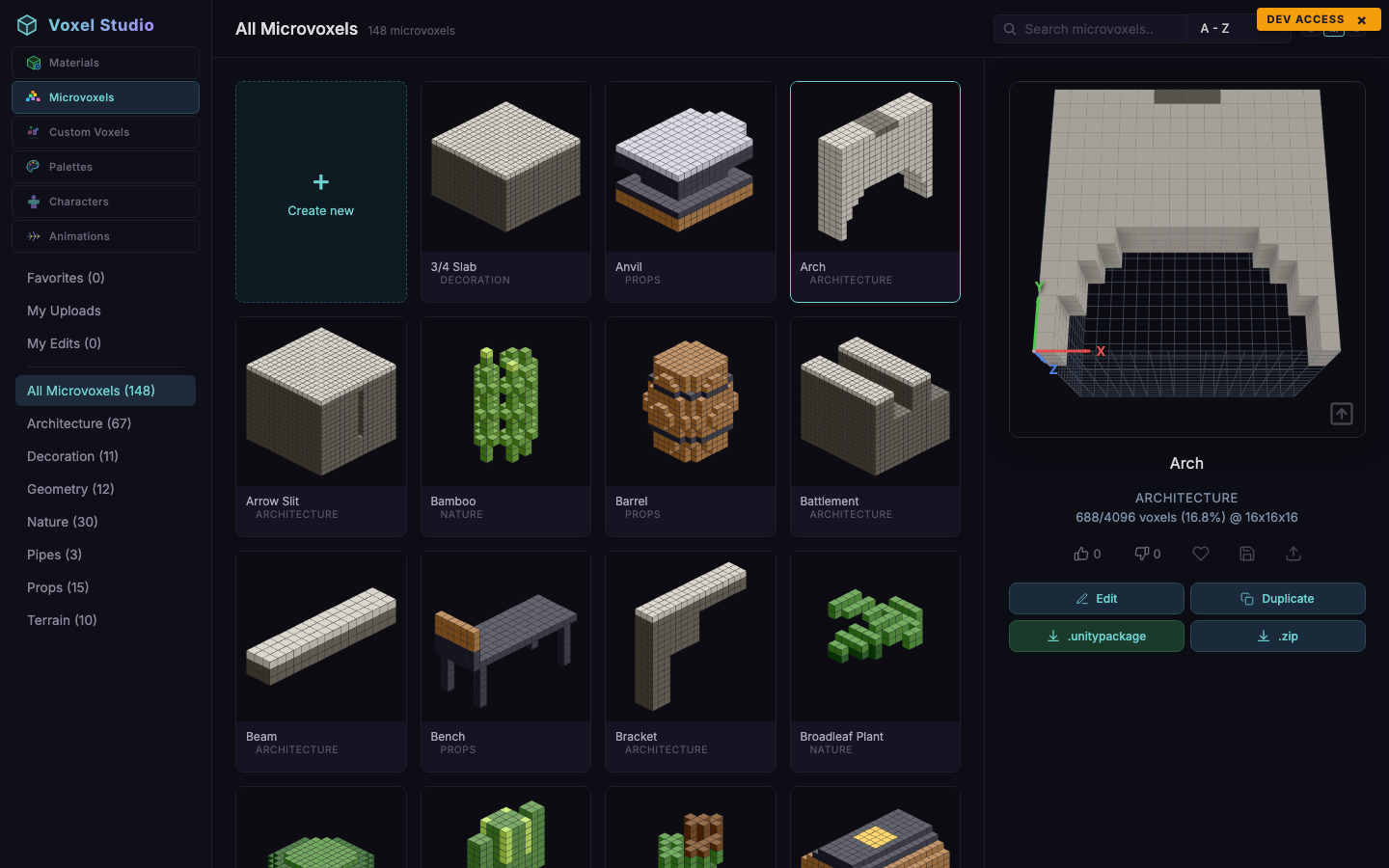
MicroVoxels are small coloured voxel shapes, typically 16 cubed, designed to live inside a single Voxel Play 4 world cell or to be used as decoration props. The MicroVoxels workspace is a browser with an inline editor.
The catalog
Seeded micro-voxels are grouped into seven categories:
- Architecture - arches, columns, staircases.
- Terrain - soil slabs, rocks, ledges.
- Geometry - slabs, wedges, cylinders, pyramids.
- Decoration - flowers, tools, ornaments.
- Nature - trees, bushes, coral.
- Pipes - straight and curved pipe segments.
- Props - barrels, benches, crates.
Viewer
The right-hand viewer renders the shape at a selectable resolution. Resolutions are powers of two and affect how many micro-cells fit inside a parent voxel: 16, 8, 4 or 2. Lower resolutions are blockier and cheaper to render in Voxel Play 4.
Primary and secondary materials
Every micro-voxel has a primary material (the main skin) and an optional secondary material that is applied from the top of the shape down to the height you configure (useful for grass on soil, snow on rocks, rust on pipes). Click the material swatches next to the viewer to open the material picker.
Voting and favorites
Like/dislike buttons and the heart icon work the same way as in Materials. Favorites are kept in the browser but synchronised with the server when you are signed in.
Where are the downloads?
MicroVoxels do not export on their own. They are consumed by Voxel Play 4 (via the VoxelDefinition asset) and by Voxel Studio's Custom Voxel and Character editors. To use a micro-voxel in Unity, reference it from a Voxel Play 4 MicroVoxelProfile in your world's ScriptableObjects.
Suggest an improvement
Help us improve this documentation page.