Exporting to Unity
intermediate how to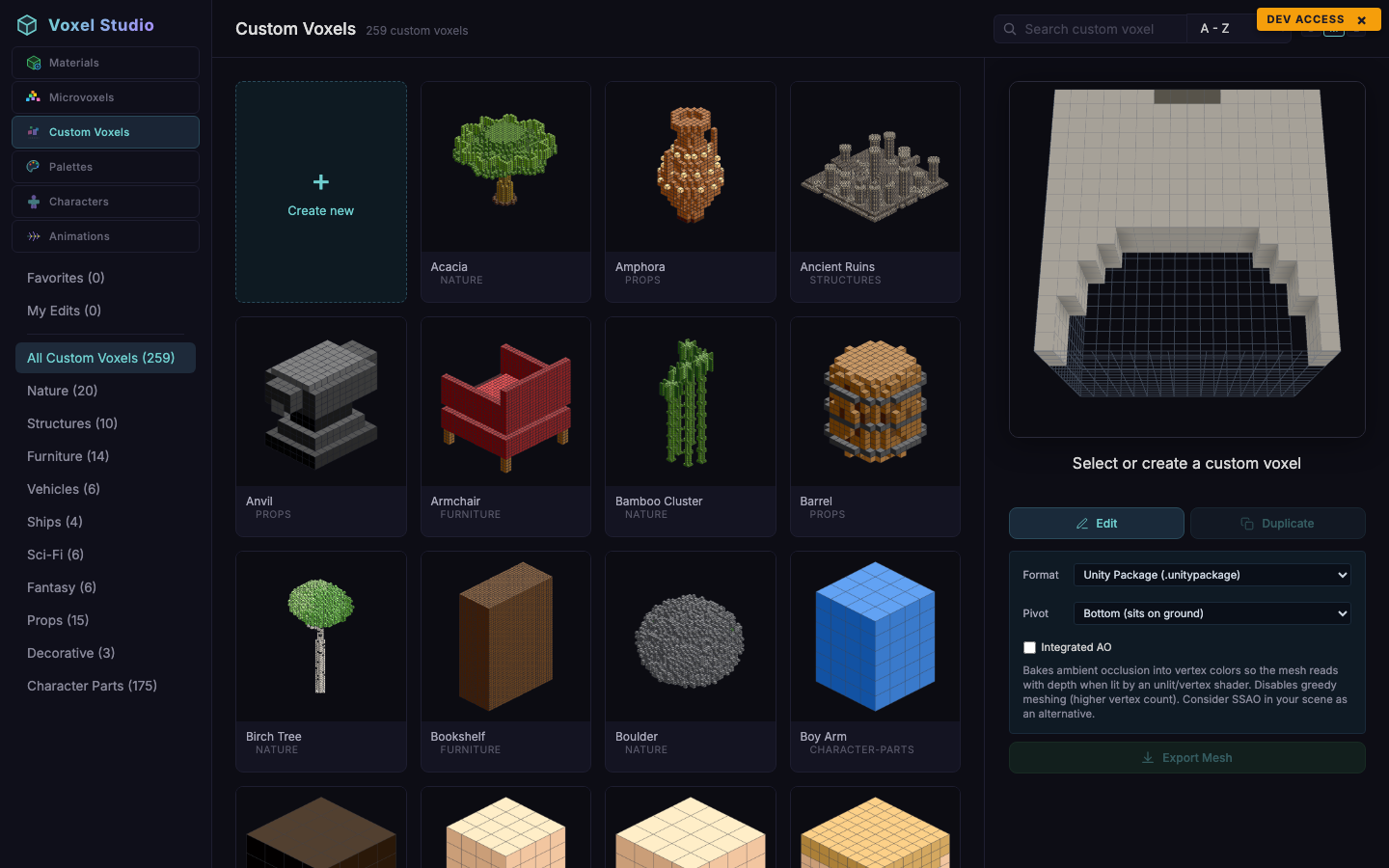
The Export Mesh panel appears on the right side of the Custom Voxels workspace whenever a voxel is selected. It exposes three options and one big button.
Format
Two formats:
- Unity Package (.unitypackage) - the default. Contains the mesh asset, a prefab, one material per submesh, the baked texture array, a shared unlit vertex-colour shader, and a
VoxelDefinitionScriptableObject pre-wired to the prefab. Drag the package into the Project window to import everything underAssets/Voxel Studio/. - OBJ + MTL (.zip) - a portable Wavefront export. Use this to import the mesh in Blender, Maya, 3ds Max or any other DCC tool. Textures are packed alongside the OBJ and MTL files.
Pivot
Three choices:
- Bottom (sits on ground) - default. Anchors the model so it sits flush on the floor when placed by Voxel Play 4's Build tool.
- Middle (centered in cell) - centres the model vertically in its destination cell.
- Top (hangs from cell top) - useful for lamps, banners and other hanging props.
The mesh itself is always baked with the origin on its base (the lowest occupied row). The Pivot dropdown only changes the offset.y written into the VoxelDefinition: -0.5 for Bottom, 0 for Middle, +0.5 for Top. See Pivot and Placement in Voxel Play for the exact geometry.
Integrated AO
Bakes ambient occlusion directly into vertex colours so the mesh reads with depth when lit by an unlit or vertex-colour shader. Enabling this disables greedy meshing, producing a mesh with more vertices but more visible creases. Leave it off if you plan to light the model with Unity's built-in lights or with SSAO in post.
Re-importing overrides the previous asset
The GUIDs embedded in the package are deterministic and do not depend on the pivot or AO settings. Re-exporting the same custom voxel with different pivot or AO overrides the previously imported assets in place, so scenes and prefabs that already reference the VoxelDefinition pick up the new offset automatically.
vs.cv.pivot and vs.cv.integratedAO - your next export reuses the last values.
Suggest an improvement
Help us improve this documentation page.