Materials Overview
beginner feature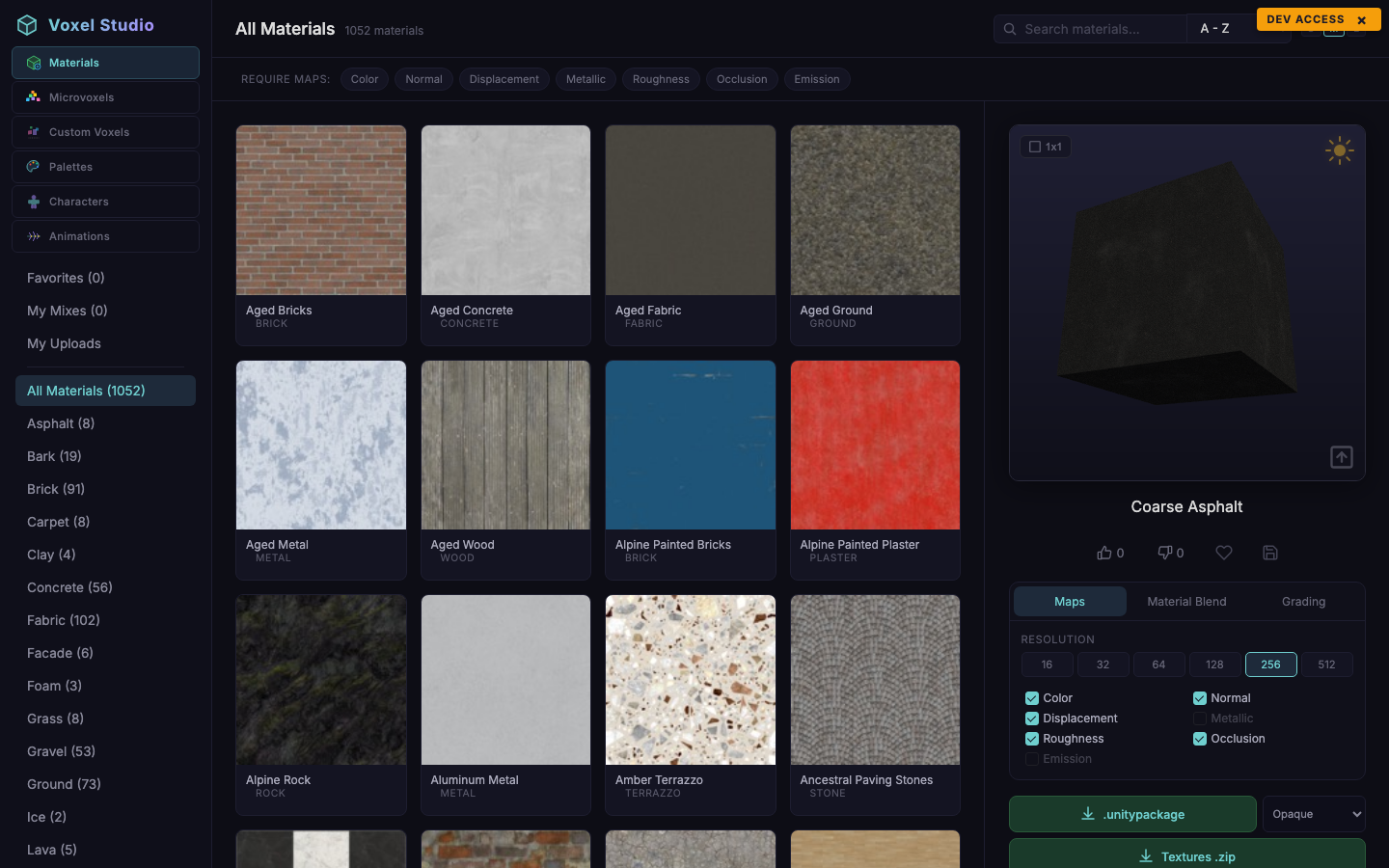
The Materials workspace is a browseable catalog of PBR texture sets plus an inline viewer, blender and downloader. Each material is a grouping of up to seven maps:
- Color (albedo)
- Normal
- Displacement (height)
- Metallic
- Roughness
- Ambient Occlusion
- Emission
Not every material ships all seven - use the Require maps filter to constrain the catalog to sets that include the ones you need.
The viewer
The viewer on the right shows a textured cube lit by a repositionable directional light. Controls:
- Resolution pills (256, 512, 1024, 2048 px) - the cube is textured at the selected resolution; downloads honour the same choice.
- Light gizmo - drag the small sun icon around the cube to rotate the light. The slider below sets intensity (0-300 %).
- Tiling toggle - switch between 1x1 and 3x3 tiling to inspect seams.
- Reset view - recentres the camera and restores the default light.
Tools: Maps / Blend / Grading
Three sub-tabs under the viewer:
- Maps - toggle which maps are enabled in the preview. Disabled maps are also omitted from downloads.
- Material Blend - see Material Blend and Grading.
- Grading - quick colour adjustments applied on top of the preview.
Filtering
The filter bar above the grid combines Require maps (forces certain maps to be present) with the top-bar search and sort. Filters are applied live.
Favorites and votes
Heart to favorite. Like/dislike to vote. Favorites sync with your account; votes are public counters shared by all users.
Was this page helpful?
Suggest an improvement
Help us improve this documentation page.