Profile Settings
Highlight Plus for Unreal · Profile Settings
Double-click a Highlight Plus Profile to open it. The window shows the settings on the right and a preview of the effects on the left. The preview uses a sphere; to see the effects on another static mesh, select it in the field above the preview. The same settings also appear under the Profile field of the component and of the manager.
The settings are grouped by effect, and an effect with its intensity at zero is disabled. All widths are a percent of the screen height, so the effects keep their size when the resolution changes. The colors look the same in any scene, because the exposure of the camera does not change them.
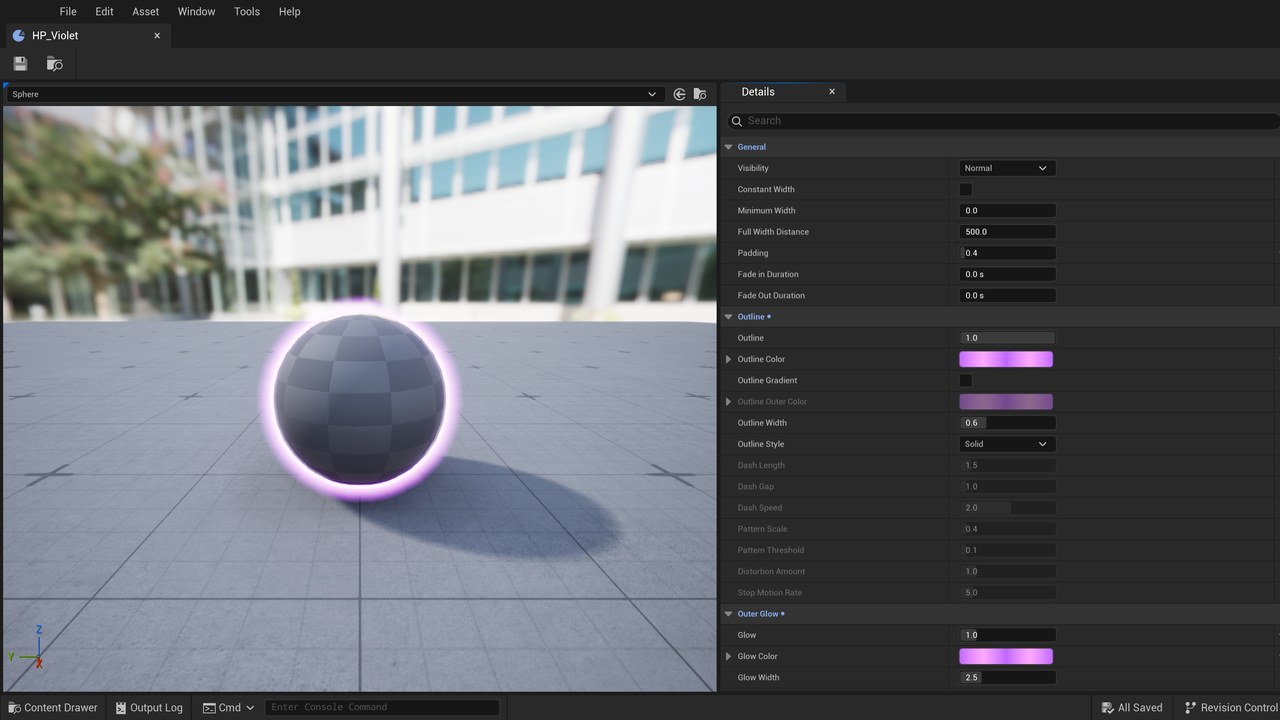
General
| Setting | Description |
|---|---|
| Visibility | Normal shows the effects only where the actor is visible. Always on Top shows them also over the objects in front of the actor. Only when Occluded shows them only where the actor is hidden. |
| Constant Width | Keeps the width of the effects when the actor is far. When it is disabled the effects shrink with the actor. |
| Minimum Width | The smallest width kept at any distance, as a fraction of the width of the effect. |
| Full Width Distance | The distance, in cm, up to which the effects have their full width. Beyond it they shrink with the actor. |
| Padding | An empty margin between the actor and its outline and outer glow. |
| Fade in Duration | The seconds that the effects take to appear when the highlight starts. |
| Fade Out Duration | The seconds that the effects take to disappear when the highlight stops. |
The fade in and the fade out work in the game. The editor shows and hides the effects at once.
Outline
A line around the actor.
| Setting | Description |
|---|---|
| Outline | The intensity of the outline. 0 disables it. |
| Outline Color | The color of the outline. Values over 1 make it glow with the bloom of the scene. |
| Outline Gradient | Makes the outline go from Outline Color at the actor to Outline Outer Color at its outer edge. |
| Outline Outer Color | The color of the outer edge of the outline. |
| Outline Width | The width of the outline. |
| Outline Style | Solid, Dashed or Stylized, which looks like a line drawn by hand. |
| Dash Length | The length of each dash. Used by the Dashed style. |
| Dash Gap | The gap between two dashes. |
| Dash Speed | The speed of the dashes. 0 keeps them still. |
| Pattern Scale | How many times the textures of the stylized outline repeat along the screen height. Low values give long bends, and high values give a rough line. Used by the Stylized style. |
| Pattern Threshold | How much the pattern texture cuts the line. 0 keeps the whole line. |
| Distortion Amount | How far the line bends away from the actor. |
| Stop Motion Rate | How many times per second the line changes its shape. 0 keeps it still. |
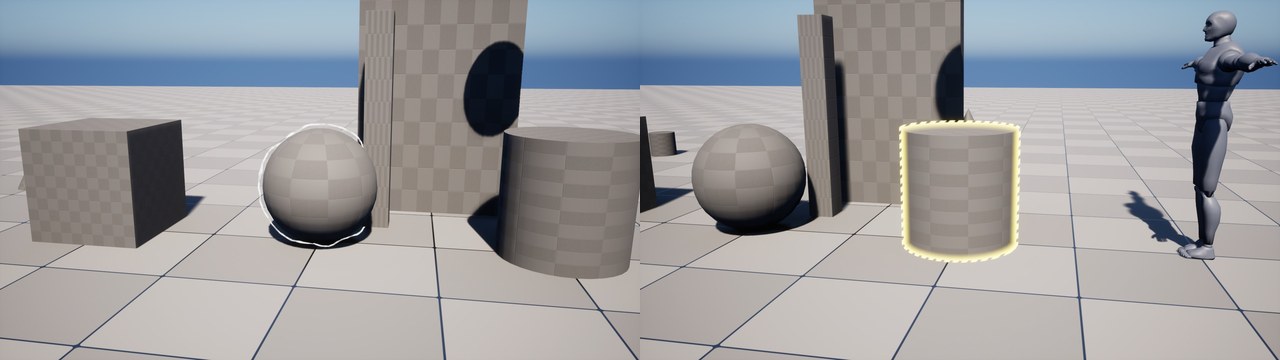
With the Stylized style, add some Padding so the line has room to bend on both sides.
Outer Glow
A soft light around the actor.
| Setting | Description |
|---|---|
| Glow | The intensity of the outer glow. 0 disables it. |
| Glow Color | The color of the glow. |
| Glow Width | The width of the glow. |
| Glow Falloff | How fast the glow fades from the actor. Higher values keep the light closer to the actor. |
| Glow Animation | None, Pulse, where the width grows and shrinks, or Aura, where the glow rises over the actor like a fire. |
| Glow Animation Speed | The speed of the animation. |
| Glow Turbulence | How deep the tongues of the aura cut the glow. Used by the Aura animation. |
The glow is added to the image before the bloom of the engine. For a brighter glow, raise Glow or use a color with values over 1.
Inner Glow
A color that covers the actor from its edge.
| Setting | Description |
|---|---|
| Inner Glow | The intensity of the inner glow. 0 disables it. |
| Inner Glow Color | The color of the inner glow. |
| Inner Glow Width | The width of the inner glow. Use low values on thin shapes, such as the arms of a character. |
| Inner Glow Falloff | How fast the inner glow fades from the edge. |
Overlay
A color over the whole actor.
| Setting | Description |
|---|---|
| Overlay | The intensity of the overlay. 0 disables it. |
| Overlay Color | The color of the overlay. |
| Overlay Blending | How much of the surface of the actor is kept under the overlay. 0 paints the plain color and 1 tints the surface. |
| Overlay Animation Speed | The speed of the change of intensity. 0 keeps the intensity fixed. |
| Overlay Min Intensity | The lowest intensity of the animation, as a fraction of the intensity of the overlay. |
| Overlay Pattern | A pattern that cuts the overlay: Polka Dots, Grid, Staggered Lines or Zig Zag. |
| Overlay Pattern Space | World fixes the pattern to the surfaces. Screen fixes it to the screen. |
| Overlay Pattern Scale | The number of cells of the pattern per meter in World space, or along the screen height in Screen space. |
| Overlay Pattern Size | The size of the dots or the half width of the lines, as a fraction of the cell. |
| Overlay Pattern Softness | The soft edge of the pattern, as a fraction of the cell. |
| Overlay Pattern Rotation | The rotation of the pattern, in degrees. |
| Overlay Pattern Scrolling | The speed of the pattern, in meters per second in World space or screen heights per second in Screen space. |
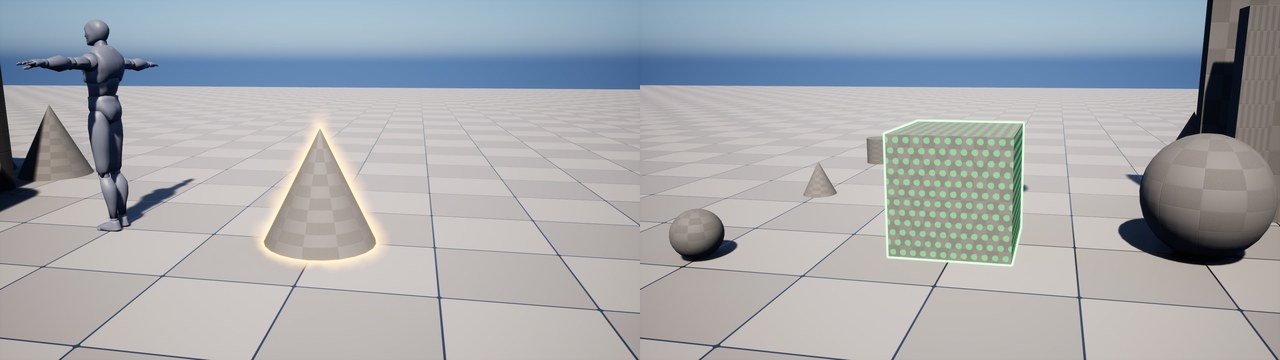
See-Through
Shows the part of the actor that is hidden behind other objects.
| Setting | Description |
|---|---|
| See Through | The opacity of the hidden part of the actor. 0 disables the effect. |
| See Through Color | The color of the hidden part. |
| See Through Depth Offset | The effect shows only where the object in front is at least this far from the actor, in cm. |
| See Through Max Depth | The effect hides where the object in front is further than this from the actor, in cm. 0 sets no limit. |
| See Through Fade Range | The length of the fade before the maximum depth, in cm. |
| X-Ray | Shows the volume of the hidden part. 0 paints the plain color, and 1 gives bright edges and a dark center. |
Focus
Takes the attention to the highlighted actors by changing the rest of the screen.
| Setting | Description |
|---|---|
| Focus | The amount of the effect. 0 disables it. |
| Focus Color | The color that the rest of the screen goes to. Its alpha sets how much. |
| Focus Desaturation | How much color the rest of the screen loses. 1 leaves it gray. |
| Focus Blur | The blur of the rest of the screen. 0 leaves it sharp. |
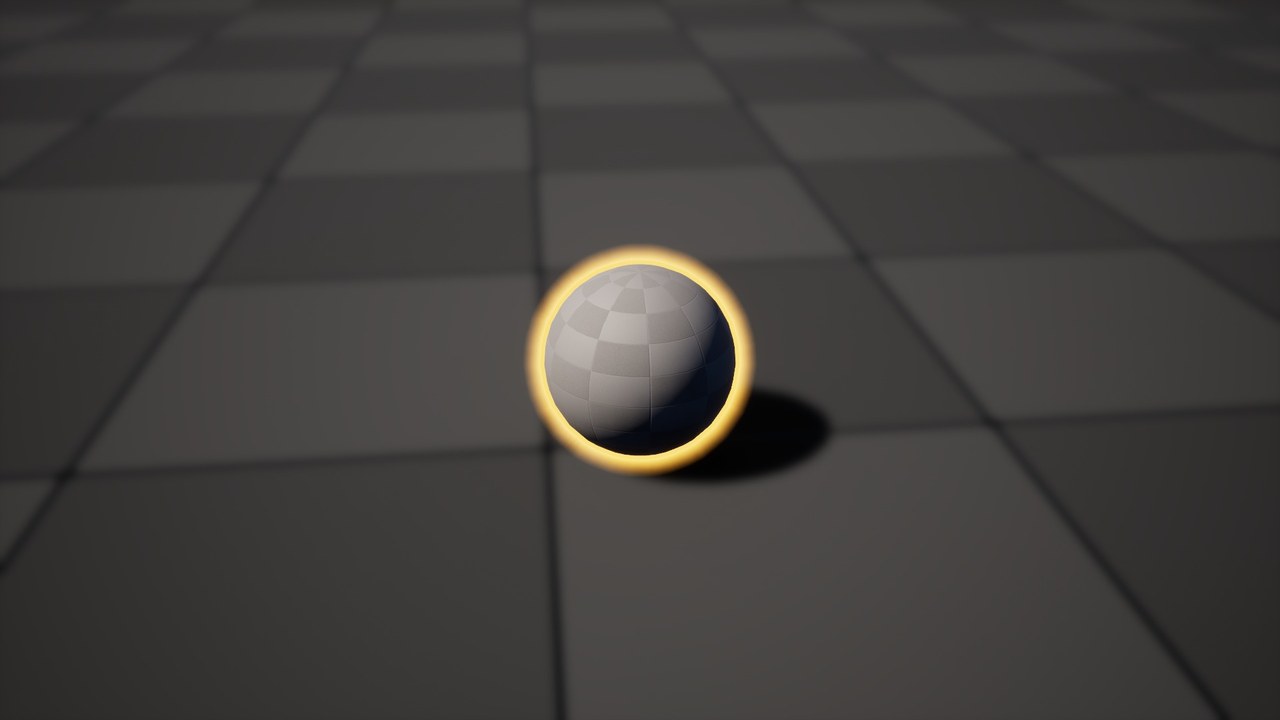
Target FX
A mark that closes on the actor when the highlight starts.
| Setting | Description |
|---|---|
| Target FX | Enables the mark. |
| Target FX Style | Frame draws the corners of a square around the actor. Inward Corners draws corners that point to the center. Cross draws a cross at the center. |
| Target FX Color | The color of the mark. |
| Target FX Frame Width | The width of the lines of the mark, as a fraction of its size. |
| Target FX Corner Length | The length of the corners, as a fraction of the size of the mark. 0.5 closes the square. |
| Target FX Frame Min Opacity | The opacity of the square of the mark between its lines. |
| Target FX Rotation Speed | The turn of the mark, in degrees per second. |
| Target FX Rotation Angle | The turn of the mark when it starts, in degrees. |
| Target FX Initial Scale | The size of the mark when it starts, as a multiple of the size of the actor. |
| Target FX End Scale | The size of the mark after the transition, as a multiple of the size of the actor. |
| Target FX Transition Duration | The seconds that the mark takes to appear and to go from the initial scale to the end scale. |
| Target FX Stay Duration | The seconds that the mark stays in the game before it fades out. 0 keeps it while the actor is highlighted. |
| Target FX Off-Screen Indicator | Shows an arrow at the edge of the screen that points to the actor when it is out of the screen. |
| Target FX Screen Margin | The distance from the arrow to the edges of the screen, as a fraction of the screen. |
| Target FX Screen Size | The size of the arrow, as a fraction of the screen height. |
Hit FX
The look of the flash shown by the Hit FX node. See Blueprint Nodes.
| Setting | Description |
|---|---|
| Hit FX Mode | Overlay flashes the whole actor. Inner Glow flashes from the edge of the actor inward. Local flashes around the location of the hit. |
| Hit FX Color | The color of the flash. |
| Hit FX Fade Out Duration | The seconds that the flash takes to disappear. |
| Hit FX Initial Intensity | The intensity of the flash when it starts. |
| Hit FX Radius | The radius of the flash around the location of the hit, in cm. Used by the Local mode. |
Suggest an improvement
Help us improve this documentation page.