Introduction
beginner start hereGlobal Snow & Rain 3 · Start Here
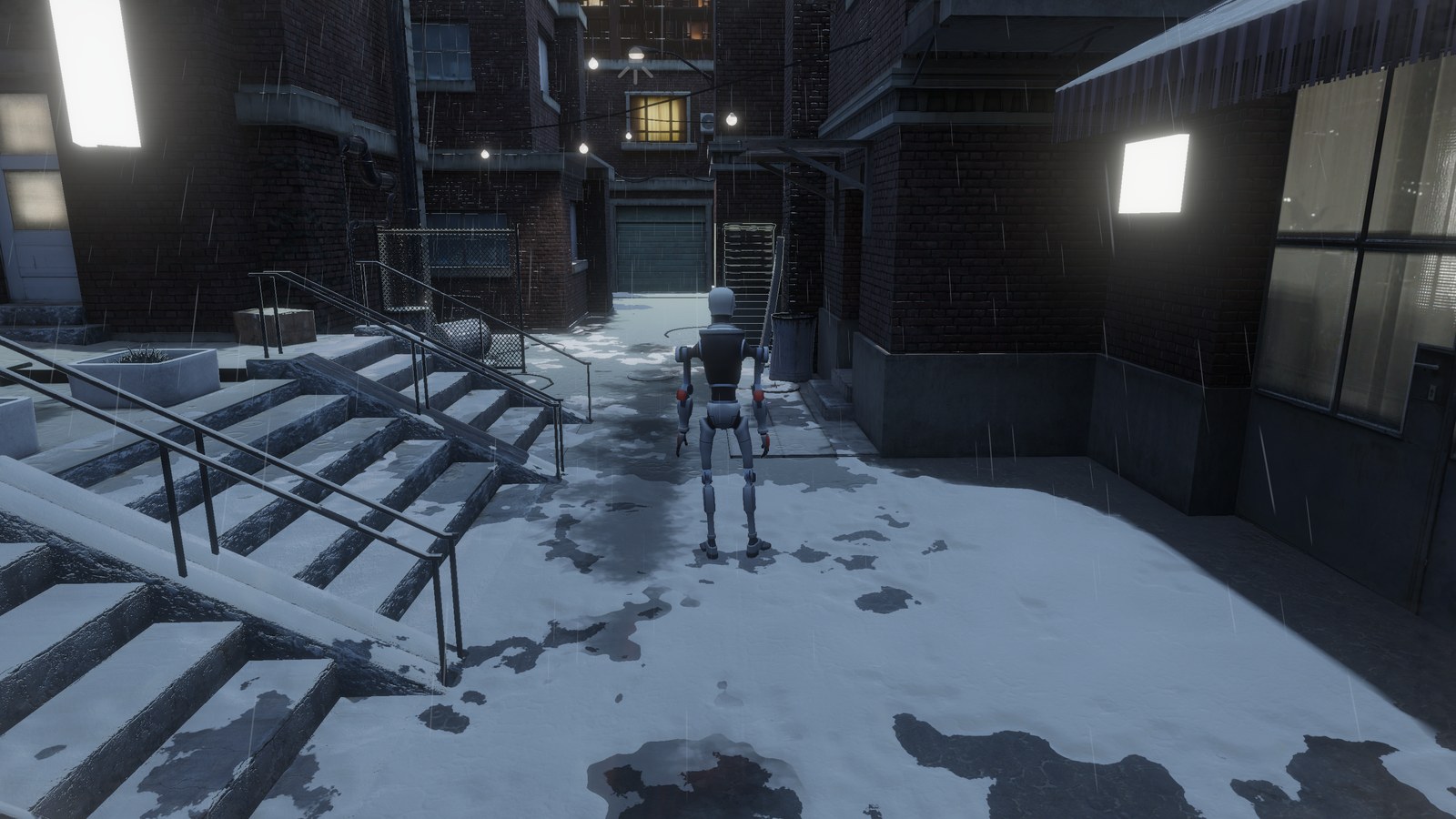
What is Global Snow & Rain 3?
Global Snow & Rain 3 for Unity adds snow, rain, puddles and frost to a URP scene. You add one component to the camera and a Render Feature to the URP renderer, and the whole scene gets snow, without changing your materials.
Global Snow works on the deferred G-buffer. A top-down capture finds which surfaces are exposed to the sky, so roofs, porches and bridges keep the snow, the rain and the puddles off what is under them, while trees painted on terrains let them through.
Deferred rendering required - Global Snow only works with the Deferred or Deferred+ rendering path. Set it in the Universal Renderer asset used by your URP asset.
Key Features
Weather
- Temperature and Intensity at the top of the inspector set what falls and how much: snow, wet snow, snow and rain mixed or rain, from very light to extreme, with frost, frozen puddles and lens frost in the cold. Snow and Puddles set the snow on the ground and the standing water.
- Performance Level (Best, Medium, Fastest or Custom) and profiles that store your settings and blend from one to another.
Snow
- Three shading levels: Flat Shading, Normal Mapping and Relief Mapping, with glitter and shading toward the sun.
- Snow Accumulation with a real thickness on the ground objects you add to its Receivers, such as terrains, roads and roofs. It buries what rests in it and slopes down to zero at the edges of each receiver, and each receiver can have its own thickness and slope.
- Natural snow lines with minimum altitude, slope limits and bare patches.
- Snow on terrain grass with its own coverage and altitude offset, and on grass and plants placed as objects through the Vegetation Layers, or through the Global Snow Vegetation node in their own Shader Graph.
- Add Snow To Forward Opaques for opaque objects drawn only in the forward pass, such as many tree leaves.
Footprints & Marks
- Deep Marks that dig into the snow accumulation under characters, physics objects and vehicles, with raised rims and a Sink Depth per object.
- Footprints with a sole texture, one per foot, for characters with the Global Snow Interaction component or for a first person camera.
- Collision Marks where objects touch the snow, on the ground, roofs or anything else, with a plow mode for vehicles and blades.
- Dirt reveal with your own ground textures, and Impact FX snow bursts scaled by the size of the object.
Snowfall, Dust & Wind
- Procedural snowfall around the camera, from light snow to blizzards, with motion streaks, density waves and a distance whiteout.
- Snow dust puffs that drift near the ground and stay out of shelters.
- One shared wind for snowfall, snow dust and rain, set by hand or read from a WindZone.
Rain & Water
- Rain that wets the surfaces exposed to the sky, and walls under small roofs on the side the wind comes from.
- Puddles on level ground, with ripples from footprints, marks, impacts and the wind, and rings from the rain drops. They freeze in the cold, and the Puddle Editor paints where they form.
- Running drops that run down wet surfaces near the camera, merge and leave trails.
- Rain splashes that the drops throw near the camera wherever they hit: crowns and droplets on standing water, and flat splashes on wet surfaces and running water.
- Water in the snow marks: with Puddles, deep marks, footprints and furrows fill with water that gets rain rings and splashes, with its own Deep Water Tint.
- Camera Rain: drops on the camera lens that grow in the rain, run down with its slant, merge and leave wet trails that dry.
See Rain & Water for details.
Frost
- Surface frost: hoarfrost ice on the ground and on the lower part of walls, with plates, cracks and reflections.
- Camera frost on the edges of the view.
Coverage Control
- Layer Mask to choose which objects can receive snow.
- Per object exclusion with the
Global Snow Ignore Coveragecomponent. With Block Snow/Rain and Precise it also keeps the snow, the rain and the puddles off the ground under an object such as a parked car. - Coverage Mask texture with a brush in the Scene View to add or remove snow by area, and an Object Snower that covers or clears the area of an object such as a long road.
Tools
- Scene View preview and a Compare split view that shows the scene with and without Global Snow.
- Scripting API to change the weather at runtime and to mark the snow and the puddles from your own code.
Requirements
| Requirement | Minimum |
|---|---|
| Unity version | Unity 6.0 or newer |
| Render pipeline | Universal Render Pipeline (URP) with the Deferred or Deferred+ rendering path |
| Render Graph | On. In Unity 6.0 to 6.3, Compatibility Mode (Render Graph Disabled) must be off |
Render Graph required - Global Snow runs only on the Render Graph used by URP in Unity 6. In Unity 6.0 to 6.3, turn off Compatibility Mode (Render Graph Disabled) in Project Settings > Graphics, otherwise Global Snow does not render and its inspector shows an error.
Next Steps
- Quick Start - get snow running in a few minutes.
- Setup Guide - Render Feature and deferred configuration in detail.
- Parameters Reference - every option of the inspector.
- Rain & Water - rain, wetness, puddles and running drops.
- FAQ - common questions answered.
Was this page helpful?
Suggest an improvement
Help us improve this documentation page.