Introduction
Lines Plus for Unreal · Introduction
Lines Plus for Unreal draws lines in the world: straight lines, lines through a list of points, smooth curves, projectile paths and links between objects. You place lines in the level as actors, or you draw them from Blueprints and C++ with one node.
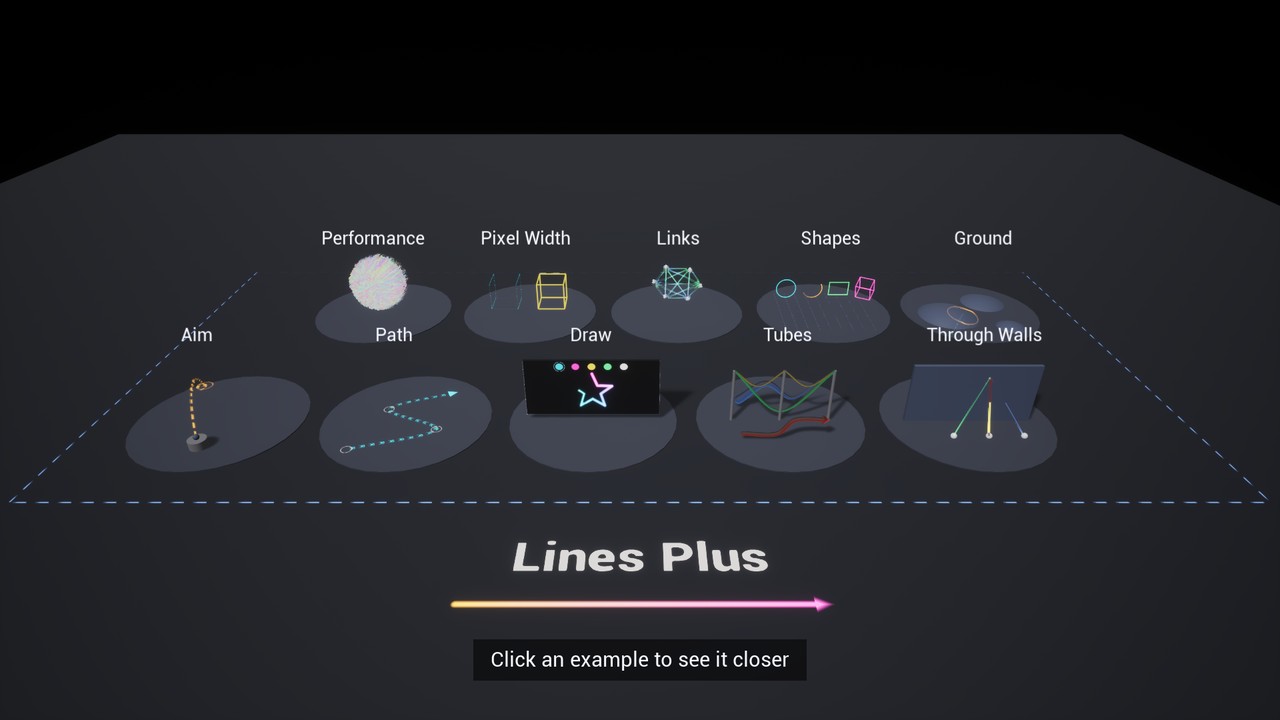
Key Features
- Three shapes: a ribbon that always faces the camera, a flat ribbon that faces a fixed direction, and a tube with volume.
- Width in world units or in screen pixels, with a different width at the end of the line.
- Solid, dashed and dotted lines and arrow shapes, with patterns that can move along the line.
- Glow around the line that does not need bloom, color gradients with alpha and textures that fill the line.
- Caps and corners: flat, square, round or arrow ends, and round, sharp or flat corners.
- Draw animation: a line can draw itself from start to end, erase itself, and fade out at the end of its lifetime.
- Opaque, translucent and additive lines, with a color gradient, brightness for glow, lit tubes, shadows and lines visible through walls, with another color for the hidden part.
- Curves and paths: smooth curves through points, Bezier curves, spline components and the path of a projectile.
- Links: lines that follow two moving objects, and lines attached to an object.
- Shapes: circles, arcs, rectangles, boxes and grids with one node.
- Lines on the ground: a line can follow the ground under it, for paths and range rings on a terrain.
- Selection: find the line under the cursor to select it or to highlight it.
- Many lines: lines with the same blend mode are drawn together in a few meshes, so a level can show thousands of lines.
- Blueprint nodes: every function is available in Blueprints and in C++.
What Is Included
| Lines Plus actor | An actor that draws one line. You edit its points in the viewport. |
| Lines Plus component | A component that draws one line on any actor. The line moves with the actor. |
| Lines Plus Style | A data asset that holds the look of a line, to share it between lines. |
| Blueprint nodes | Nodes to draw, change, animate and remove lines in the game. |
| Demo level | A level with ten examples of use. It is in the content of the plugin. |
Requirements
| Engine version | Unreal Engine 5.6, 5.7 and 5.8. |
| Development platforms | Windows and macOS. |
| Target platforms | Windows, macOS, Android and iOS. |
Next Steps
- Installation: add the plugin to your project.
- Quick Start: draw your first line.
- Line Actor and Component: the settings of a line placed in the level.
- Style Settings: the description of every setting of the look of a line.
- Blueprint Nodes: draw and control lines from your game logic.
- Demo: the demo level and how to use it.
Was this page helpful?
Suggest an improvement
Help us improve this documentation page.