How Generation Works
beginner conceptsThis page explains how the add-on is built: how it attaches to Voxel Play 4, what each script does and which asset it reads. For the option-by-option reference of every inspector field, see Generator Settings.
The big picture
Think of the generator as an architect plus a crew of builders:
- The blueprint. The first time the world needs the pyramid, the generator draws a tiny blueprint (the plan): where the base centre sits, how far the walls extend, how deep the base is buried and where the south entrance opens. The plan is just a handful of numbers, not voxels.
- The world streams in boxes. Voxel Play builds the world out of chunks (boxes of 16×16×16 voxels) created around you as you move. It never builds everything at once.
- Each box asks the blueprint. When a chunk is created, the generator checks the plan: does the pyramid intersect this box? If so, it fills and carves only the voxels inside that box, in a fixed order (the recipe below), and hands it back.
- No box depends on its neighbours. Every chunk derives everything from the same plan and the same seed, so it does not matter which chunk generates first or from which side you approach: the pieces always match up.
That is the whole trick: a deterministic recipe, evaluated one box at a time.
How it plugs into Voxel Play 4
PyramidMazeGenerator, DungeonSpawnerGenerator and DesertDressingGenerator are standard Voxel Play detail generators: ScriptableObject assets that subclass VoxelPlayDetailGenerator and are listed in the World Definition next to the terrain generator. There is no baked scene and no prefab of the monument: Voxel Play calls the generators chunk by chunk as the world streams in, so the pyramid drops into any Voxel Play world that respects the height rule below.
The detail-generator contract
| Member | What the add-on does with it |
|---|---|
Init() | Caches VoxelPlayEnvironment.instance, creates the Sculptor and the director, registers every voxel definition with env.AddVoxelDefinitions() and builds the shared microvoxel shapes (brazier cup and coals, ramp step, seal panels, crumbling cover, tomb props). A definition that is not registered here is simply skipped later, which is why unassigned slots disable their feature instead of throwing. |
AddDetail(VoxelChunk) | The whole per-chunk pipeline. Called once per chunk, on the chunk's own world band. |
ExploreArea() | Used by the spawner to drain its pending queue while the player stands still. |
pendingWorkCount | Reported by the spawner so Voxel Play knows work is still outstanding. |
affectsOcclusionTerrainClassification | Returns true on the pyramid generator: the monument occludes terrain the density culler cannot see on its own, so heightmap occlusion mode must be kept. |
Voxel definitions and items
Detail-generator definitions register after Voxel Play has built its item table, so a broken voxel would normally drop nothing. The gold voxel is therefore registered twice, as a voxel and with env.AddItemDefinition(), which is what gives mined gold a real inventory entry. That same item is the currency the offering door consumes.
How voxels are written
The generator never writes to chunk arrays directly. It uses three paths, chosen for what the voxel has to do:
Sculptor.Fill/FillShape/FillMicrofor bulk masonry and microvoxel skins.env.VoxelPlace()one cell at a time for anything that emits light (lava, embers), because the batch path does not register light sources.env.VoxelPlaceDeferred()withDeferredVoxelWriteFlags.NonSolidOrCutoutfor still water and for the tomb props, so fluids never flow and decor is never converted back to stone by a later pass.
Assemblies
Runtime code lives in WorldPlay.Pyramid.asmdef. The one deliberate exception is the demo hotbar (PyramidUI, under Demos/UI): Voxel Play resolves UI overrides from the default assembly, so that script sits in a folder with no asmdef. Keep that arrangement if you adapt it.
Plan first, then carve
PyramidMazeDirector is pure data: given the seed, the settings and the terrain height function, it returns a PyramidMazePlan with two structs and nothing else. It makes no Voxel Play calls, which is what lets the inspector build previews outside Play mode.
| Plan member | Contents |
|---|---|
frustum | Centre XZ, base half-width, height, base and apex world Y, the sampled ground datum and the wall thickness. |
entrance | Door centre X, entry floor Y, south-face Z, opening size and how far the hall reaches inward. |
basePosition | World voxel position of the base centre, straight from the settings. |
Partial burial
The monument is not placed on top of the desert: it is sunk into it, like a ruin half-swallowed by the dunes, with only the stepped tip showing. The burial datum is sampled once, at plan time, as the maximum terrain height over the centre and the four corners of the footprint, so a wide base on a slope never floats. From there apexY = groundY + aboveGroundHeight and baseY = apexY - height. Because the datum is snapshotted in the plan, every chunk agrees on the same base and apex even after voxels have been written and the terrain no longer reads the same.
The 45-degree profile
One function decides the whole silhouette: PyramidMazeDirector.HalfAt(frustum, y) returns the half-width of the square section at any height. Above the base plane it is simply apexY - y, capped at the base half-width, which gives a 45-degree slope with one-voxel climbable steps; below it the section stays at full width. Everything else in the add-on, from the shell seal to the spawner's "am I inside the structure" test, calls that same function, so the geometry can never disagree with itself.
The per-chunk pipeline
Before doing any work, AddDetail rejects chunks cheaply: first an AABB test against the full frustum, then a second test against the widest cross-section in this vertical slice (HalfAt again), padded near the entrance band where the portico, cornice, guardian and base apron project beyond the face. Without the second test, high corner chunks would run every carve and decor phase while touching no pyramid at all.
Inside each intersecting chunk the generator always works in the same order, like a recipe:
- Fill the mass - the buried body in rock strata (granite deep down, then rock, then sandstone) and the dressed limestone casing on the visible faces, with dithered boundaries between bands.
- Carve the interior - the switchback descent, the maze floors with their corridors and rooms, and the burial chamber.
- Carve the river grotto below the deepest floor (when the river is enabled).
- Open the entrance - the hall, the central plaza and the portico on the south face.
- Seal the shell - any carve that reached the outer wall is plugged so the interior never leaks to the sky.
- Line the galleries - raw terrain exposed inside gets a masonry finish.
- Add fluids - the lake, lava, pit basins and river water.
- Light it - wall torches and braziers, anchored on the final geometry.
- Dress it - vines, planks, murals, statues, cobwebs and the rest of the tomb decor.
The order matters: fluids, lights and decor come after the masonry liner so they are never converted back to stone, and torch anchors are recorded during the carve but only spawned after the seal and the liner have had their say. When a feature spans two chunks, the neighbouring chunk runs the same recipe and produces exactly the matching half.
Deterministic per seed
The same seed and settings always produce the same monument and maze. Every random decision goes through DeterministicRng(seed, salt), where the salt is derived from what is being decided and where: the floor index, the cell index, the chunk origin, the feature. Nothing is ever drawn from a shared sequential stream, so adding a feature never shifts the numbers another feature would have drawn. That is why turning a toggle off changes only its own feature and leaves the rest of the tomb identical.
In practice: press R in the demo for a fresh random monument, write a seed down to revisit the exact same tomb tomorrow, or share seed and settings with a teammate to explore the same maze.
Code map
Everything lives under Assets/VoxelPyramid/.
| File | Responsibility |
|---|---|
Runtime/PyramidMazeSettings.cs | The serialized settings block, embedded in the generator asset. Every inspector field is declared here. |
Runtime/PyramidMazeDirector.cs | Plans the frustum and entrance from seed, settings and terrain heights. Pure data, no Voxel Play calls. Owns HalfAt. |
Runtime/PyramidMazePlan.cs | The plan itself: Frustum and Entrance structs, snapshotted once so every chunk agrees. |
Runtime/PyramidMazeGenerator.cs | Orchestrates the per-chunk pipeline: strata, casing, descent, caverns, floor stack, river, entrance, shell seal, liner, fluids, torches and decor. |
Runtime/PyramidExterior.cs | Casing core and weathered shell: accent bands, cracked margins and ruin patches. |
Runtime/PyramidFloors.cs | The floor stack: braided maze, rooms, connectivity repair, stairwells, pits, crumbling covers and sealed passages. |
Runtime/PyramidRiver.cs | River grotto, stone bridge, burial portal, vault and the golden offering door. Exposes TryGetVaultDoorBounds. |
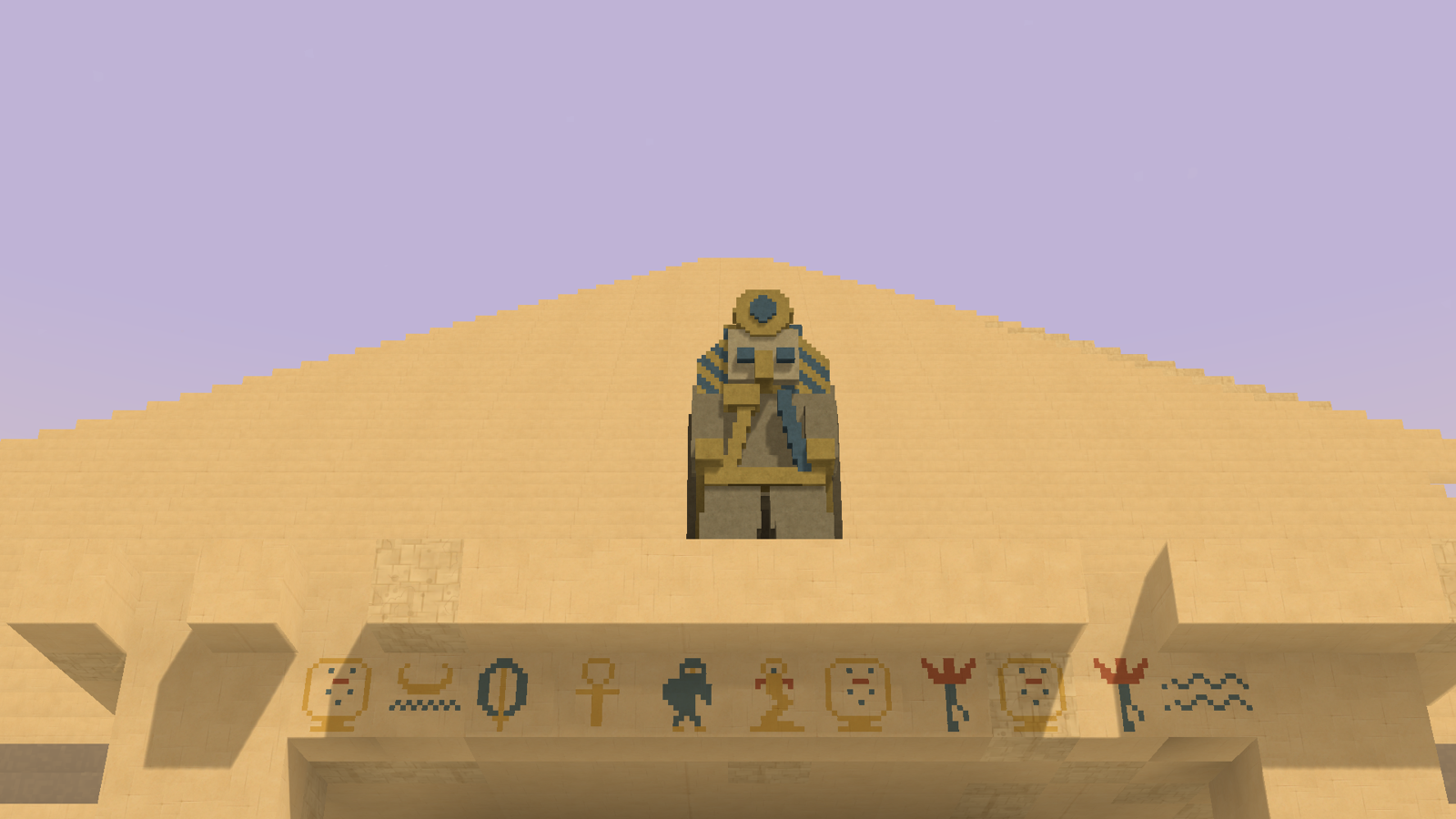
Runtime/PyramidMazeDecor.cs | Microvoxel tomb dressing: sarcophagus, statues, murals, vases, cobwebs and the portico guardian. |
Runtime/PyramidEntranceArchitecture.cs | The dressed approach hall: pilasters, beams, dado band and carpet. |
Runtime/PyramidFeatureTeleport.cs | Teleport targets for every feature, derived from the plan, used by the inspector buttons. |
Runtime/PyramidFloorPreview.cs | Env-free floor snapshots consumed by the inspector preview (BuildFloorPreviews). |
Runtime/PyramidPalmShapes.cs | Shared microvoxel palm templates. |
Runtime/DungeonSpawnerGenerator.cs | Standalone creature spawner: depth bands, deterministic placement and the settle queue. |
Runtime/DesertDressingGenerator.cs | Standalone surface dressing: vegetation clusters, rocks and oases. |
Runtime/PyramidDemo.cs | Demo hotkeys (regenerate, chip mode) and the ambient dust motes. |
Runtime/PyramidLoadingScreen.cs | The loading screen shown while the first chunks stream in. |
Runtime/Gameplay/*.cs | The exploration and combat kit. One component per behaviour, listed further down. |
Editor/PyramidMazeGeneratorEditor.cs | The sectioned inspector, the validation warnings, the per-floor preview and the teleport buttons. |
Demos/Resources/Pyramid/ | The self-contained demo world: World Definition, biome, terrain, generator assets, voxel definitions, items and materials. |
Subsystem by subsystem
Exterior: strata, casing and the shell seal
The buried mass is filled in horizontal bands so cut walls read as layered geology: granite at the bottom, rock in the middle, sandstone on top, then the dressed casing. The boundaries between bands are dithered rather than flat, so no band ends in a straight line. The casing datum is deliberately pushed up to 16 voxels below the sampled ground, because the dunes can be lower on one face and a raw sandstone skirt would otherwise show.
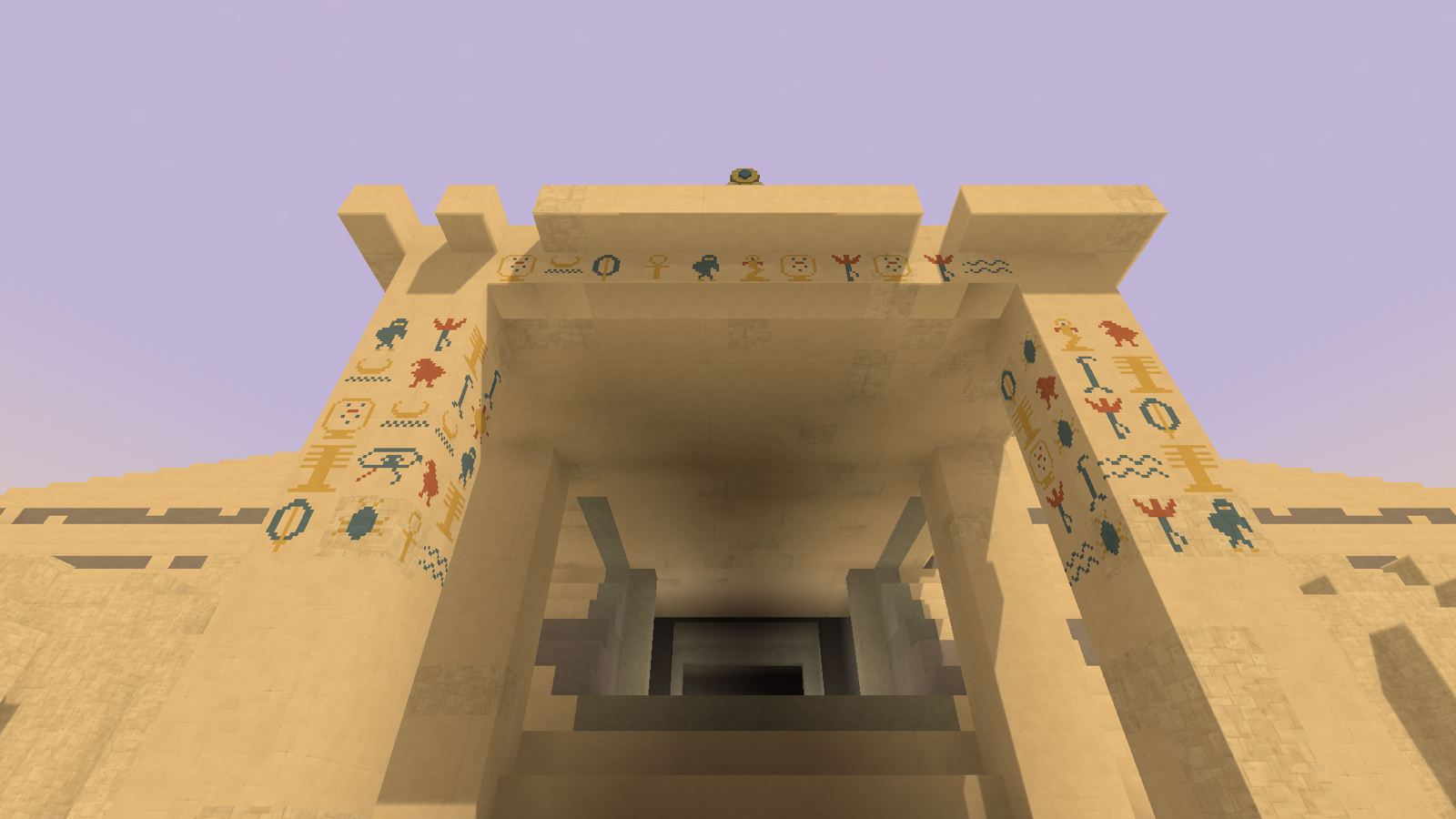
PyramidExterior then weathers the shell: restrained accent bands near the base (Casing Band Voxel), cracked margins around losses (Casing Cracked Voxel) and ruin patches. The last step of the masonry phase is the shell seal, which plugs any carve that happened to reach the outer wall - without it a corridor that grazed the face would open a window to the skybox.
The floor stack
The interior is a stack of maze floors aligned to chunk slices, so a floor never straddles a chunk boundary. ResolveMazeFloorLayout picks the largest floor count in the Floors/Chunk range that divides the 16-voxel chunk height evenly (1, 2, 4 or 8) and still leaves at least four voxels of pitch: a floor slab, two voxels of headroom and a ceiling slab. Corridor height is the pitch minus two.
Each floor is a square grid of cells centred on the pyramid axis, so cells line up vertically across every floor. The cell pitch comes from Complexity (11 voxels at 0, 8 at 1), and the grid is sized from HalfAt at that height minus a six-voxel margin, which is why floors get smaller as you climb.
Per floor, in order:
- Rooms are stamped first. The number of attempts scales with Room Density; each attempt claims a 2×2 or 3×3 block of cells with a free margin around it, up to 24 rooms. The kind is drawn against the floor's depth, so treasure vaults and pit rooms only appear deep and the upper floors get halls and chambers.
- Corridor hazards. Cells that are not part of a room can become a drop-pit (chance scales with Complexity) or a rubble-choked cell. The rubble chance is a gradient rather than a coin flip: high near the surface, low at the bottom, so descending reads as moving from the looted floors into the sealed ones.
- The braided maze. A recursive backtracker over the remaining cells, then a braid pass that reopens a fraction of the walls (1% at complexity 0, 6% at 1) so there are loops instead of one solution. A repair pass then reaches any cell the backtracker could not, so connectivity is guaranteed regardless of where rooms landed.
- Stairwells. Between one and three runs per floor pair, plus a deterministic sweep that guarantees at least one connection even when every random attempt failed.
- Cross-floor resolution. Double-height rooms need clear ceiling above or they degrade to halls; pit rooms suppress the cells below them; cells sitting over a tall room's void carry no floor slab of their own.
- Sealed shortcuts. With Secret Passages on, unlinked neighbour pairs get an 8% chance of becoming a real passage walled up behind a thin panel. Rooms, pits, rubble cells and any cell a stair crosses are excluded, because a stair opens a diagonal void the partition cannot close.
All of this is decided once per floor and cached, so the carve, the inspector preview and every chunk see the same layout.
Crumbling covers and breakable panels
Two different definitions are involved and they are deliberately not the same asset:
- Cracked Slab Voxel is written only at floor level, as a four-layer microvoxel skin (a quarter of a voxel) whose upper face is flush with the normal floor. A full voxel there would visibly rise out of the pit. This is the definition the
PyramidCrumblingFloorscomponent watches for. - Secret Passage Voxel is the vertical partition over a sealed shortcut, spanning the whole corridor height. It is kept separate precisely so the crumbling component never mistakes a wall for a floor.
Both are ordinary breakable voxels: what makes them read as "the way through" is their low resistance, not any special code. See the resistance table in Generator Settings.
River, vault and the offering door
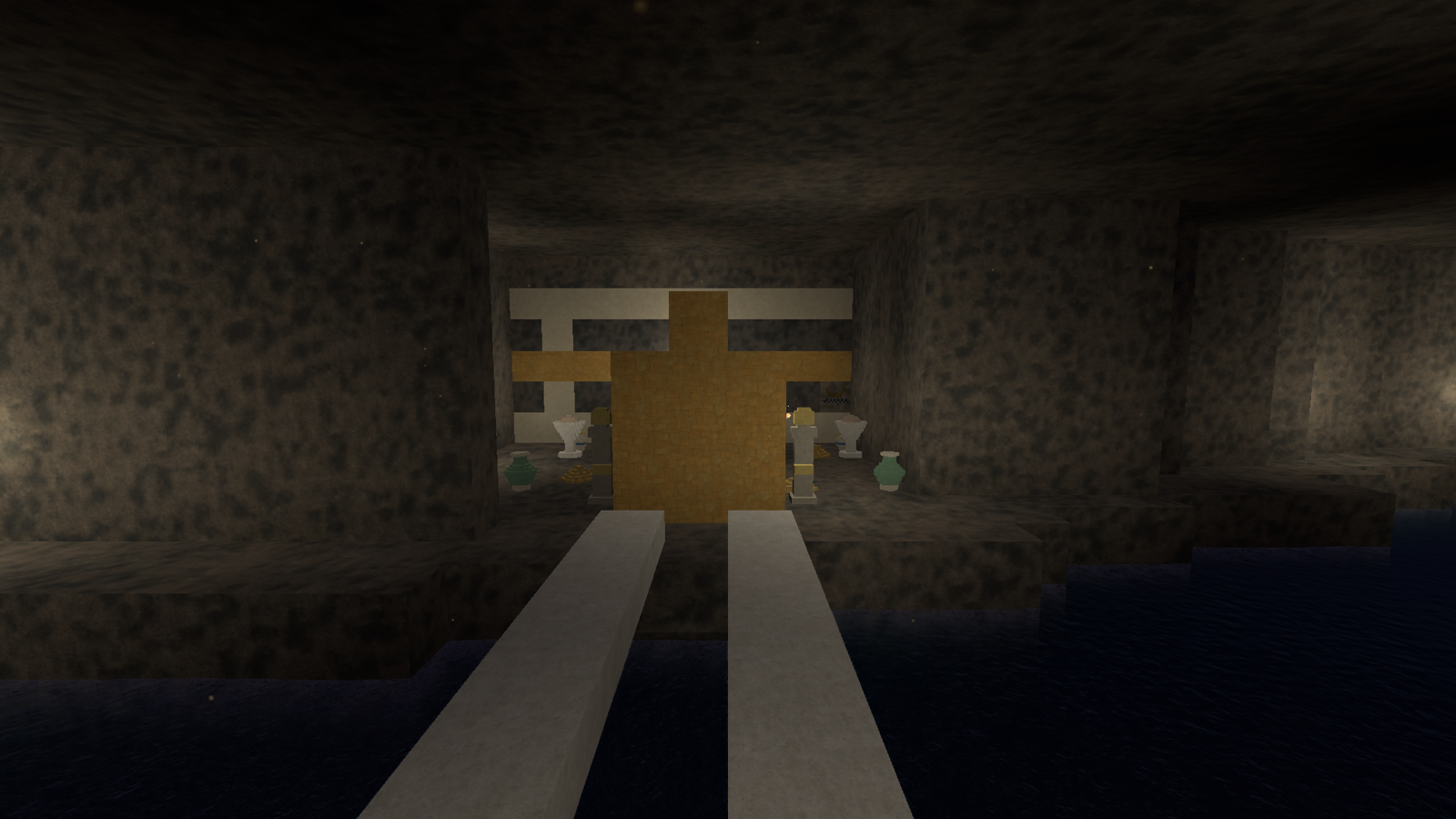
PyramidRiver works from fixed offsets above the frustum base: the basalt bed, the bank walk level (the same level as the burial chamber floor) and the grotto ceiling. The centreline is a serpentine function of X, so the grotto never runs straight. On the axis it builds the stone bridge, the portal from the burial chamber, and the vault on the far bank.
The door is the interesting part for scripting: TryGetVaultDoorBounds(out min, out max) derives the door's world-space box from the plan alone, never by probing voxels. That is what lets PyramidVaultDoor test whether an arbitrary voxel hit landed on the seal, in any chunk, at any time.
Fluids
All water in the tomb (the cavern lake, the pit-room basins and the river) is written as still water through the deferred queue: it never floods, never spreads and never persists outside its basin. Lava takes the other path, one cell at a time through VoxelPlace, because only that path registers a voxel as a light source. That single implementation detail is why the lava lights the cavern and the lake does not.
Torches and braziers
Wall torches are a Voxel Play item (Torch Item), not a voxel: prefab, flame and light in one definition. Anchors are recorded while the galleries are carved, but the torches themselves are only placed after the shell seal and the masonry liner, on the final geometry, so none of them ends up buried in a wall that was closed later. Spacing along a run is a jittered stride between Spacing Min and Spacing Max, tightened toward the minimum as Torch Density rises.
Braziers are built from two voxel definitions as microvoxel shapes: a dark cup (Brazier Base Voxel) and glowing coals (Ember Voxel), which are the actual light source. They are placed after the liner and the fluids, and anchors whose support was carved away in the meantime are skipped.
Tomb dressing
PyramidMazeDecor builds every prop out of coloured microvoxels on a neutral host voxel (Decor Voxel): sarcophagus, canopic jars, altars, statues, vases, debris, wall reliefs, hypostyle columns and the portico guardian. Cobwebs use a separate host (Cobweb Voxel) with an opacity of zero, which renders the microvoxels but contributes no collider and no light occlusion, so a web never blocks you or darkens a corridor. Decor is written through the deferred queue after everything else for the same reason as the fluids: nothing downstream can convert it back to stone.
Creature spawner
The spawner is a separate detail generator on purpose: it populates whatever world it is added to, so it works on a cave system or a dungeon of your own, and removing it from the World Definition takes nothing else with it.
Its per-chunk pass scans every other cell in X and Z looking for a spawn spot - two open cells over a solid one - and, with a pyramid assigned, discards anything outside the carved interior. Y alone is not enough for that test: a chunk below the desert line still holds open sand around the monument, so the check uses the square section from HalfAt minus the wall band.
Spots are not used immediately. Because the pyramid lines its galleries and seals its shell in later passes, and neighbouring chunks carve into this one, a spot that is open now can be solid rock in a moment. Spawns are therefore queued with a settle delay of eight further chunk passes and revalidated before they land. Two more rules shape what you actually meet:
- Elbow room. A body is wider than the cell its centre sits in, so a spot needs its four sides open at both feet and head height. Without it, creatures read as sunk into the wall.
- The player's spot is held, not dropped. Chunks stream in around the player, so the rooms on their own route are exactly the ones being detailed while they stand there. Discarding those spots emptied the corridors the player actually walks, so a spot too close to the player is requeued and used once they have moved on.
Placement is deterministic per chunk and band, so revisiting a room finds the same population. Everything the spawner instantiates goes under a single Dungeon Spawns parent, which gives a host game one handle to clear.
The Gameplay object
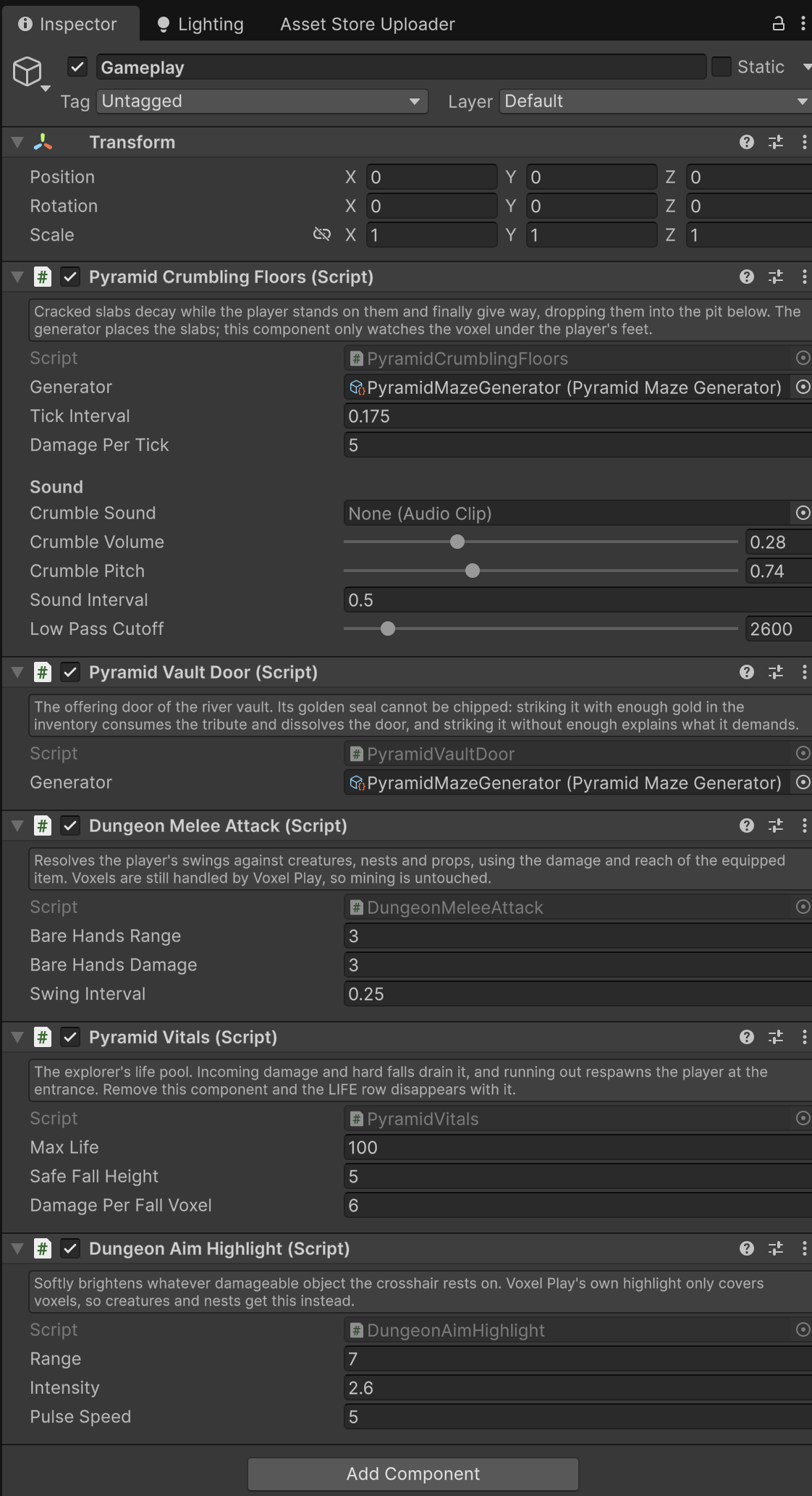
The demo scene has a Gameplay GameObject that carries the exploration and combat kit. Each component is independent: remove one and only its own behaviour goes away. Full field reference in Generator Settings.
| Component | How it works |
|---|---|
PyramidVitals | One life pool. It remembers the apex while the character controller is airborne and settles the bill on landing, so only the free-fall part is charged. Damage goes through env.ShowMessage for feedback; at zero it refills and calls characterController.MoveTo back to the captured spawn point. A static instance lets anything else in the scene (the creatures, your own traps) deal damage without a reference. |
PyramidCrumblingFloors | Purely reactive: it probes the voxel under the player's feet and, if it is the cracked-slab definition, applies damage in ticks until it breaks. It resolves the voxel cell first and builds the hit info from it, because a position-based ray would start inside that quarter-voxel skin and miss its top face. When a tile finally gives way it flood-fills the connected cover at the same level (capped at 64 cells), since one open cell is narrower than the player's support footprint and the neighbours would otherwise bridge them. |
PyramidVaultDoor | Subscribes to env.OnVoxelDamaged. When a hit lands inside the door bounds it zeroes the damage (the seal never chips), reads the player's quantity of the gold item and either consumes the tribute and dissolves the whole door box, or shows how much is still missing. It rebinds itself when the plan changes, so the door is back after a regenerate. |
DungeonMeleeAttack | Casts a ray from the camera on the attack button, stepped forward so it cannot hit the player's own collider. If the ray landed on a voxel it returns immediately and Voxel Play's mining handles it; only a collider hit is treated as a swing. Damage and reach come from the equipped item's hitDamage and hitRange properties, which is why the pickaxe hits harder than bare hands. |
DungeonDamageTaker | The target side: hit points, a cooldown so one swing cannot register twice, onDamaged and onDefeated events, and a self-contained particle burst so something reacts visibly even with no effect prefab assigned. Put it on anything you want to be strikeable. |
DungeonAimHighlight | Voxel Play's own highlight covers voxels only, so plain GameObjects get this instead: whatever damage taker the crosshair rests on pulses brighter. It is a brightness-only pulse driven through a MaterialPropertyBlock over the shader's _Color, with no hue shift and no material instancing, so it reads the same for every viewer. |
DungeonSpawnNest | What the spawner bands actually place. It requires a DungeonDamageTaker, so it is an ordinary breakable. It snaps itself down to the first solid surface below (the spawner hands out an air-cell centre) and keeps re-checking, because later carve passes can dig the floor away; a nest that ends up in a void, or whose every doorstep is rock, removes itself. Releases go into an open cell beside it, never on top of the player, and it swells for a moment first so the release can be read. |
DungeonBlobCreature | The demo creature: a hop state machine (rest, wind-up, air, land) that navigates by probing voxels rather than a NavMesh, since a streamed procedural world has none. It tests candidate landings at three lengths and three heights, gives up and roams when it stops making progress, and animates by swapping mesh keyframes at ten frames per second. On contact or on defeat it explodes: env.VoxelExplode for the crater and debris, and a hit to PyramidVitals if the player is inside the blast. |
PyramidHudLayout | A static helper shared by the demo UI: it computes where status messages must sit so they clear both the hotbar captions and the status panel. |
Inspector tooling
The custom editor does three things worth knowing about when you extend it:
- The floor preview never runs on the live asset.
BuildFloorPreviewsrebuilds internal generator state, so the editor keeps a hidden scratch instance and shares the same settings object with it. Running it on the live generator would poison the plan with the preview's flat-terrain stub. - Edit mode plans against flat terrain. Outside Play mode there is no terrain to sample, so a stub returns height zero. Floor Y alignment shifts slightly, but the layout logic is the real one.
- Teleport targets come from the plan. The small button next to each feature jumps the player in front of it, cycling through instances. The spots are computed from the plan and the floor layouts, never probed from voxels, so they work even for a feature that has not streamed in yet.
Demo scene wiring
Two objects carry the demo: Settings holds the generator asset and PyramidDemo (the R regenerate key, the N chip-mode toggle, which switches the character controller between whole-voxel breaking and microvoxel chipping and swaps the hit delay with it, and the camera-local dust motes), and Gameplay holds the kit above. PyramidLoadingScreen covers the first chunk stream, and PyramidUI provides the themed hotbar with the depth and gold readouts.
Terrain, water and the height rule
The demo terrain keeps the world minimum height below the pyramid base: the buried mass must always sit inside generated ground, or the deep walls would border empty chunks and render see-through to the sky. Keep that rule when moving the generator to your own world.
The desert dressing generator reads the pyramid's Base Position and Base Footprint directly to keep its oases clear of the monument, so the two generators stay consistent without any manual bookkeeping. See Desert Dressing.
Self-contained demo
The demo world is self-contained: it deep-copies its terrain, biome, voxels and materials into its own resources, so it keeps working even if you delete the other Voxel Play sample worlds.
Suggest an improvement
Help us improve this documentation page.