Adding Lights
beginner conceptsVolumetric Lights 2 (URP) · Core Concepts
Adding Volumetric Lights to Your Scene
There are two ways to add volumetric lights: create a new light or add the effect to an existing one.
Option A - Create a new volumetric light
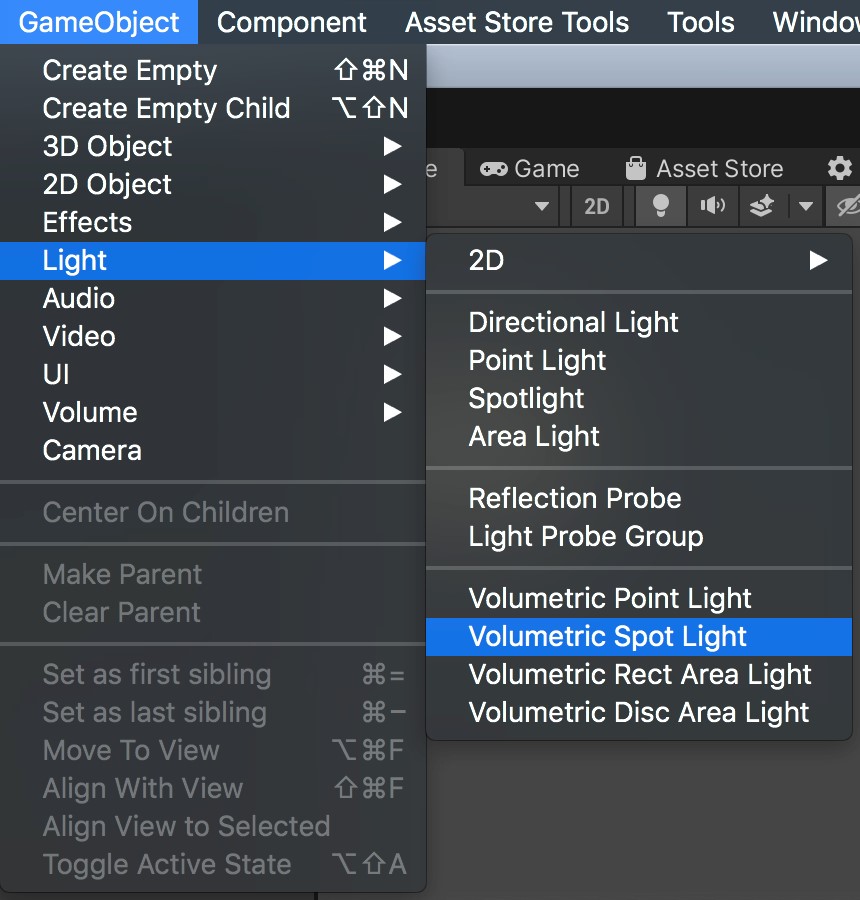
Go to GameObject > Light > Volumetric Spot Light (or Point, or Area). This creates a light with the VolumetricLight component already attached.
Option B - Add to an existing light
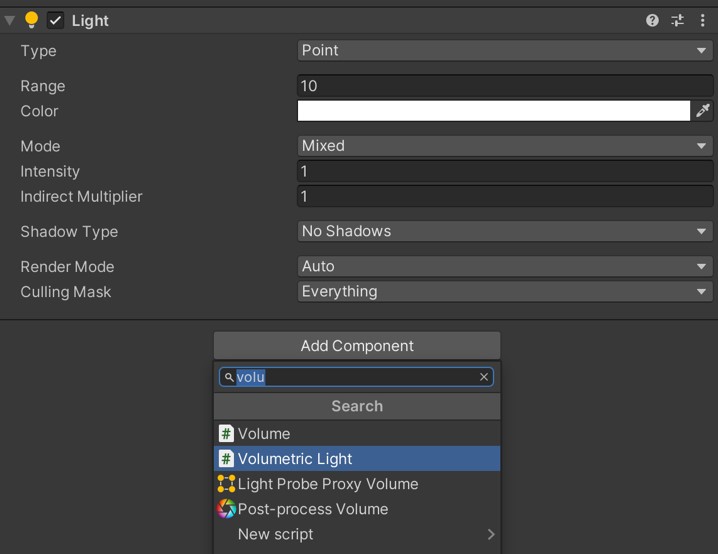
Select any existing Point, Spot, or Area light in your scene. Click Add Component and search for Volumetric Light.
Optional - Assign a profile
Profiles are ScriptableObjects that store all volumetric light settings. They let you share configurations across multiple lights.
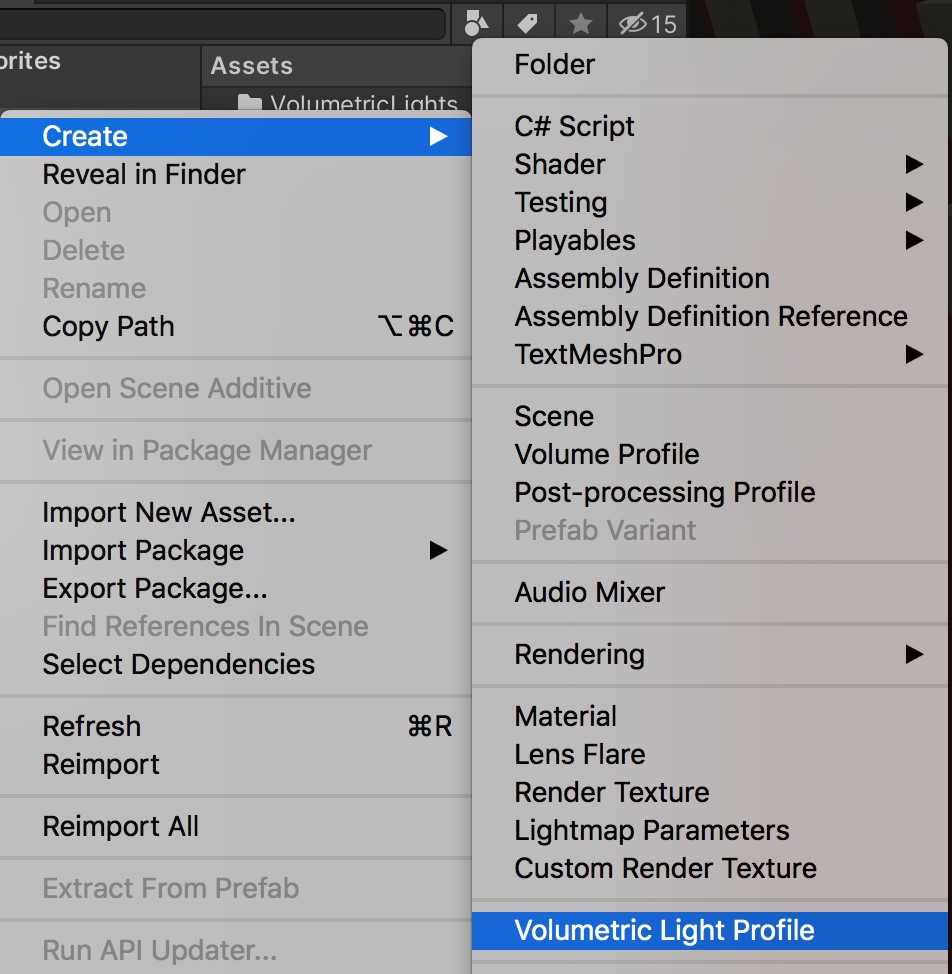
- Right-click in the Project panel and select Create > Volumetric Light Profile.
- Assign the profile in the Profile field of the Volumetric Light component.
Enable Profile Sync so changes to the profile automatically propagate to all lights using it.
Was this page helpful?
Suggest an improvement
Help us improve this documentation page.