Setup
beginner conceptsVolumetric Fog & Mist 2 (URP) · Core Concepts
Setup & Configuration
Complete these steps to configure your URP project for Volumetric Fog & Mist 2.
Step 1 - Install Universal Render Pipeline
Open Window > Package Manager, find Universal RP and click Install (version 14+ recommended for Unity 2022.3+).
Step 2 - Assign the URP Asset
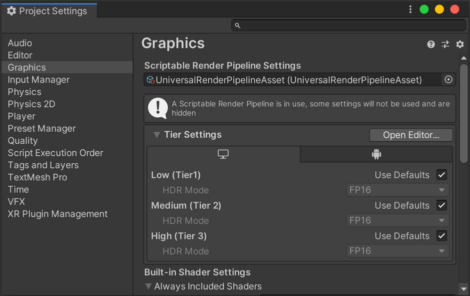
Go to Project Settings > Graphics and assign a Universal Render Pipeline Asset. You can use the asset included in the demo folder (Volumetric Fog 2/Demo/URP Pipeline Settings).
Step 3 - Enable Depth Texture
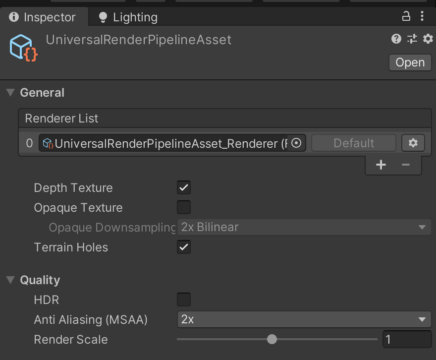
Double-click the URP Asset to open its Inspector. Enable Depth Texture. Enabling MSAA is also recommended.
Step 4 - Verify Renderer Settings
| Setting | Location | Required Value |
|---|---|---|
| Depth Texture | URP Asset | Enabled |
| Depth Texture Mode | URP Asset | After Opaques or Depth PrePass |
| Transparent Receive Shadows | URP Renderer Data | Enabled (for fog shadow reception) |
Optional - Render Features
For advanced transparency support (depth pre-pass, depth peeling), add these render features to your URP Renderer Data asset:
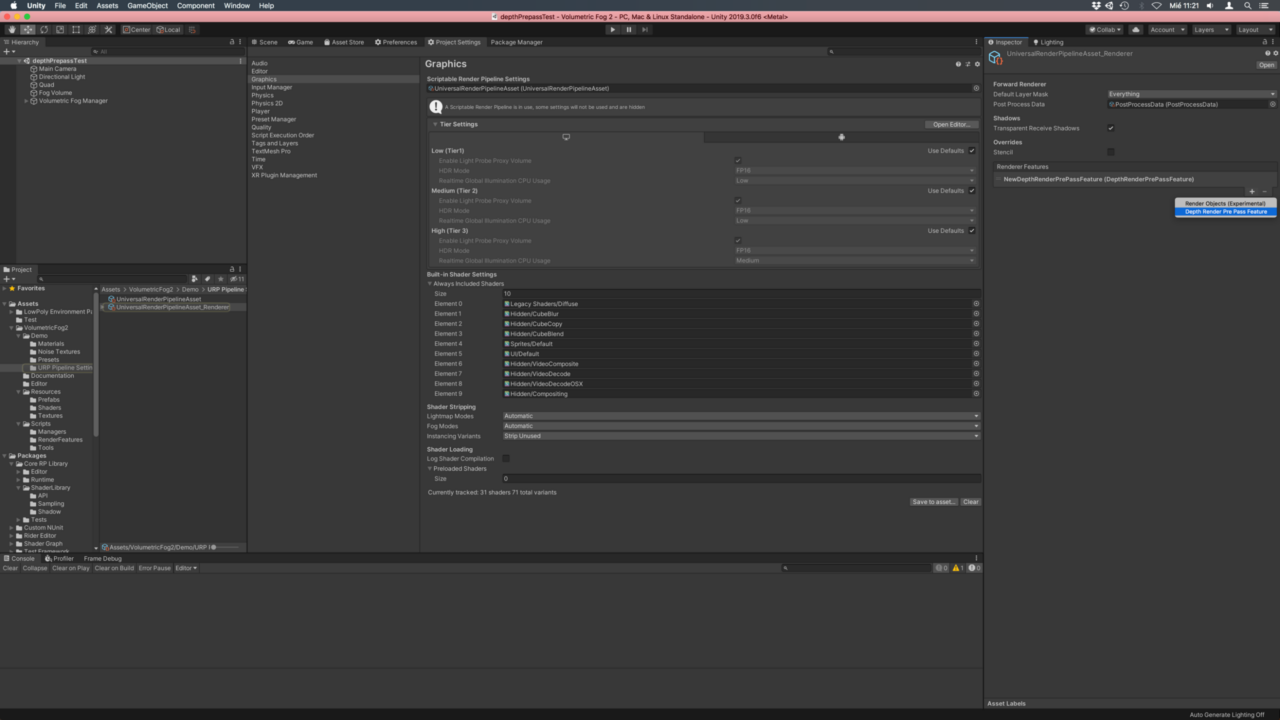
- Open the Forward Renderer asset (double-click from the URP Asset).
- Click Add Renderer Feature and add DepthRenderPrePassFeature.
- Optionally add the Volumetric Fog 2 Render Feature, required by Downscaling, Blur, Scattering and Depth Peeling.
The Volumetric Fog Manager can also do this for you (31.4.5 or later). When an option needs one of these features and the renderer does not have it, the manager shows a warning with an Add To Renderer button, which adds the feature to the default renderer of the active Universal Render Pipeline asset. When a feature is no longer needed, the warning shows a Remove From Renderer button instead, which removes it from the renderers of that asset.
Video Setup Guide
Suggest an improvement
Help us improve this documentation page.