Introduction
beginner start hereVolumetric Fog & Mist 2 (URP) · Start Here
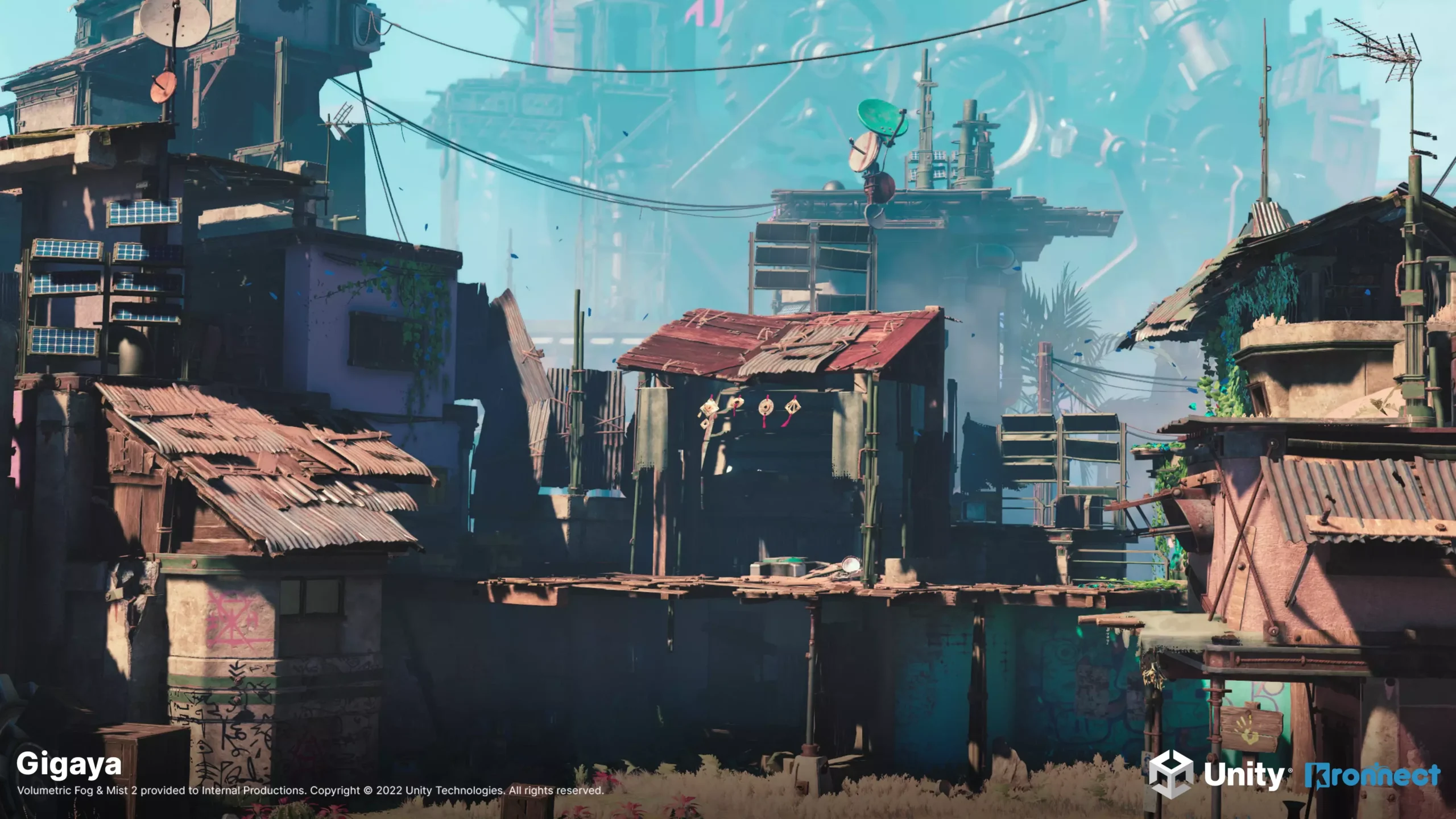
What is Volumetric Fog & Mist 2?
Volumetric Fog & Mist 2 is an advanced full-screen volumetric fog effect for Unity's Universal Render Pipeline (URP). It uses optimized ray-marching to produce realistic fog, mist, dust and cloud effects with full support for lighting, shadows and transparency.
Unlike simple image-based fog, Volumetric Fog & Mist 2 renders true 3D fog volumes that respond to scene lighting, cast and receive shadows, and interact with transparent objects using custom depth pre-pass and depth peeling techniques.
Award-winning quality - Kronnect was nominated for Publisher of the Year at the Unity Awards 2023, with Volumetric Fog & Mist being one of its flagship products.
Key Features
Core Fog Rendering
- Volumetric Ray-Marching - true 3D fog volumes with customizable quality, step size and near-distance boosting.
- Fog Profiles - reusable profiles for quick switching between fog styles (shared or instanced at runtime).
- Box & Sphere Shapes - fog volumes can be shaped as boxes or spheres, with smooth border falloff.
- 3D Noise - primary and detail noise textures for organic, cloud-like fog shapes with animation/turbulence.
- Constant Density Mode - smooth, noise-free fog for simple atmospheric haze.
- Distant Fog - fast noise-free background fog that complements the volumetric effect.
Lighting & Shadows
- Native Lights - full support for spot, point and directional lights with shadows (Forward, Forward+ and Deferred).
- Fast Point Lights - optimized point-light mode (up to 16 lights) without shadows for better performance.
- Sun Light Diffusion - god-ray-style light scattering through fog from the directional light.
- Shadow Reception - fog volumes receive and display directional light shadows.
- Day/Night Cycle - automatic fog color and intensity sync with Sun and Moon lights.
- Specular Highlights - simulated light reflections on fog surfaces.
Advanced Features
- Fog of War - texture-based opacity control with runtime painting, auto-restore and an in-editor brush tool.
- Fog Voids - up to 8 spherical clear areas per volume (useful for player visibility).
- Terrain Fitting - automatic heightmap capture so fog hugs terrain surfaces.
- Sub-Volumes - overlapping zones that blend different fog properties as the player moves through them.
- Transparency Support - depth pre-pass and depth peeling for correct rendering with water, glass and other transparent objects.
- Rendering Layers - per-light control over which lights affect which fog volumes.
- Fade In/Out - automatic fog visibility based on controller proximity.
Color & Gradients
- Depth Gradient - color gradient based on distance to camera.
- Height Gradient - color gradient based on vertical position within the volume.
- Distance Near/Far Color - tint fog differently at close and far range.
- Deep Obscurance - darkens the interior of thick fog volumes for added depth.
Dynamic Fog & Mist (Bonus)
- Distance-Based Fog - lightweight fog calculated from camera distance with exponential/linear density.
- Wind Animation - animated fog noise with configurable direction, scale and turbulence.
- Vertical Gradient - horizon-to-zenith color variation for atmospheric sunsets and skylines.
Requirements
| Requirement | Minimum | Recommended |
|---|---|---|
| Unity Version | 2022.3 LTS | 2022.3 LTS or newer |
| Render Pipeline | Universal Render Pipeline (URP) | URP 14+ |
| Depth Texture | Enabled in URP Asset | Enabled in all quality levels |
| Platform | Windows, macOS, Linux, iOS, Android, WebGL, consoles | - |
| VR | Supported (Single Pass Instanced) | - |
Pipeline note: This documentation covers the URP version. The package also includes a version for the Built-in pipeline, documented separately in Volumetric Fog & Mist 2 (Built-in).
Next Steps
- Quick Start - add fog to your scene in under 5 minutes.
- Setup - full pipeline configuration and render feature installation.
- Fog Volume Settings - detailed reference for all fog profile parameters.
- Scripting Support (C#) - control fog programmatically at runtime.
Was this page helpful?
Suggest an improvement
Help us improve this documentation page.