Introduction
beginner start hereGlobal Dirt · Start Here
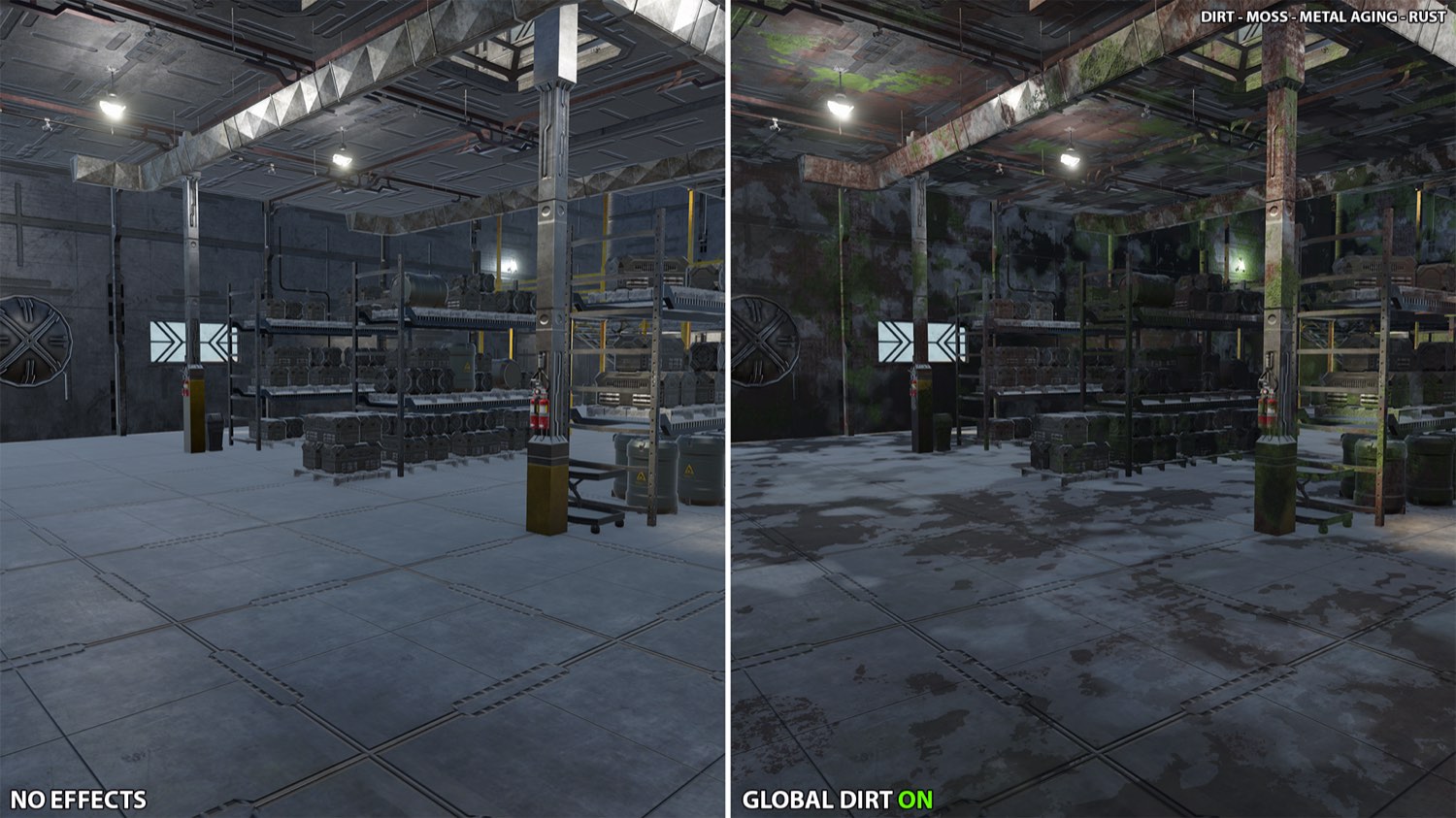
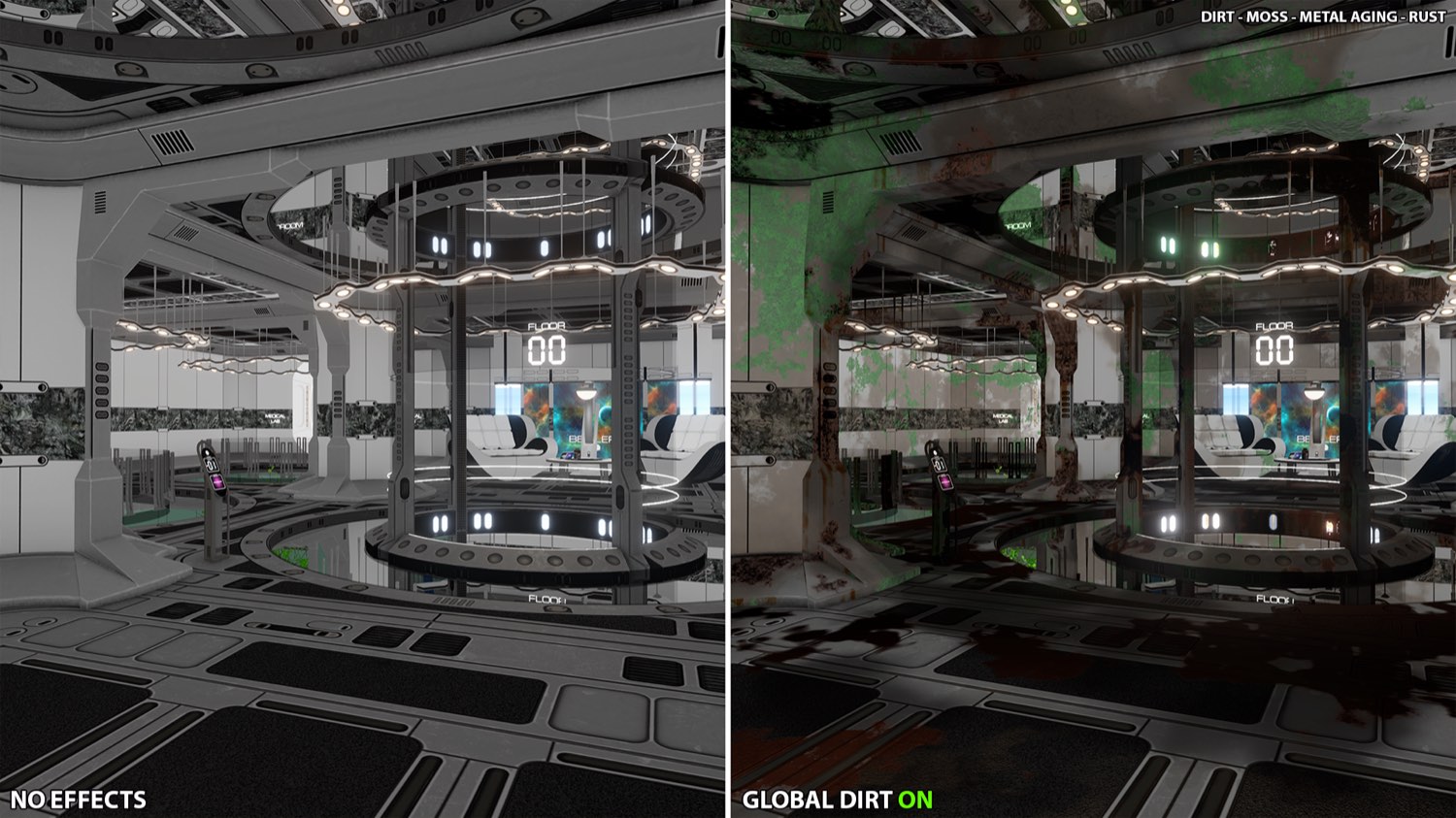
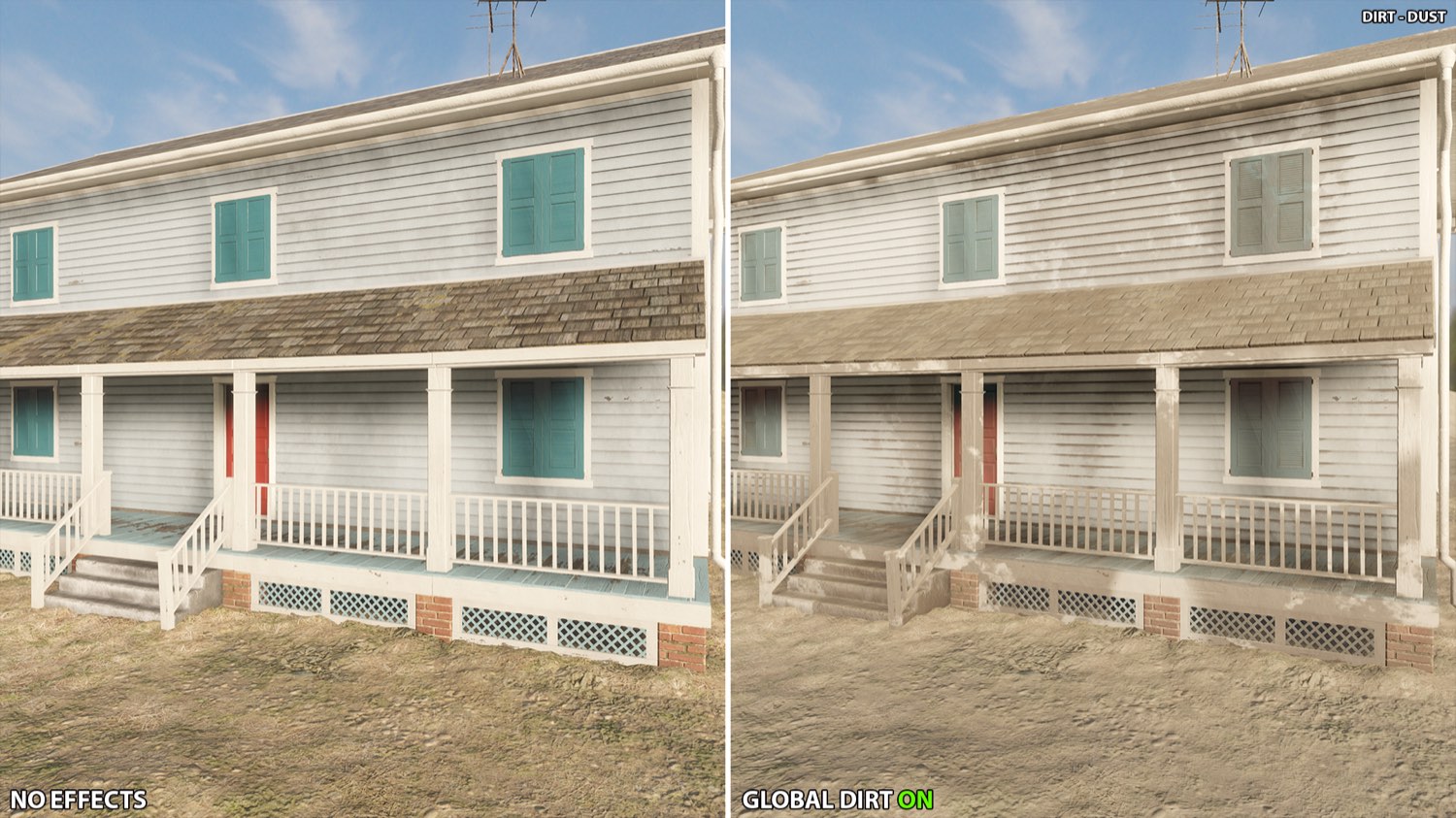
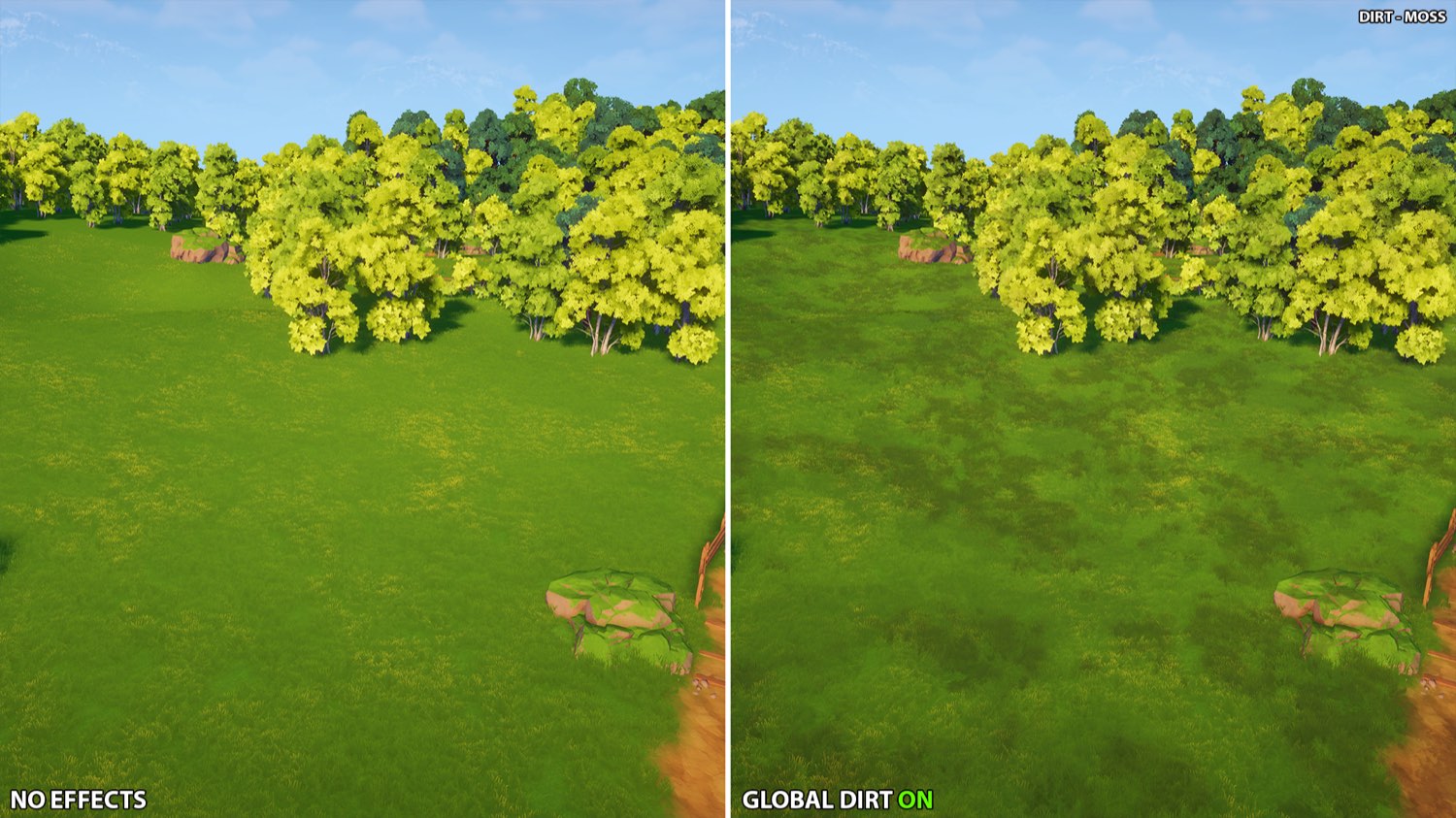
Global Dirt is a full-screen effect for Unity's Universal Render Pipeline (URP) that ages your whole scene in one click. It adds surface dirt, settled dust, moss, metal aging and corrosion, plus subtle color variation. It does not touch your materials, your shaders or your art: you add one renderer feature and one volume override, raise a slider, and the entire scene gets older.
Key Features
- Five effects: dirt, dust, moss, metal aging and rust, each with its own colors, size, coverage and placement rules
- Smart placement: deposits follow shelter, cracks and world orientation, so dust settles where it would fall, dirt gathers where rain never washes it away, and moss and rust favor the sheltered side
- Real surface sets: moss and rust are PBR deposits with their own color, roughness and relief, anchored in world space
- Metal aware: aging and rust only reach metallic surfaces, driven by the metalness the GBuffer already holds, and they compose, so metal can be dull without being corroded
- Color variation: breaks the repetitive look of large surfaces with hue, saturation and brightness variation across meter-scale patches
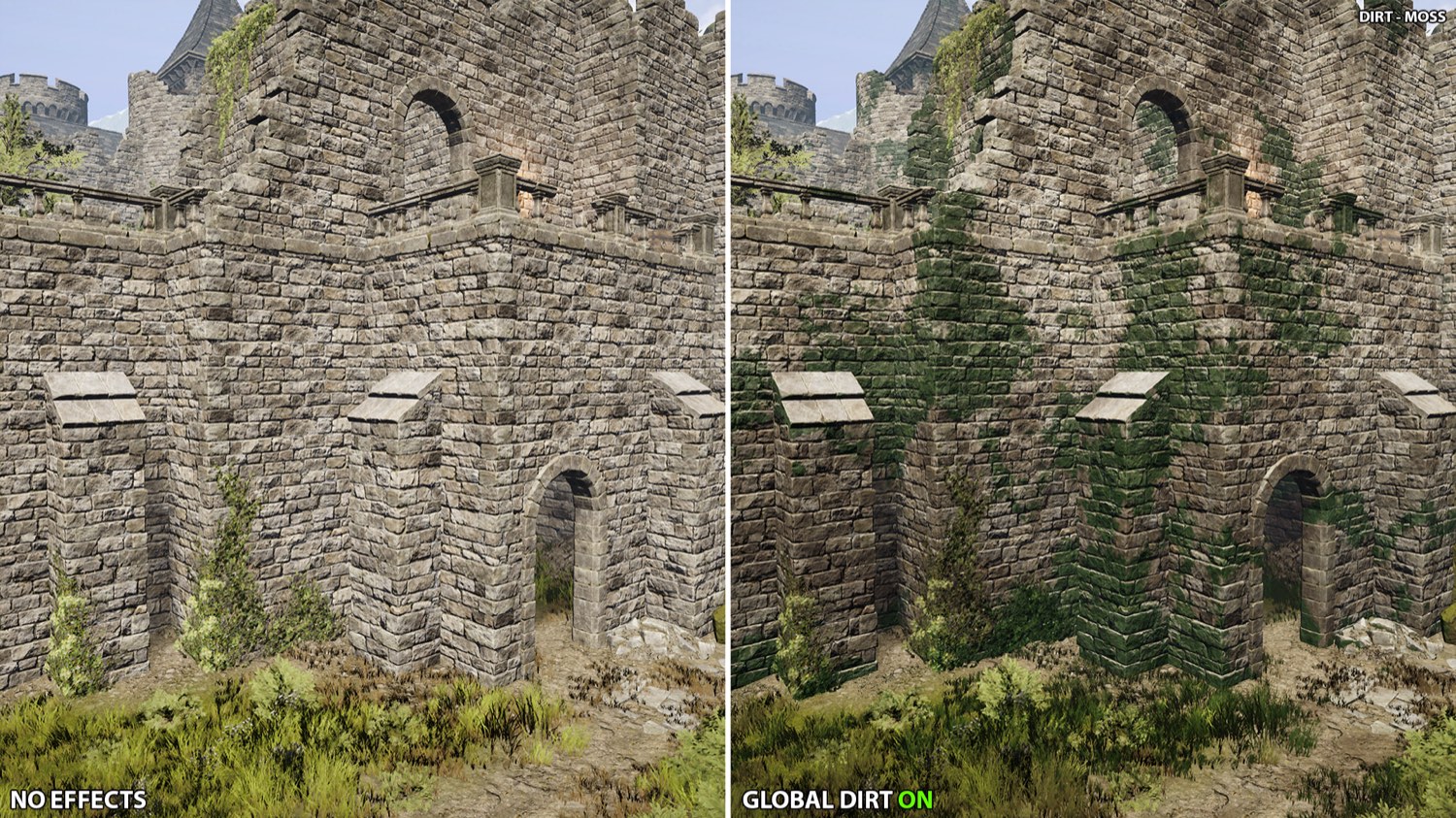
- Bioluminescent moss: HDR emission from the moss alone, ready to feed Bloom without lighting the surfaces around it
- Seeds and offsets: every effect has its own seed and a world offset in meters, so you can slide the patches until they land where you want them
- One master slider: Intensity drives everything, so you can fade the whole effect in and out, even from script
- Presets: Dry, Grimy and Abandoned give you a complete look in one click, ready to be adjusted
- Zones: give an area of the scene its own settings, or limit the effect to it, with soft borders and no mask texture
- Per object: one component anchors the dirt to a moving object, keeps an object clean, or gives it its own profile
In your scenes
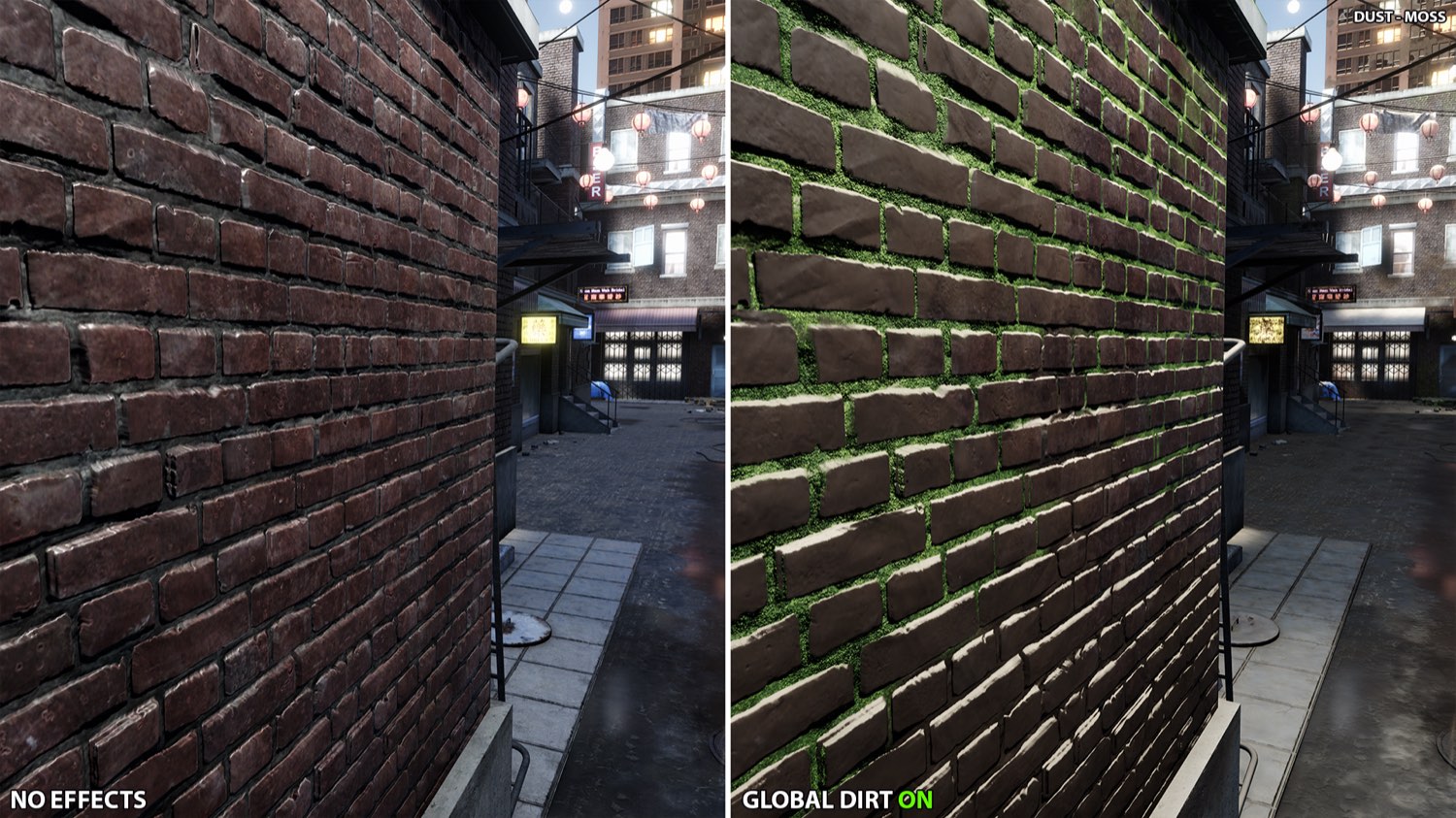
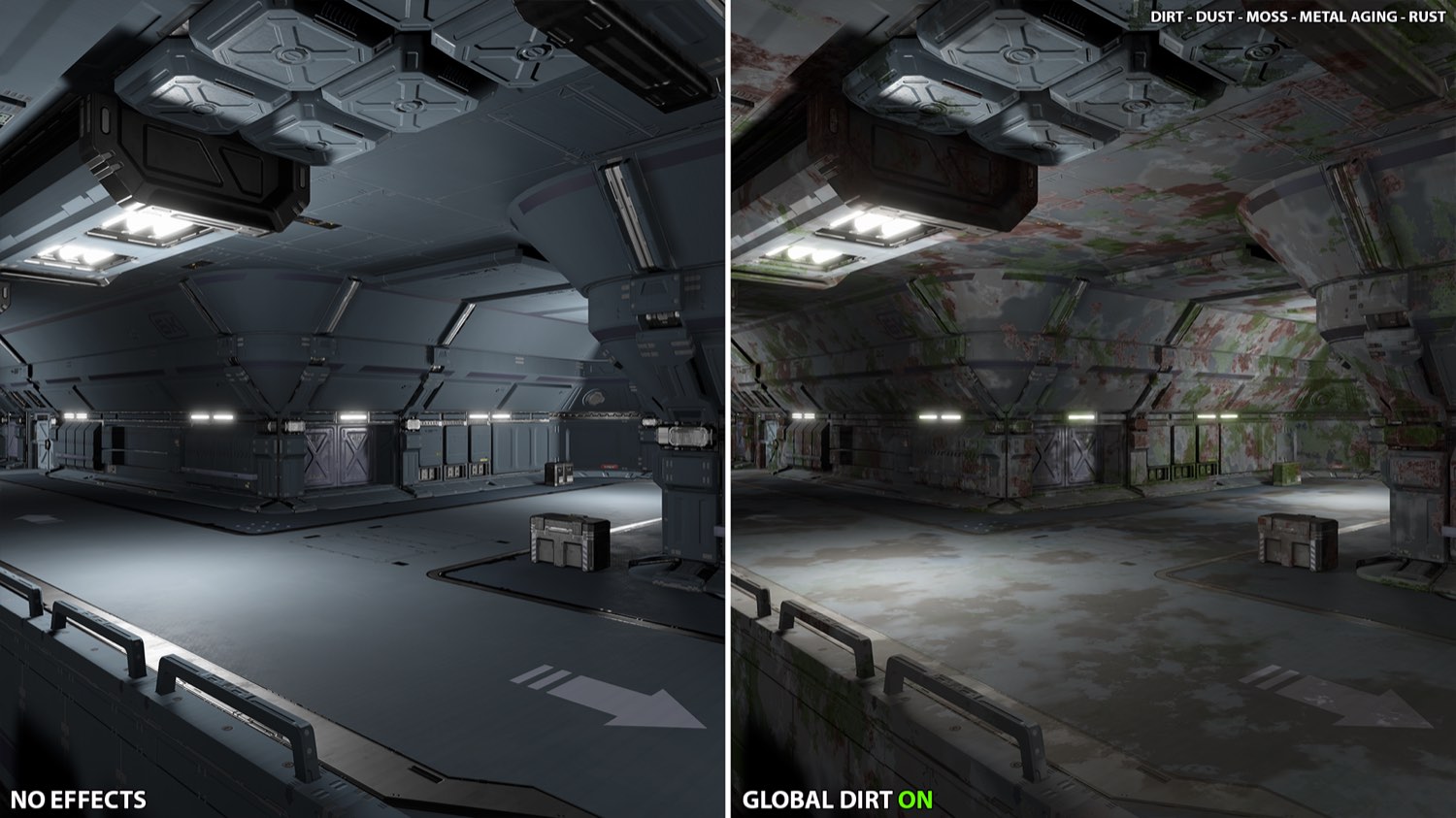
Every shot below is the same scene rendered twice. Nothing was changed between the two halves except the volume override.
Requirements
| Unity version | Unity 6.1 (6000.1) or newer |
| Render pipeline | URP 17.1 or newer, with Render Graph |
| Rendering paths | Forward, Forward+ and Deferred |
| Cameras | Base cameras. Overlay cameras in a camera stack stay clean on purpose, so FPS arms and props do not inherit scene grime |
What the Deferred path adds
On Deferred, Global Dirt writes into the GBuffer before lighting, so it can read the metalness and the occlusion map of your materials and give the deposits their own material response. Dirt Thickness needs that and only works on Deferred. Metal Aging and Rust read the metalness there, so on Deferred they only form on metal, and Deferred+ also rebuilds the reflections of the aged metal. Forward has no metalness to read, so on Forward and Forward+ both become an approximation that reaches every surface, metal or not. Moss Relief is half and half: the parallax that shifts the moss surface works on every path, while the bent normal that gives the moss volume under the lights only lands on Deferred. The Cracks controls work everywhere too, but on Deferred they follow the material occlusion map, while on Forward they fall back to the side of the surface facing away from the main light. Everything else behaves the same on all three paths.
What Global Dirt is not
- It is not a lens dirt effect. The dirt lives on the surfaces of your scene, not on the camera lens.
- It does not affect transparent materials. They write no depth or normals, so there is no surface to work with.
- It is not a running simulation: you set how aged the scene looks and it stays exactly there, fully predictable and with no warm-up. Accumulation over time can still be simulated by animating the global Intensity or the individual effect sliders from script, see Scripting Support (C#).
Suggest an improvement
Help us improve this documentation page.