Introduction
beginner start hereVolumetric Fog & Mist 2 (URP) · Start Here
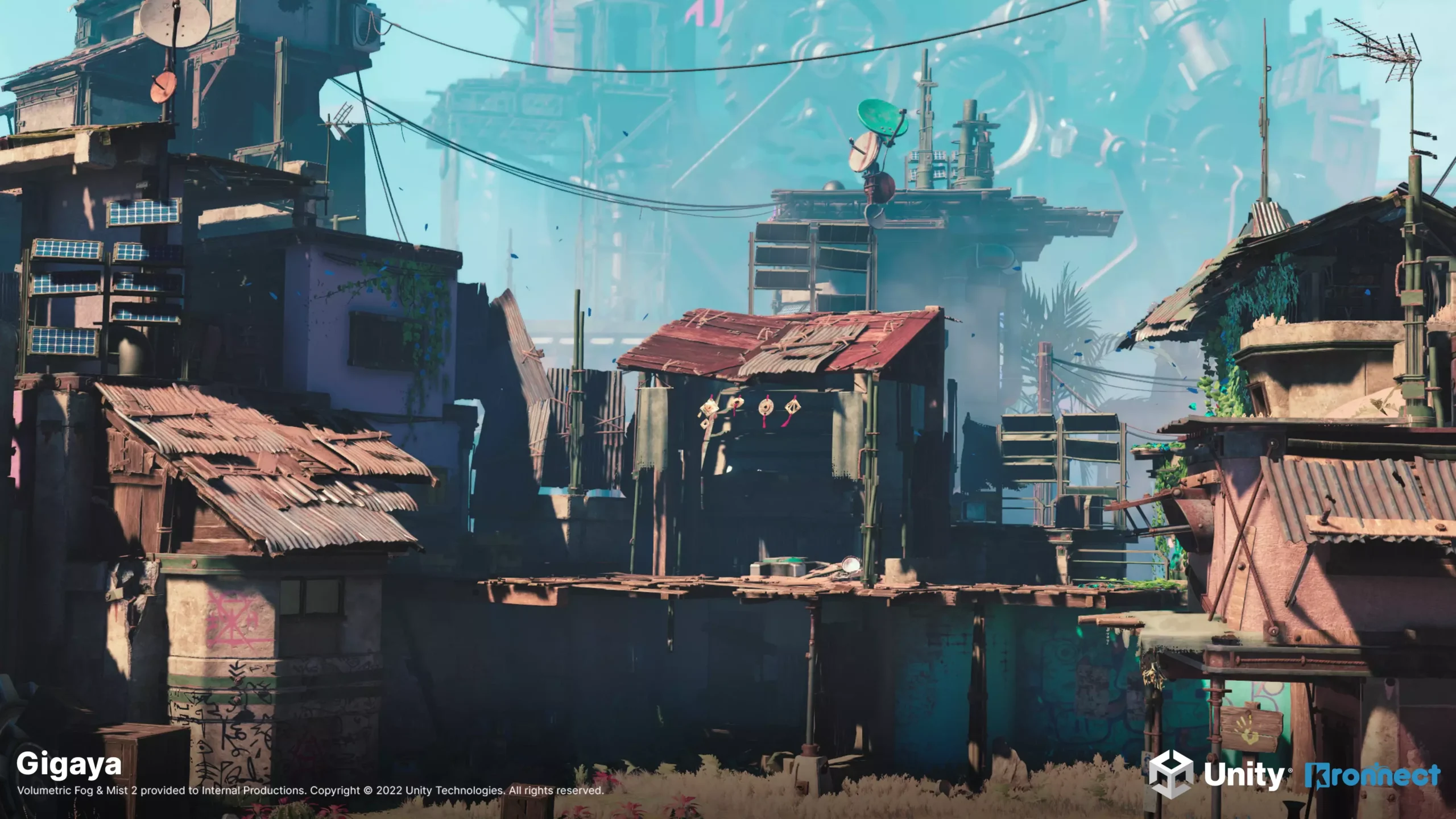
What is Volumetric Fog & Mist 2?
Volumetric Fog & Mist 2 is an advanced full-screen volumetric fog effect for Unity's Universal Render Pipeline (URP). It uses optimized ray-marching to produce realistic fog, mist, dust and cloud effects with full support for lighting, shadows and transparency.
Unlike simple image-based fog, Volumetric Fog & Mist 2 renders true 3D fog volumes that respond to scene lighting, cast and receive shadows, and interact with transparent objects using custom depth pre-pass and depth peeling techniques.
Award-winning quality — Kronnect was nominated for Publisher of the Year at the Unity Awards 2023, with Volumetric Fog & Mist being one of its flagship products.
Key Features
Core Fog Rendering
- Volumetric Ray-Marching — true 3D fog volumes with customizable quality, step size and near-distance boosting.
- Fog Profiles — reusable profiles for quick switching between fog styles (shared or instanced at runtime).
- Box & Sphere Shapes — fog volumes can be shaped as boxes or spheres, with smooth border falloff.
- 3D Noise — primary and detail noise textures for organic, cloud-like fog shapes with animation/turbulence.
- Constant Density Mode — smooth, noise-free fog for simple atmospheric haze.
- Distant Fog — fast noise-free background fog that complements the volumetric effect.
Lighting & Shadows
- Native Lights — full support for spot, point and directional lights with shadows (Forward, Forward+ and Deferred).
- Fast Point Lights — optimized point-light mode (up to 16 lights) without shadows for better performance.
- Sun Light Diffusion — god-ray-style light scattering through fog from the directional light.
- Shadow Reception — fog volumes receive and display directional light shadows.
- Day/Night Cycle — automatic fog color and intensity sync with Sun and Moon lights.
- Specular Highlights — simulated light reflections on fog surfaces.
Advanced Features
- Fog of War — texture-based opacity control with runtime painting, auto-restore and an in-editor brush tool.
- Fog Voids — up to 8 spherical clear areas per volume (useful for player visibility).
- Terrain Fitting — automatic heightmap capture so fog hugs terrain surfaces.
- Sub-Volumes — overlapping zones that blend different fog properties as the player moves through them.
- Transparency Support — depth pre-pass and depth peeling for correct rendering with water, glass and other transparent objects.
- Rendering Layers — per-light control over which lights affect which fog volumes.
- Fade In/Out — automatic fog visibility based on controller proximity.
Color & Gradients
- Depth Gradient — color gradient based on distance to camera.
- Height Gradient — color gradient based on vertical position within the volume.
- Distance Near/Far Color — tint fog differently at close and far range.
- Deep Obscurance — darkens the interior of thick fog volumes for added depth.
Dynamic Fog & Mist (Bonus)
- Distance-Based Fog — lightweight fog calculated from camera distance with exponential/linear density.
- Wind Animation — animated fog noise with configurable direction, scale and turbulence.
- Vertical Gradient — horizon-to-zenith color variation for atmospheric sunsets and skylines.
Requirements
| Requirement | Minimum | Recommended |
|---|---|---|
| Unity Version | 2022.3 LTS | 2022.3 LTS or newer |
| Render Pipeline | Universal Render Pipeline (URP) | URP 14+ |
| Depth Texture | Enabled in URP Asset | Enabled in all quality levels |
| Platform | Windows, macOS, Linux, iOS, Android, WebGL, consoles | — |
| VR | Supported (Single Pass Instanced) | — |
Pipeline note: This asset is designed exclusively for the Universal Render Pipeline. For the Built-in pipeline, use the separate Volumetric Fog & Mist package.
Next Steps
- Quick Start — add fog to your scene in under 5 minutes.
- Setup — full pipeline configuration and render feature installation.
- Fog Volume Settings — detailed reference for all fog profile parameters.
- Scripting Support (C#) — control fog programmatically at runtime.
Was this page helpful?
Suggest an improvement
Help us improve this documentation page.