Introduction
beginner start hereEditor Doctor Pro · Start Here
What is Editor Doctor Pro?
Editor Doctor Pro is a set of editor tools for inspecting your whole Unity project — every asset, scene and script. Use it to find problems, see what your project contains, and remove assets that nothing references. Every fix and delete is reversible from the Action History.
Its scope is the entire project, not just the scene you have open. Everything runs inside the Unity Editor and adds nothing to your build.
It pairs with Scene Pilot Pro: SPP audits the scene you are authoring; EDP audits the whole project. Install both and they integrate automatically.
Tools
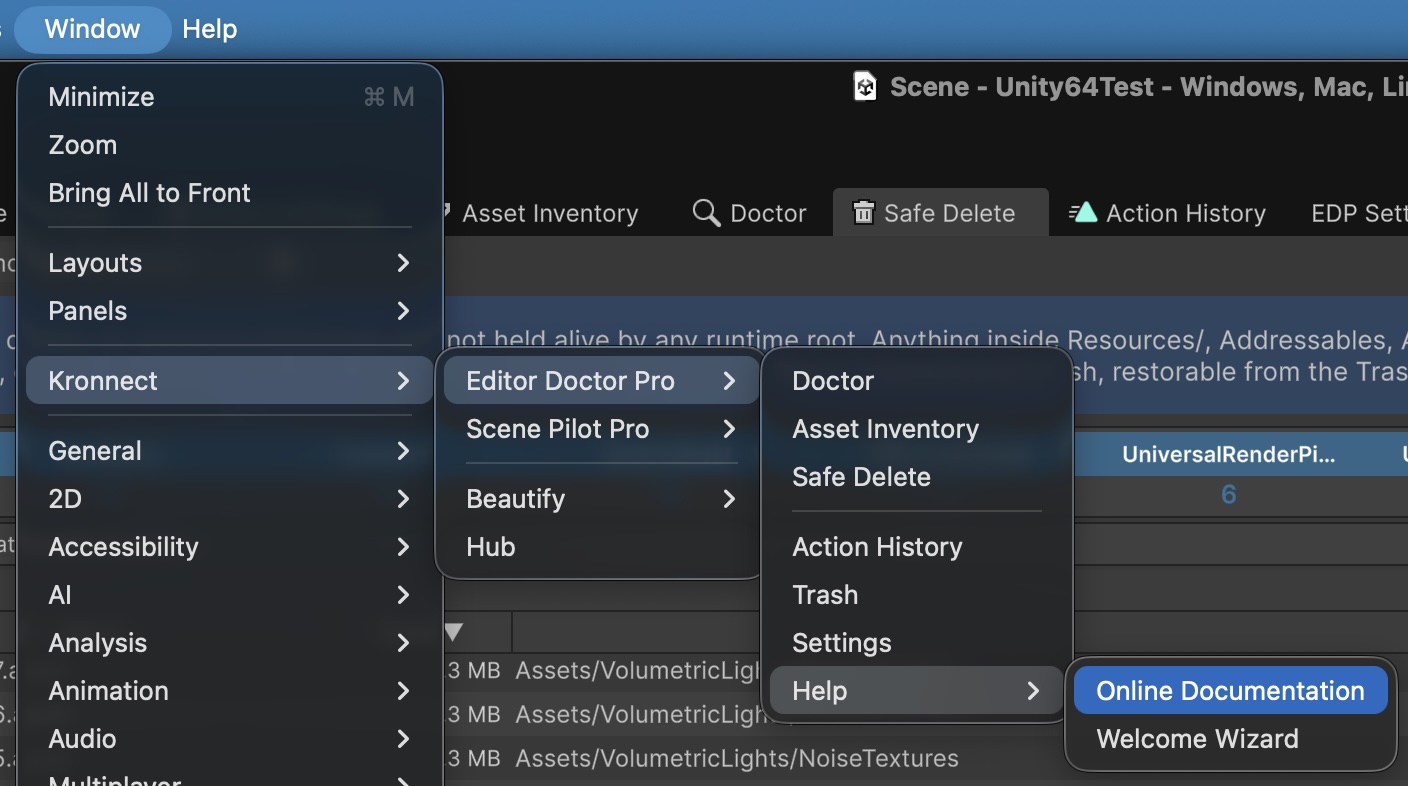
Editor Doctor Pro is built around three main windows, plus supporting utilities for undo, trash and configuration. All live under Window > Kronnect > Editor Doctor Pro.
Main windows
| Tool | What it is for |
|---|---|
| Doctor | Find problems. Scans the project and reports broken references, import issues, prefab drift, code smells, build-setting mistakes and convention violations. Apply one-click auto-fixes, export reports, and track a project Health Score. Check categories: Asset Health (46), Code Audit (56), Prefab Drift (9), Build Review (6) and Project Conventions (3). |
| Project Inventory | Know your project. Treemap overview plus eight per-type inventories (materials, shaders, prefabs, textures, audio, meshes, scenes, code). Sort, filter, drill down, track references, bulk-optimize import settings and export CSV. |
| Safe Delete | Remove unused assets. Lists assets EDP can prove nothing references — from any scene, prefab or build root. Soft-deletes to local Trash with one-click restore. |
Supporting utilities
| Utility | What it does |
|---|---|
| Action History | Journal of every fix, optimization and delete EDP performs, with one-click undo — even across editor restarts. |
| Trash | Destination for every soft-delete. Browse and restore removed assets at any time; nothing is ever hard-deleted. |
| Settings | Configure check severity, scan scope, suppressions and Project Inventory thresholds. |
What you get out of the box
- 127 native checks across the project (191+ when Scene Pilot Pro is installed and bridged).
- Reversible auto-fix on every
auto-tier finding. Every action is recorded in Action History and can be reverted at any time. - Suppression with audit trail per-issue, per-rule or per-scope, with author, date, optional reason and optional expiry.
- Soft-delete trash with one-click restore — never a hard delete.
- Built for Built-in, URP and HDRP. No false positives on Volume Profiles, Renderer Features or ScriptableRendererData.
- CLI / batch mode for CI gates and scheduled reports — same scan engine as the Doctor window.
- No telemetry, no network calls beyond documentation links.
Editor Doctor Pro requires Unity 6.0 or later.
Suggest an improvement
Help us improve this documentation page.