Introduction
beginner start hereVolumetric Lights 2 (Built-in) · Start Here
What is Volumetric Lights 2?
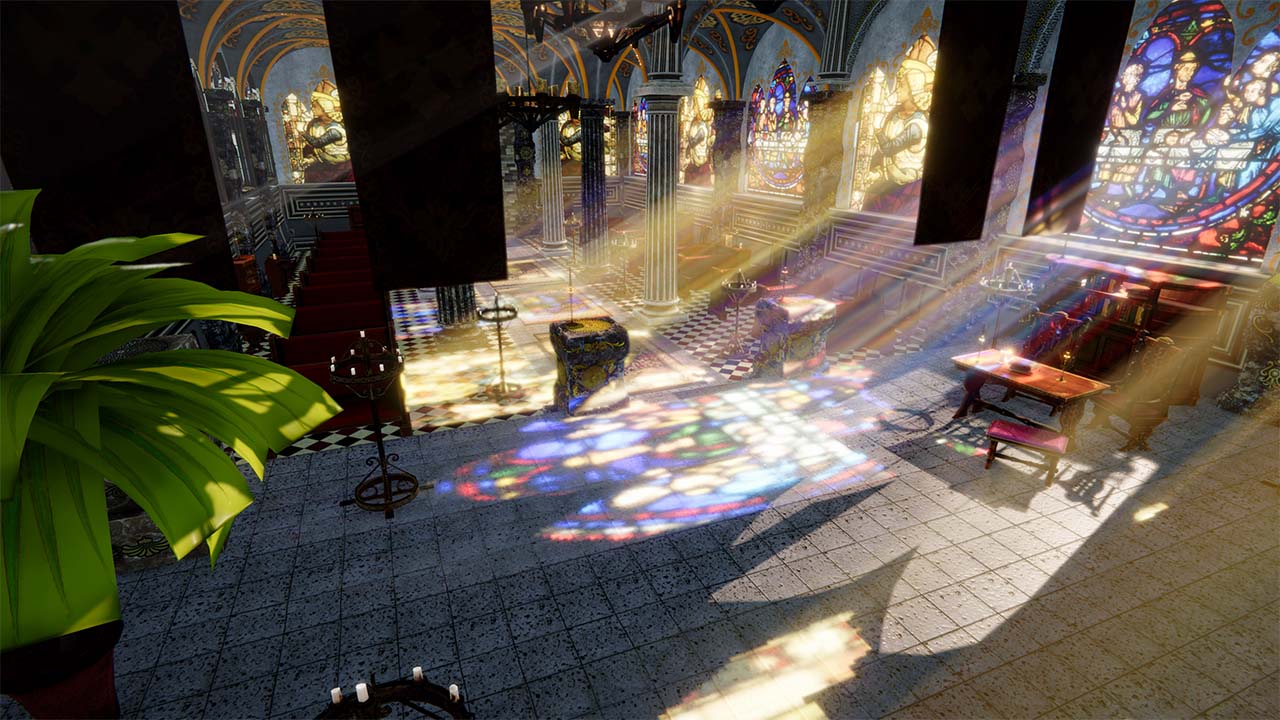
Volumetric Lights 2 is a high-performance volumetric lighting solution for Unity's Built-in Render Pipeline. It adds realistic god rays, light shafts, and atmospheric scattering to your scenes using an optimized ray-marching algorithm - with minimal impact on frame rate.
This version was built from scratch for the Built-in pipeline and is not compatible with URP or HDRP. If you are using the Universal Render Pipeline, see Volumetric Lights 2 (URP) instead.
Requirements: Unity 2022.3 LTS or later. Compatible with Windows, macOS, Linux, iOS, Android, and consoles.
Key Features
Volumetric Lighting Effects
- Point, Spot & Area lights - full volumetric support for all Built-in light types.
- Simple & Volumetric modes - choose between a fast simplified effect or full ray-marched volumetric mode.
- Profiles - save and reuse volumetric light configurations via ScriptableObject profiles.
- Dust particles - built-in particle system with a custom shader that respects the light volume geometry.
Shadows & Translucency
- Shadow occlusion - per-light shadow maps with configurable resolution, culling mask, and bake intervals.
- Translucent shadow maps - captures colors of transparent objects using the Volumetric Lights Translucency script.
- Colored shadows - shadow color passes through translucent surfaces for realistic stained-glass effects.
Quality & Performance
- Direct light cast - projects volumetric light onto opaque surfaces (deferred rendering path).
- Post-process component - global downscaling, bilateral blur, dithering, and HDR support.
- Auto-toggle (LOD) - distance-based dimming and deactivation for scenes with many lights.
- Blue noise dithering - reduces banding and moire patterns for smoother results.
- Custom bounds - clip the volumetric effect to specific areas of the scene.
Official Trailer
Next Steps
- Quick Start - get your first volumetric light running in under 5 minutes.
- Parameters Reference - detailed explanation of every inspector setting.
- Scripting Support - control volumetric lights from C# code.
Was this page helpful?
Suggest an improvement
Help us improve this documentation page.