Parameters
Sun Flares for Unreal · Parameters
The four master materials share the same parameters. You change them in a material instance, where they appear in the groups shown below.
General Settings
| GlobalIntensity | Multiplies the whole flare, including the sun disk. |
| TintColor | Color that multiplies the flare before it is added to the image. |
| CloudOcclusion | Dims the flare when a cloud covers the sun. A value of 0 turns this option off. |
Sun Disk
| DiskSize | Size of the bright disk drawn at the position of the sun. |
| SunIntensity | Brightness of the sun disk. |
Corona Rays 1 and Corona Rays 2
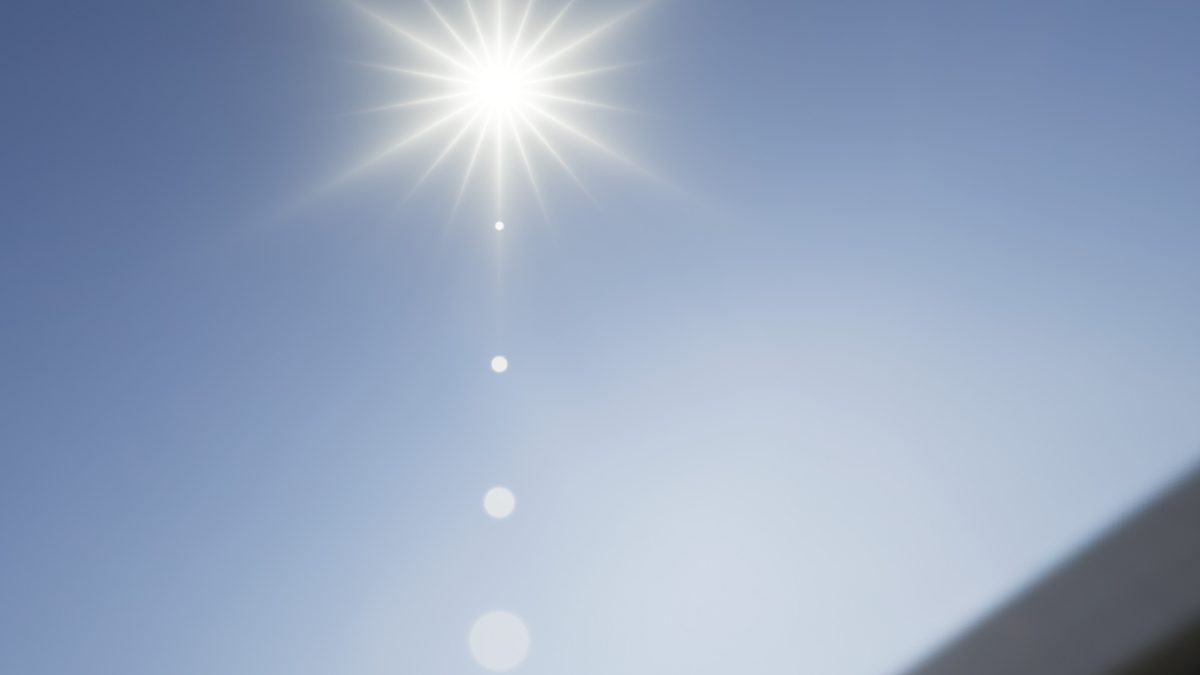
Two independent sets of rays around the sun. The parameters of the first set start with SunCoronaRays1 and the parameters of the second set start with SunCoronaRays2.
| Intensity | Brightness of the rays. |
| Length | Length of the rays. |
| Spread | Makes the rays softer and less defined. |
| Angle | Rotates the rays around the sun. |
| Streaks | Controls the number of rays. |
Sun Rays
The light diffraction rays, shaped by a noise texture and animated.
| SunLightDiffractionIntensity | Brightness of the diffraction rays. |
| SunLightDiffractionThreshold | Removes the weaker parts of the noise pattern. Higher values show fewer rays. |
| SunSolarWindSpeed | Speed of the diffraction animation. |
| FlareNoiseTex | The noise texture that shapes the diffraction rays. The materials use the flareNoise texture of the package. |
Halo
A ring around the sun, with a slight color separation at its edges.

| HaloIntensity | Brightness of the halo. |
| HaloOffset | Distance of the ring from the sun. |
| HaloAmplitude | Width of the ring. Higher values make the ring thinner. |
Ghost 1 to Ghost 4
Four ghosts that appear on the line that goes from the sun through the center of the screen. The parameters of each ghost start with SunGhost1, SunGhost2, SunGhost3 or SunGhost4. The shape of the ghosts depends on the master material.
| Size | Size of the ghost. |
| Brightness | Brightness of the ghost. |
| Offset | Moves the ghost along the line. A value of 0 places it at the point of the screen opposite to the sun, a value of 1 at the center of the screen. |
Parameters without a group
| SkyDepth | Scene depth beyond which the material treats a pixel as sky. The flare is visible only where the scene around the sun is farther than this value, so objects closer than SkyDepth hide the flare when they cover the sun. |
Was this page helpful?
Suggest an improvement
Help us improve this documentation page.