Edge Fusion
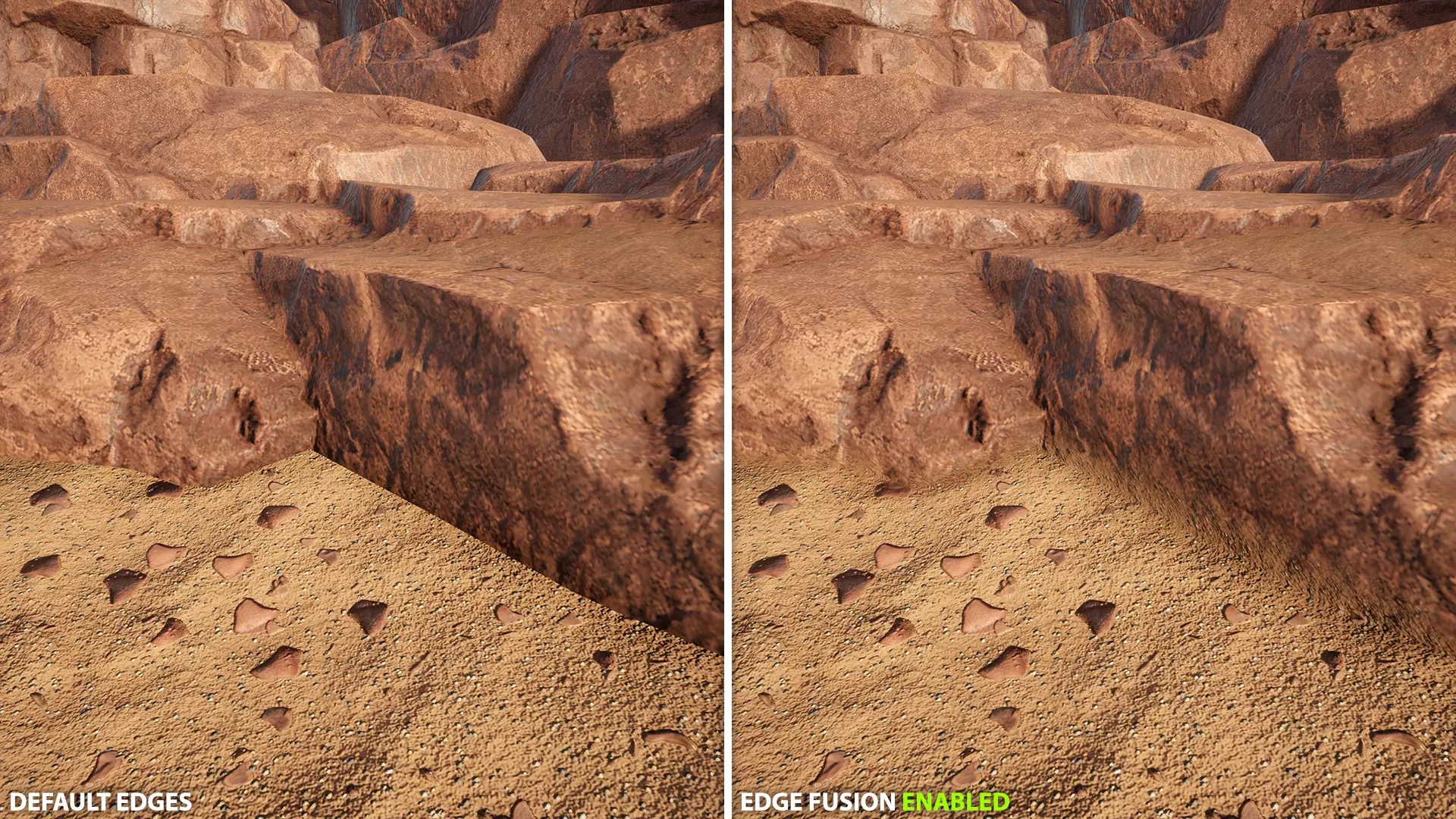
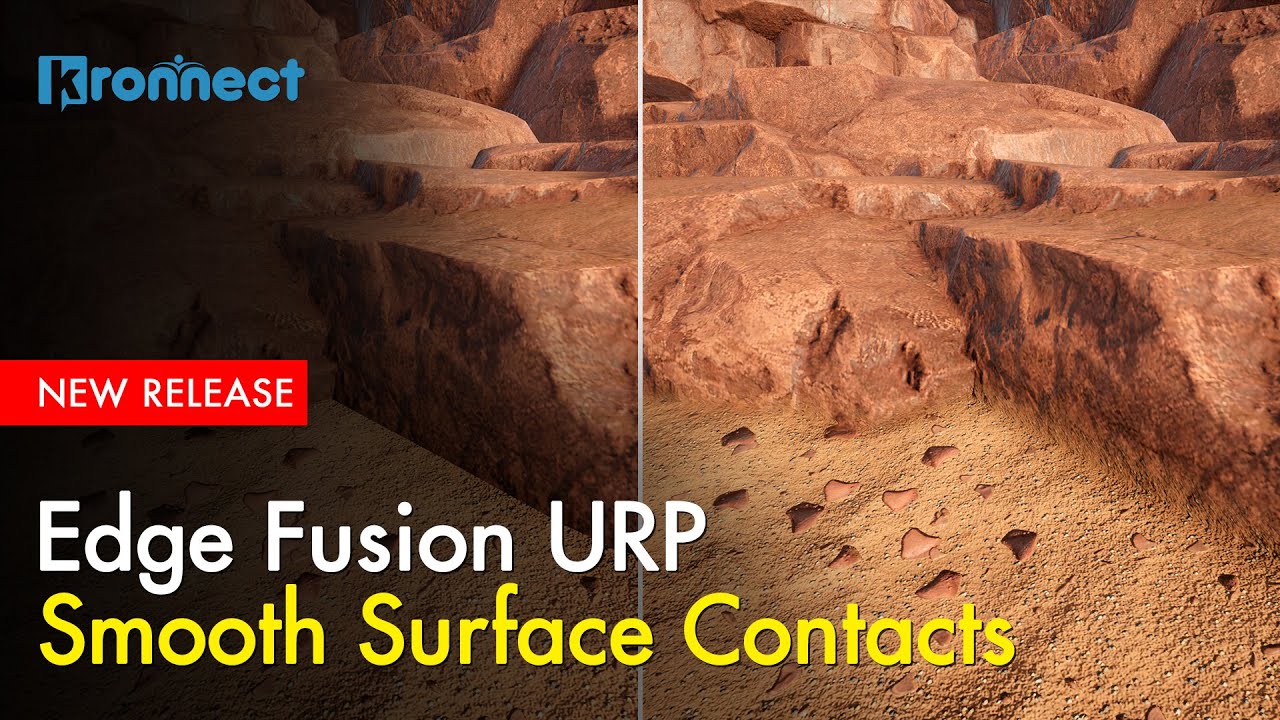
Kill the hard seams between objects in URP with no material or geometry edits, softly blending where meshes, terrain and props meet for cohesive, natural scenes.
Version 3.3.3 · Updated Aug 17, 2026 · Unity 6000.0+
Secure checkout on our store. View cart
Key Features
Videos & Screenshots
 VIDEO
VIDEO 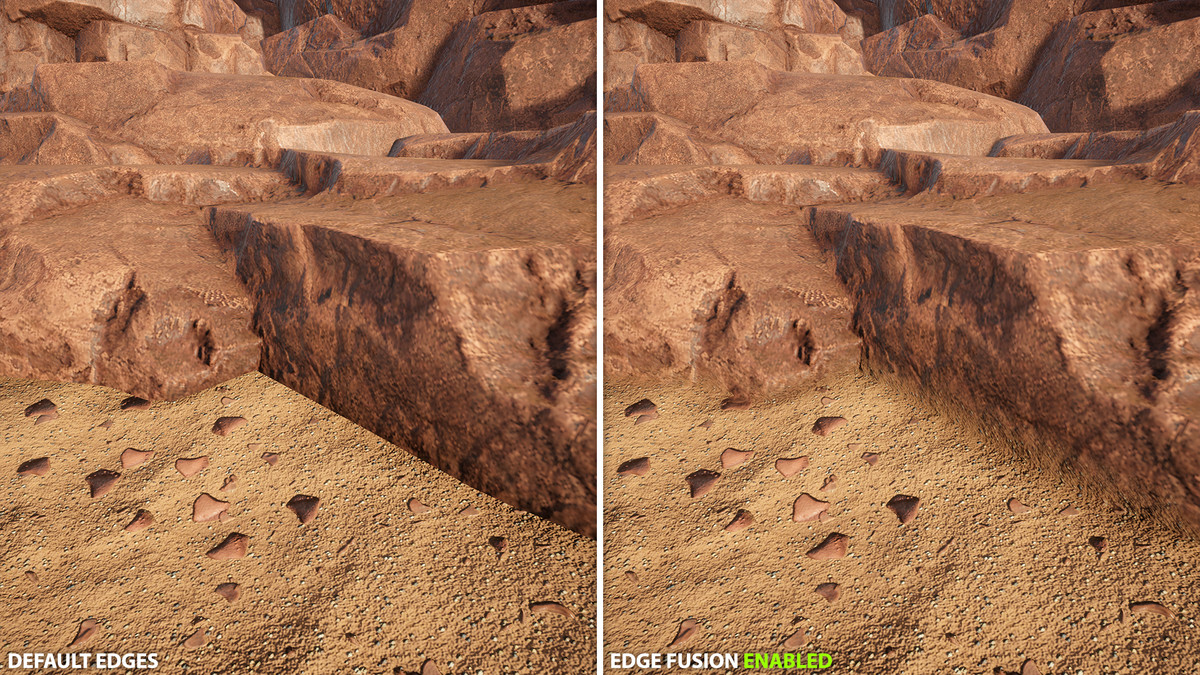
About Edge Fusion
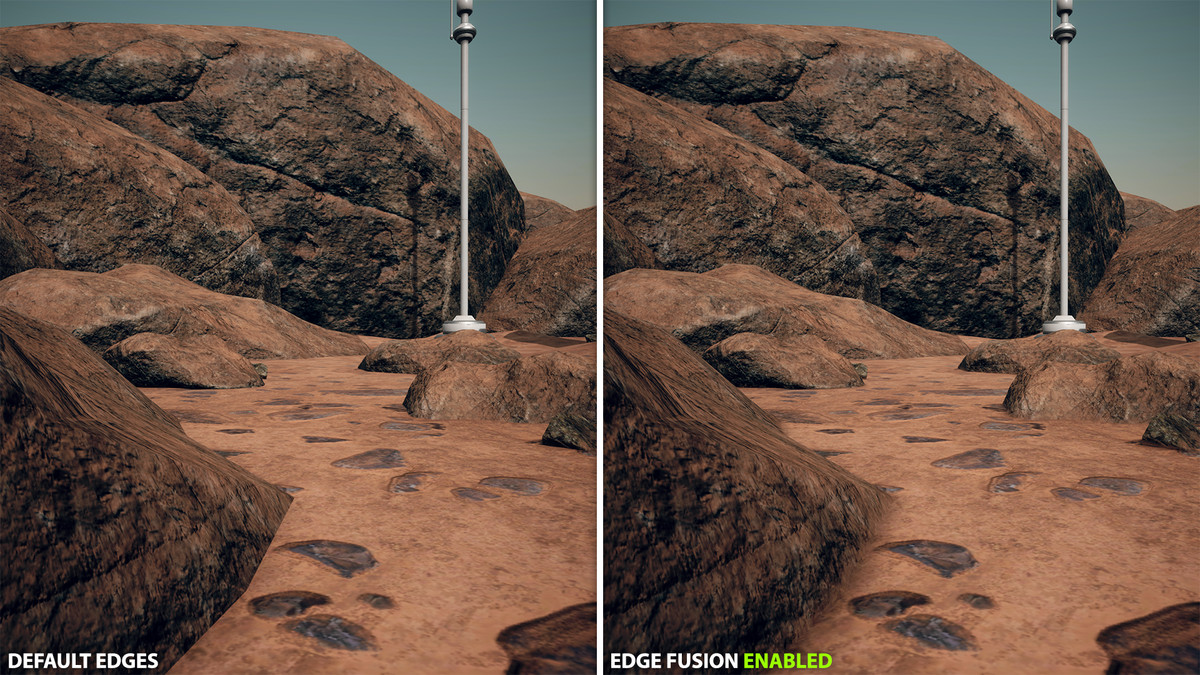
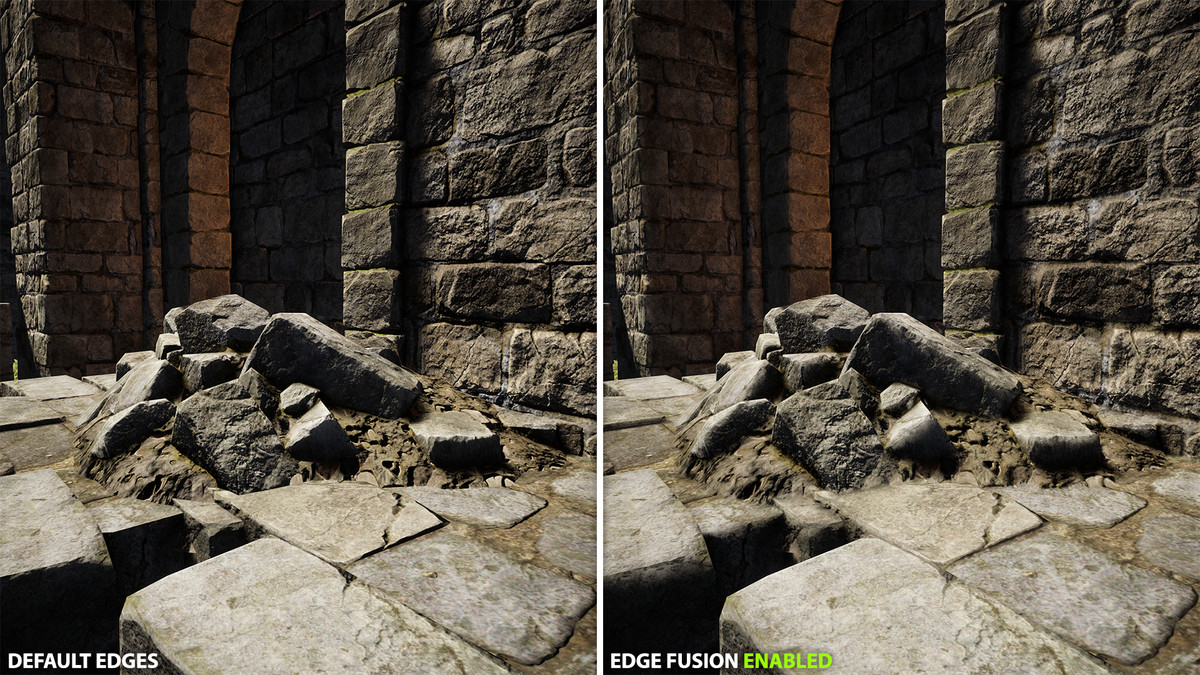
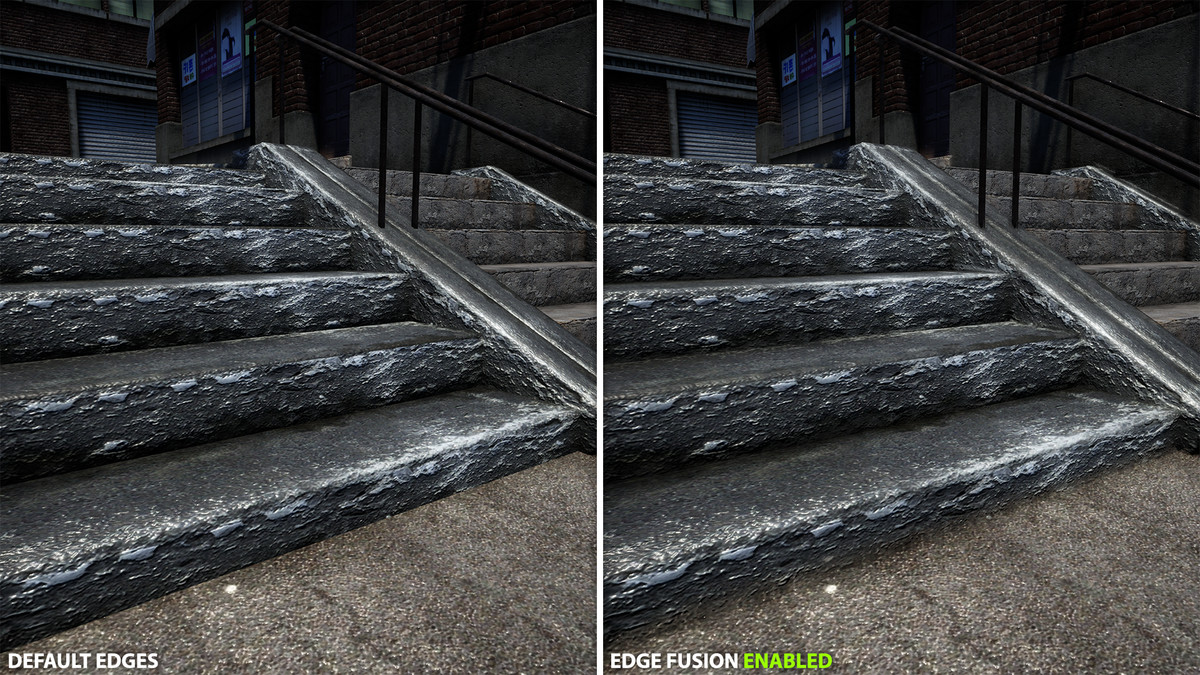
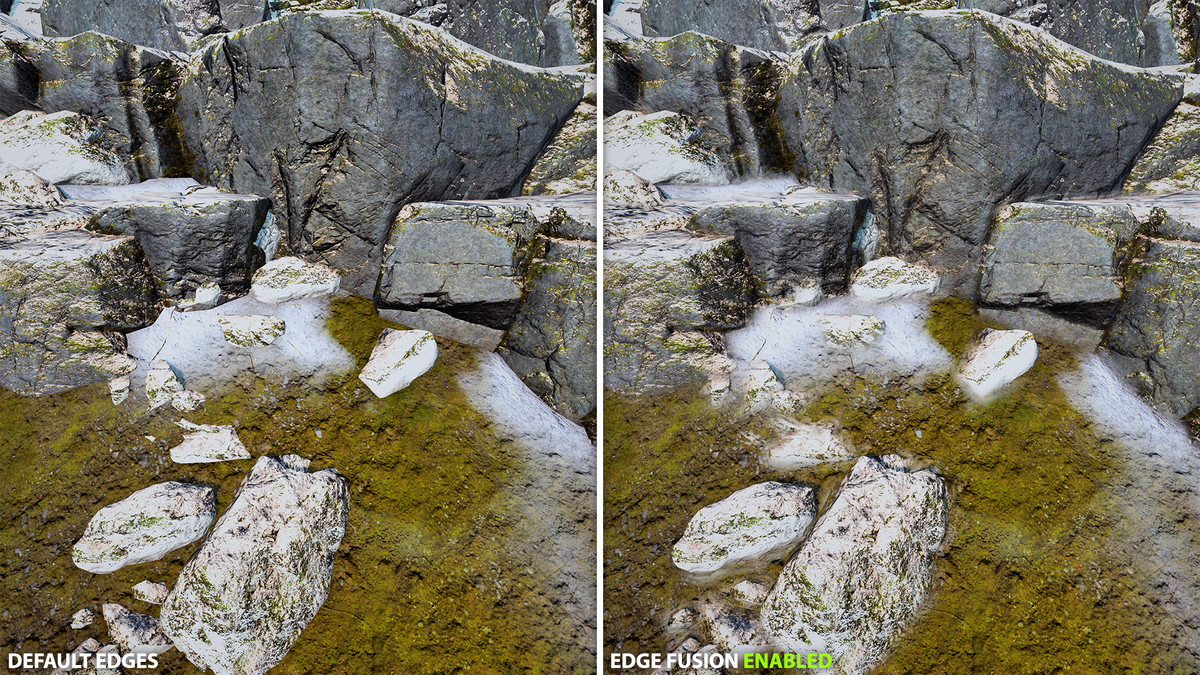
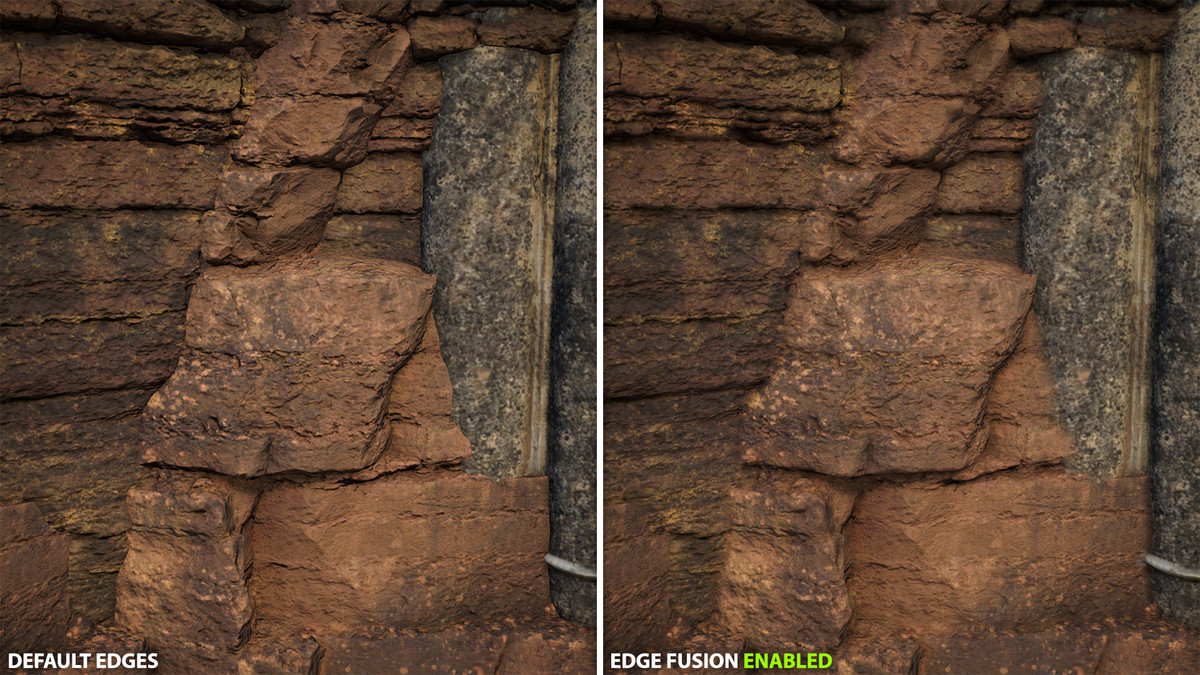
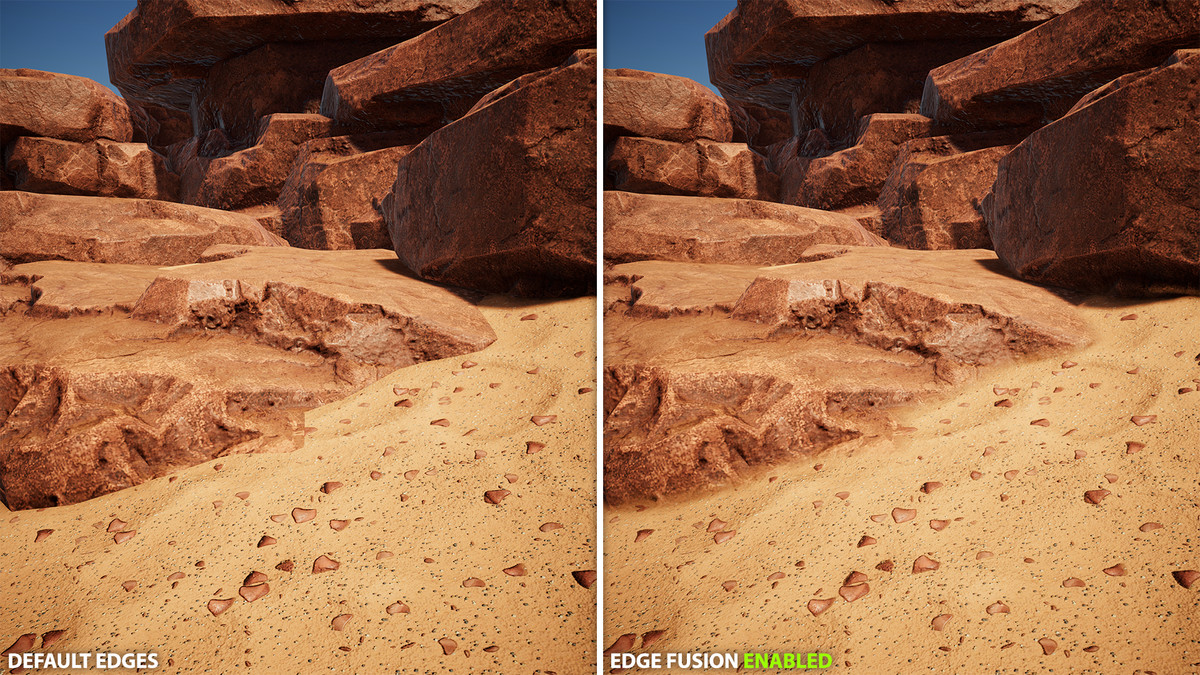
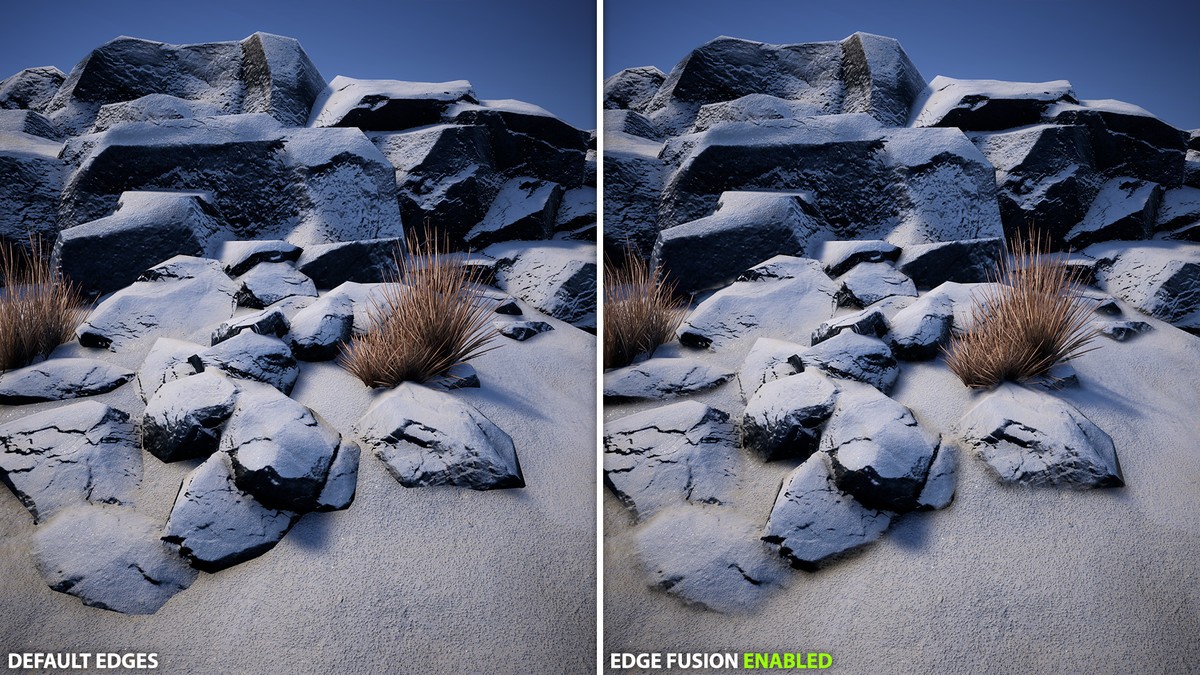
Kill the hard seams between objects, no material edits, no geometry changes. Edge Fusion is a URP post-processing effect that softly blends the boundaries where meshes, terrain and props meet, turning kitbashed and modular scenes into cohesive, natural-looking environments.
Add it as a Render Feature, control it through a Volume, and target exactly where blending should happen with both global and per-object settings.
🌟 Key features:
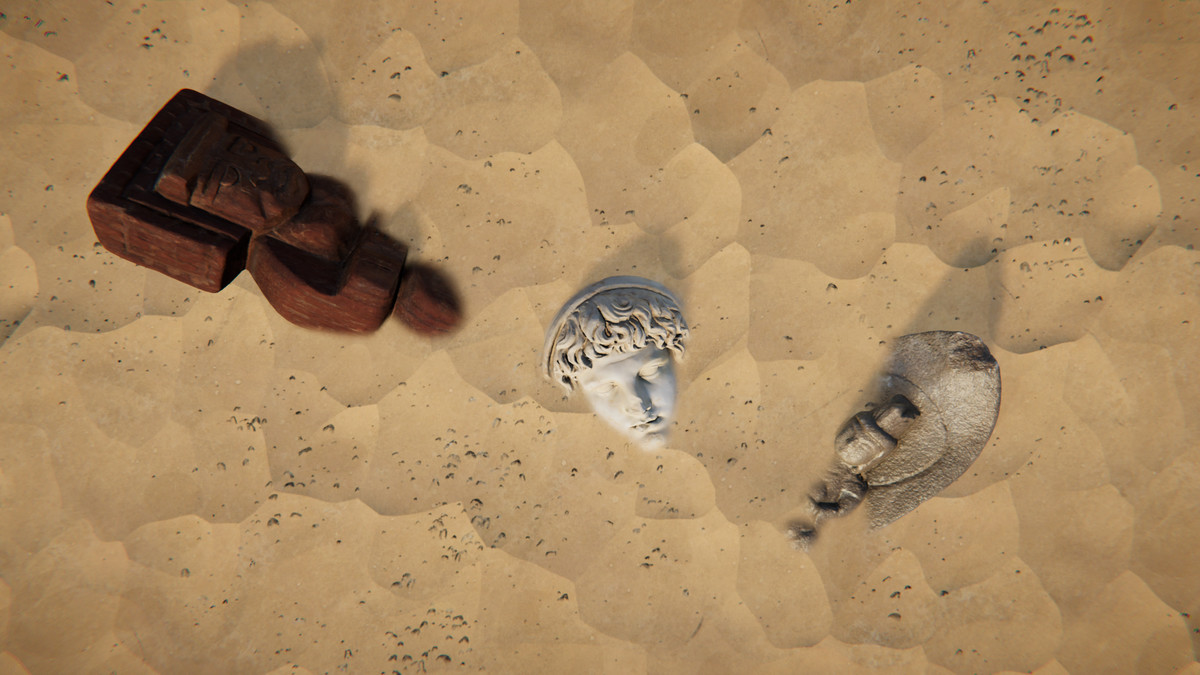
- Edge blending: smooths transitions between meshes, terrain, and props without changing materials or geometry.
- Global control via Volume: intensity, world‑space radius, max blend distance, and max screen radius.
- Intra-object fusion (optional): blends within the same mesh based on normal/depth discontinuities.
- Per-object overrides with Edge Fusion Object: custom radius (0 disables), include children with layer mask.
- Performance tuning: sample count, binary search steps, jitter (TAA-friendly), 3D noise (intensity/scale), shadow protection.
- Blend layers: choose precisely which objects participate in blending, including exclusion rules.
- Debug views: object IDs, Edges, Blending, Normals, and Depth.
- Compare mode: realtime side-by-side view to compare the original with the applied effect.
- Editor friendly: optional Scene View rendering; can run even if the camera’s post processing is off.
🎯 Ideal for:
- Modular environments: hide seams between tiles, walls, floors, cliffs.
- Terrain + props/materials: blend contacts for rocks, sand, snow, mud, gravel, dust, ice, ash, soil, moss, roots, asphalt/roads, ...
- Kitbashing/mixed packs: unify assets from different styles and PBR setups.
- Photogrammetry: soften scan boundaries when merging with terrain/meshes.
- Foliage/debris contacts: reduce harsh intersections for more believable placement.
- Intra‑object smoothing: reduce visible splits/normal seams on segmented meshes.
- Cinematics/marketing: fast polish without editing materials or geometry.
- Prototyping/blockouts: Instant cohesion while iterating layouts.
➡️ Getting started:
1) Add the Edge Fusion Render Feature to your URP Renderer.
2) Create a Global Volume (or use an existing one) and add “Kronnect/Edge Fusion”.
3) Adjust intensity and radius; set your blend layers.
4) Optionally add Edge Fusion Object to specific GameObjects for fine control.
Make your scenes feel like one cohesive world. Add Edge Fusion and see the seams disappear.
Related assets:
Edge Fusion is included in our Visual Fidelity Ultra and Ultimate Bundle. You can buy Edge Fusion now and upgrade later to any of these bundles with a discount.
- Looking for HDRP support? Check out Edge Fusion HDRP.
📖 Documentation | 💬 Support | 🎬 YouTube
Technical details
- Latest version
- 3.3.3
- Updated
- Aug 17, 2026
- Unity
- 6000.0+
- Pipelines
- URP
- Category
- Post-Processing