Adding Lights
beginner conceptsVolumetric Lights 2 (URP) · Core Concepts
Adding Volumetric Lights to Your Scene
There are two ways to add volumetric lights: create a new light or add the effect to an existing one.
Option A — Create a new volumetric light
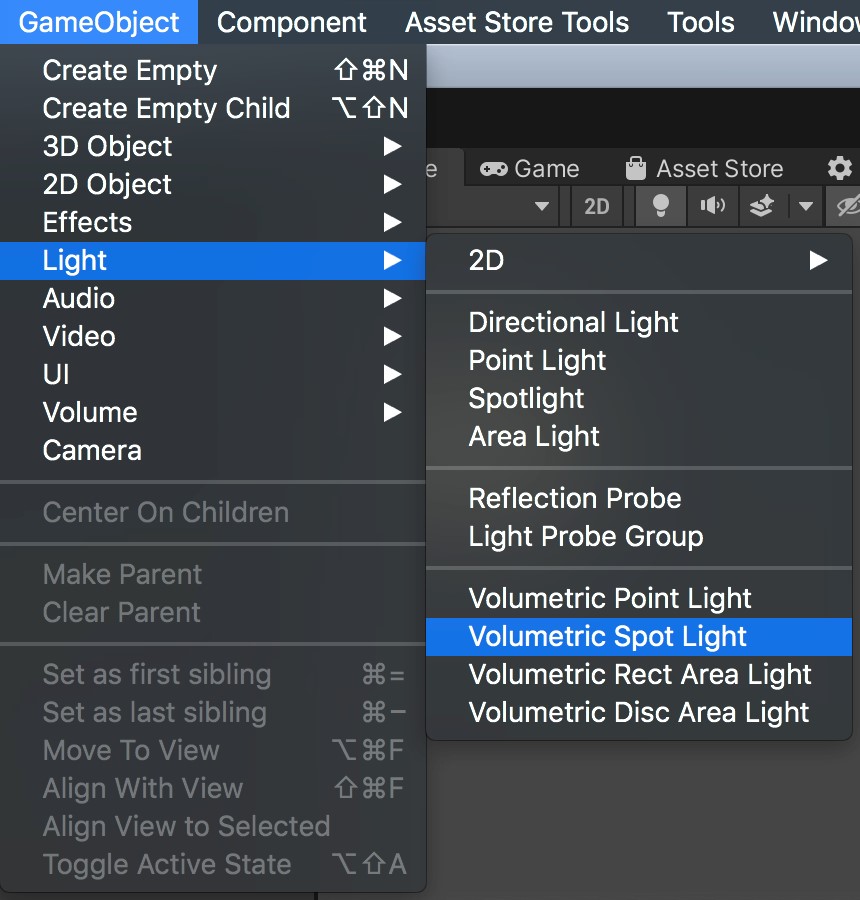
Go to GameObject > Light > Volumetric Spot Light (or Point, or Area). This creates a light with the VolumetricLight component already attached.
Option B — Add to an existing light
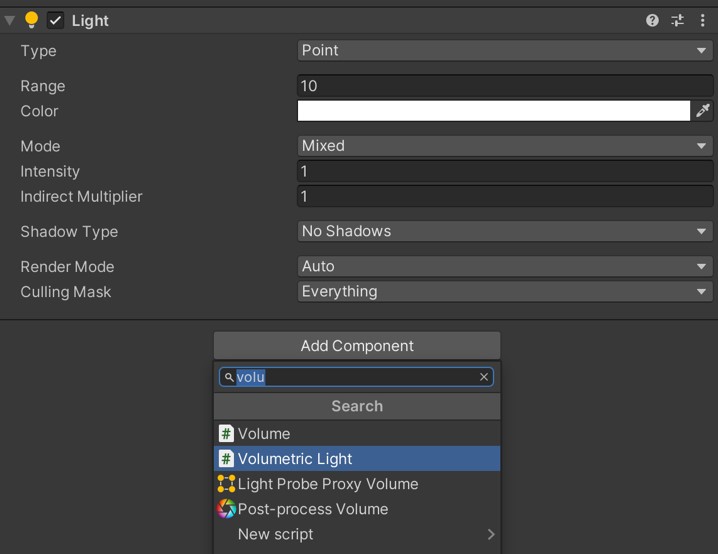
Select any existing Point, Spot, or Area light in your scene. Click Add Component and search for Volumetric Light.
Optional — Assign a profile
Profiles are ScriptableObjects that store all volumetric light settings. They let you share configurations across multiple lights.
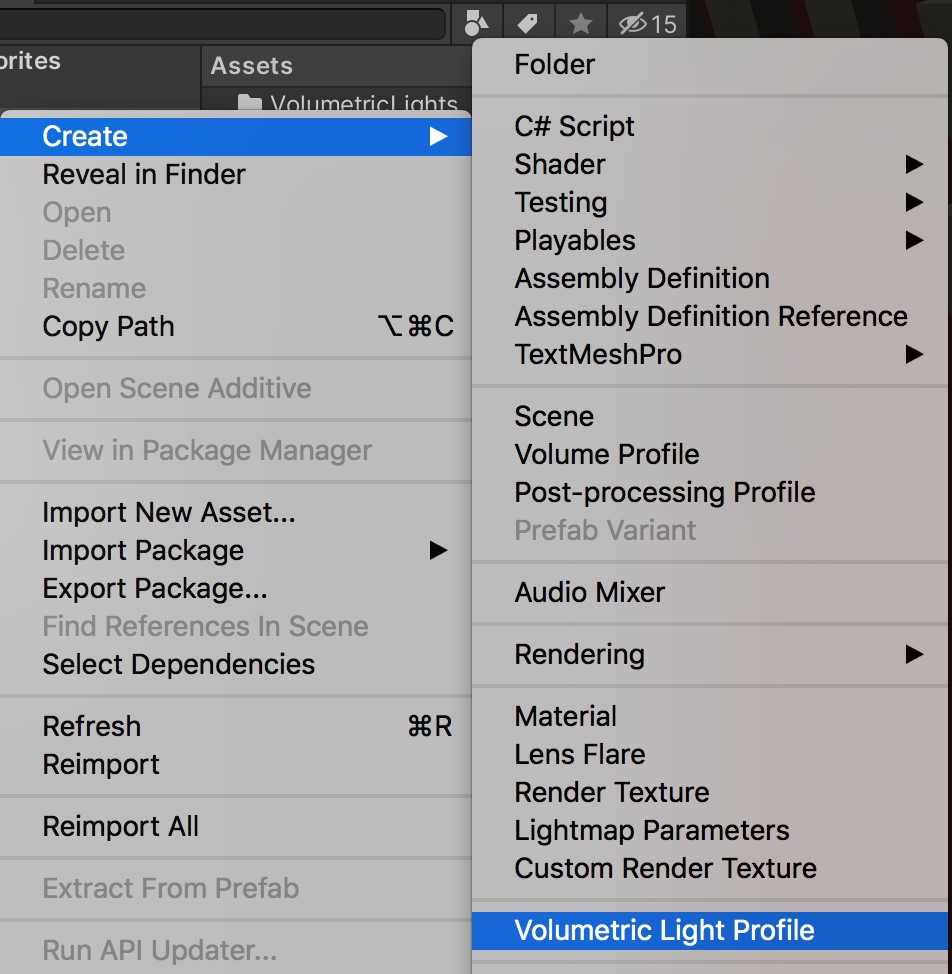
- Right-click in the Project panel and select Create > Volumetric Light Profile.
- Assign the profile in the Profile field of the Volumetric Light component.
Tip: Enable Profile Sync so changes to the profile automatically propagate to all lights using it.
Was this page helpful?
Suggest an improvement
Help us improve this documentation page.