Introduction
beginner start hereVolumetric Fog & Mist 3 · Start Here
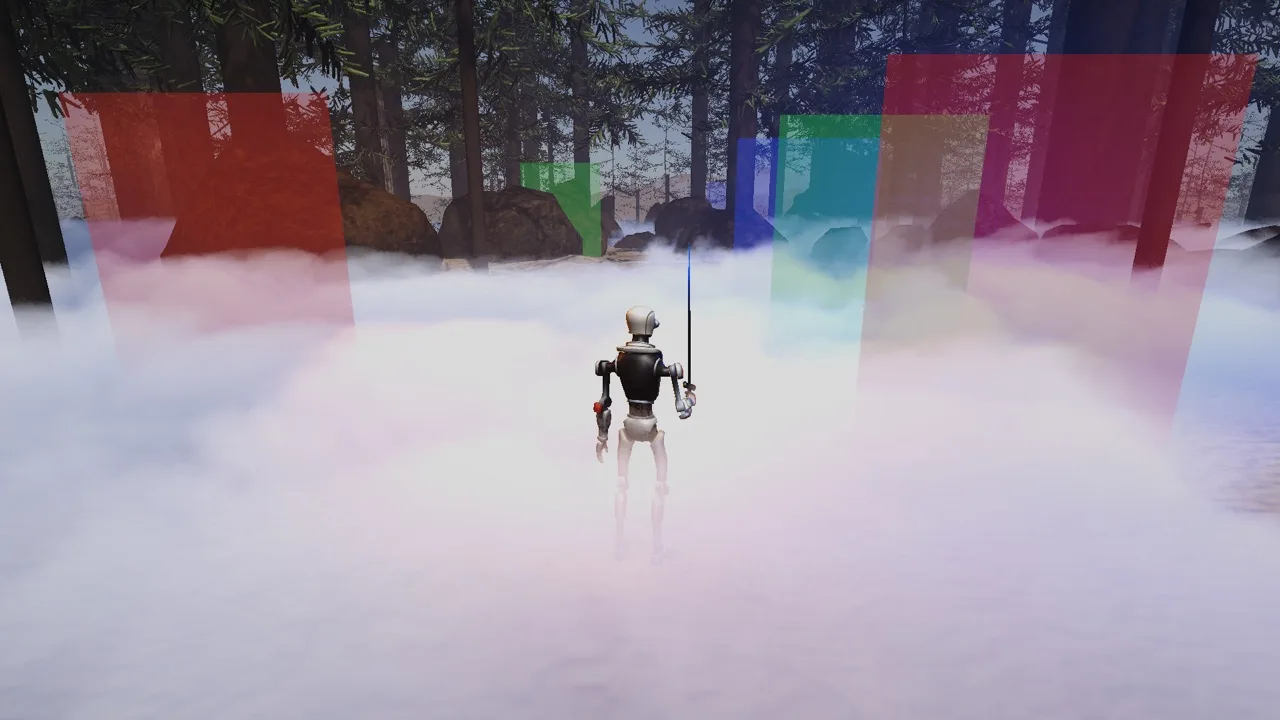
What is Volumetric Fog & Mist 3?
Volumetric Fog & Mist 3 is the volumetric fog for Unity's Universal Render Pipeline (URP) and the major upgrade of Volumetric Fog & Mist 2. It includes two types of fog volume, which can be used together in the same scene: the Fog Volume, for general volumetric fog, mist, clouds and distant fog, and the Fluid Fog Volume, for fog that reacts to your scene.
The Fluid Fog Volume renders ground fog, mist and low clouds inside a box: characters, vehicles and objects push it and open trails in it, scripts can blow it away with blasts, and the fog comes back over time.
The fog is lit by the sun with its own shadows, it can cast its shadow on the ground and on the objects, and the point and spot lights of the scene light it with their shadows. A thin haze can fill the air over the fog layer and show light shafts.
Key Features
Fog Look
- Fog layer with shapes - fog patches with clear places between them, round bumps over a flat base, thin curls, long streaks at the borders and swirls.
- Haze - a thin mist that fills the whole box, also over the fog layer, with light shafts from the sun.
- Wind and turbulence - the fog moves with the wind and makes whirls.
- Presets - fog, ground fog, fog banks, mist, frosted ground, low clouds, sea of clouds, smoke and toxic swamp, applied with one click.
Interaction
- Fog Pusher - add it to the player, an animal or a vehicle, and the object pushes and clears the fog when it moves through it.
- Blasts - one line of code blows the fog away from a point, for example for an explosion or a magic spell.
- Fog Jet - a nozzle that expels fog through the air, as steam, smoke or a fog machine: the fog falls or rises, curls and joins the fog of the ground where it lands, with its own color.
- Fog Obstacle - walls, columns and other solid objects that the moving fog flows around and cannot cross.
- Fog amount query - scripts can read how much fog there is at a position.
Lighting & Shadows
- Self shadowing - the fog that is behind other fog, seen from the sun, is darker.
- Scene shadows - objects cast their shadows inside the fog.
- Cast Shadows - the fog casts its shadow on the ground and on the objects.
- Native lights - URP point and spot lights light the fog, with their shadows (Forward+ or Deferred+).
Scene Tools
- Terrain Fit - the fog follows the shape of the ground, also over hills and valleys.
- Fog Voids - boxes or round shapes that keep the fog out of interiors.
- Fog of War - a map that removes or tints the fog in parts of the volume, painted in the editor or changed from scripts.
- Follow - the fog volume moves with the player or the camera.
- Profiles - several fog volumes can share the same settings.
- Transparent Support - the fog is also drawn over transparent objects that use a compatible shader.
- Performance Level - one setting limits the cost of the fog on slower hardware.
Requirements
| Requirement | Value |
|---|---|
| Unity version | Unity 6 (6000.0) or later |
| Render pipeline | Universal Render Pipeline (URP) |
| Render Graph | Required. Compatibility Mode must be off. |
| Rendering path | Forward, Forward+, Deferred or Deferred+. Native lights need Forward+ or Deferred+. |
| VR | Single Pass Instanced |
| Platforms | Windows (DirectX 11, DirectX 12, Vulkan), macOS (Metal) and iOS (Metal), tested on iPhone 18 Pro Max. WebGPU works without Transparent Support. WebGL 2 is not supported. |
Next Steps
- Quick Start - add fog to your scene.
- Setup - project settings and the Render Feature.
- Fog Volume Settings - every setting of the fog look.
- Interactive Fog - make the fog react to your objects.
Suggest an improvement
Help us improve this documentation page.