Quick Start
LUT Pack for Unreal · Quick Start
You apply a LUT through the color grading settings of a Post Process Volume.
If the pack is not in your project yet, add it first as described in Installation.
Apply a LUT
- Select the Post Process Volume of your level, or add one.
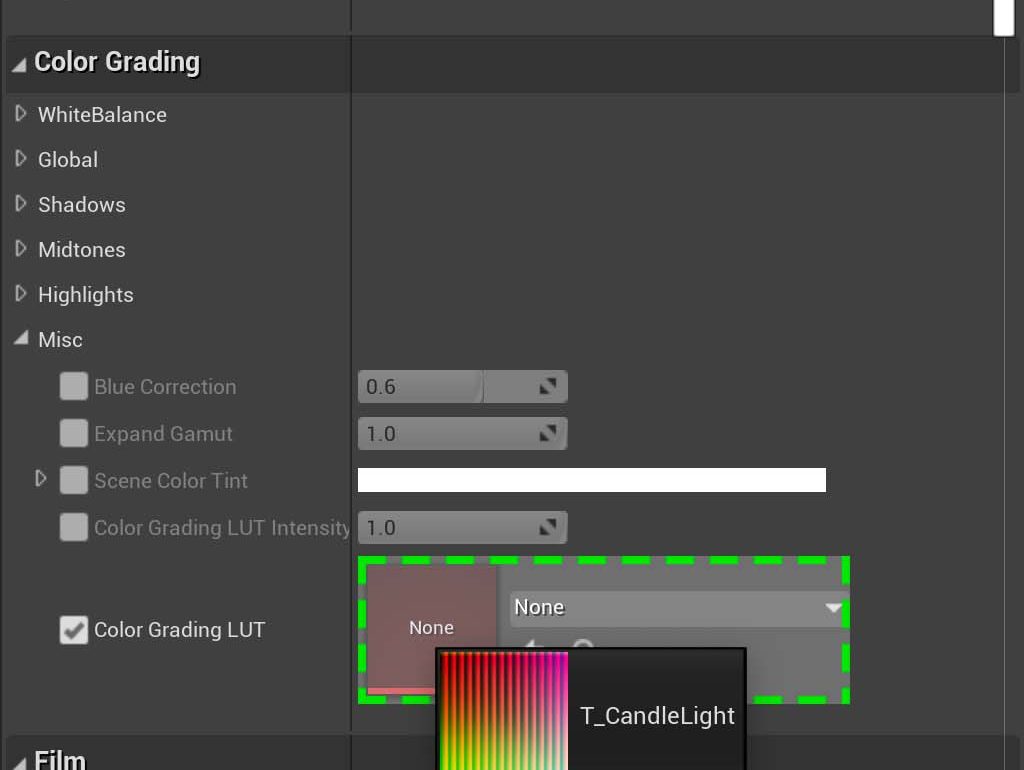
- In the Details panel, scroll down to the Color Grading section. Depending on the engine version, the LUT slot is directly in this section or in its Misc subsection.
- Drag any LUT texture from Content/LUTPack in the Content Browser into the Color Grading LUT slot.
Try other looks
To compare looks, drag another LUT texture into the same slot. Each category folder groups similar looks, so you can try the LUTs of one folder one after another. See the LUT List for all the names.
Was this page helpful?
Suggest an improvement
Help us improve this documentation page.