Shader Control
Shader Control gives you full control of shader compilation and keyword usage to cut build time and app size, on Built-in, URP and HDRP, no shader coding required.
Version 8.2.3 · Updated Aug 18, 2026 · Unity 2022.3+
Secure checkout on our store. View cart
Key Features
Videos & Screenshots
 VIDEO
VIDEO 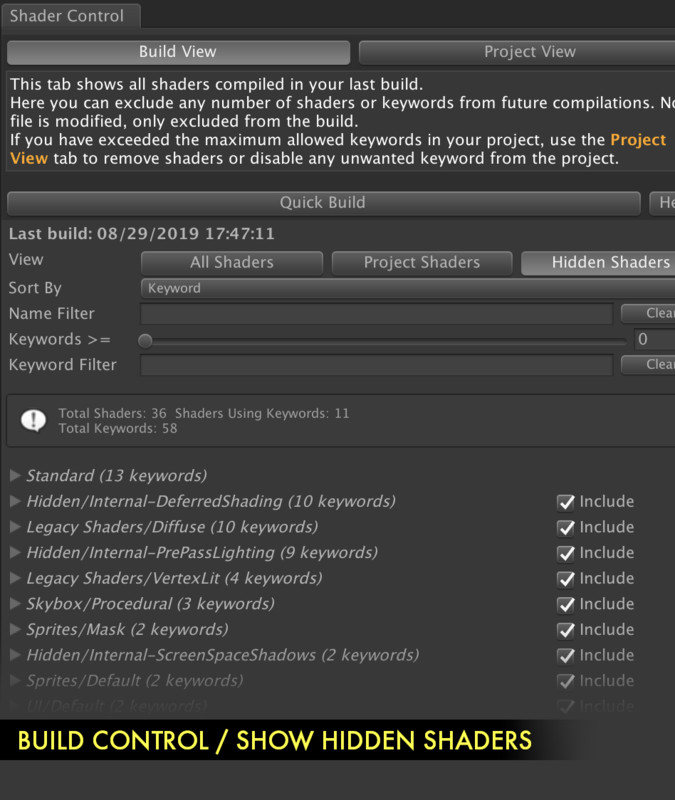
About Shader Control
Shader Control is a powerful editor extension that gives you full control of shader compilation and keywords usage and their impact in your game:
✓ Remove unwanted shaders & keywords
✓ Reduce build time & app size
When you build your game, Unity needs to compile all shaders and their variants, a process that can take a very long time. A shader can use one or more shader keywords which represent variations of that shader optimized to achieve different results. Some shaders can produce thousands of variations resulting in a very long compilation time and also a considerable increment of the application size.
With Shader Control, you know which shaders (including Unity internal shaders) and their keywords are used in your application through two main views:
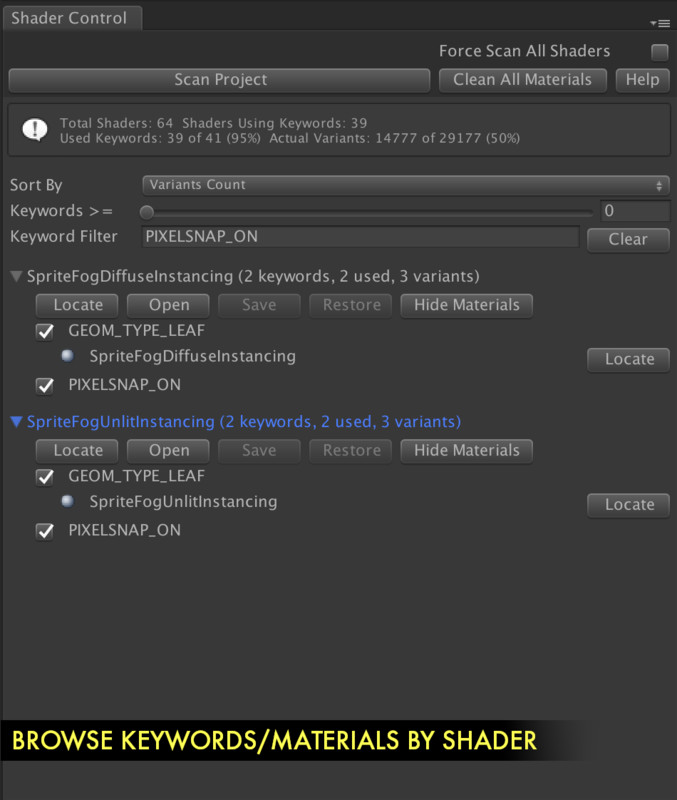
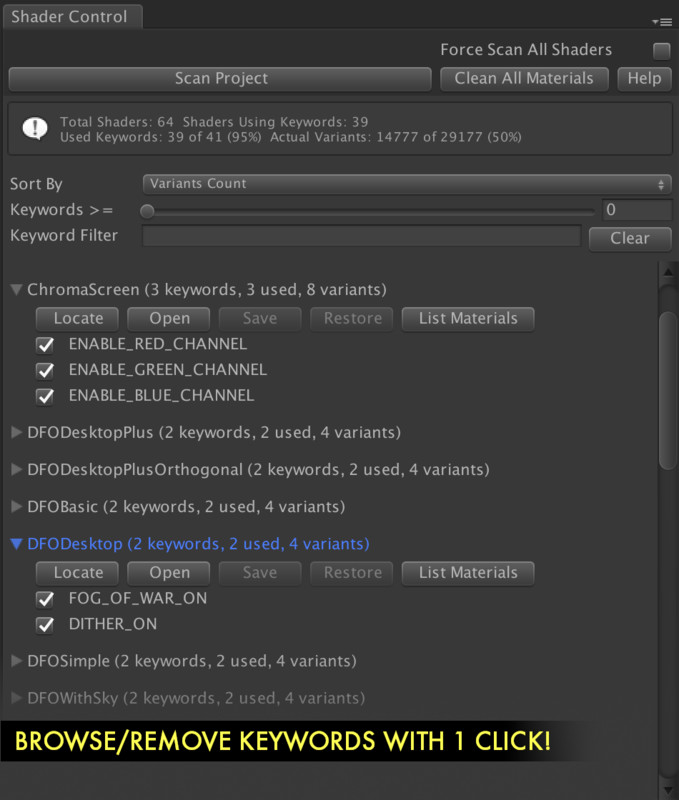
• 'Project View': a convenient unified list for all shaders with source code in your project, letting you find the most expensive shaders immediately along all the keywords used by those shaders. From this view you can easily disable the shader or any of its keywords with a single click! Not only that but you can also find which materials are using those shaders.
• 'Build View': provides a list of the actual shaders used in the last build, allowing you to refine and exclude any number of shaders, keywords or specific variants from the build process with a few clicks. Some shaders are included in built-in packages and are not part of your project folders - however, using this view you can control them! You can for example remove certain effects of the Post Processing shaders which are not used from your build.
Key Features:
• List shaders and materials in your project using keywords along shader variant count.
• Quickly locate or open any shader in your project.
• Disable/enable any number of keywords per shader with a click. Shader Control can modify the existing shader automatically for you! No shader programming knowlede required.
• Convert global keyword to local keyword with a click from the Keywords view (local keywords don't count for the 256 keyword limit).
• Shows relationship between keywords, shaders and materials.
• Removes materials references to disabled keywords at project level.
• Option to specify specific shader variants to be compiled and included in the build.
• Can create shader variant collection assets to speed up shader warm-up and reduce hiccups in your game at runtime.
Compatibility:
• Supports all CG/HLSL shader types.
• Supports Shader Graph shaders.
• Supports single and multi-pass shaders.
• Supports all keyword types.
• Supports global and local keywords.
• Supports built-in, URP and HDRP pipelines.
Has your project exceeded Unity shader keyword limit?
Does your project take ages generating the build?
Do you want to reduce the build size removing unnecessary shader variants?
If you answered yes to any of above questions, Shader Control is your tool.
Related assets:
- Shader Control is included in the Health Studio Bundle.
📖 Documentation | 💬 Support | 🎬 YouTube
Technical details
- Latest version
- 8.2.3
- Updated
- Aug 18, 2026
- Unity
- 2022.3+
- Pipelines
- Built-in, URP, HDRP
- Category
- UI, Camera & Tools