Change Default Player Items
beginner faqVoxel Play 3 · Troubleshooting & FAQ
You can define which items can have the player at start in two ways:
1) Specify them in the Items array of the Voxel Play Player component:
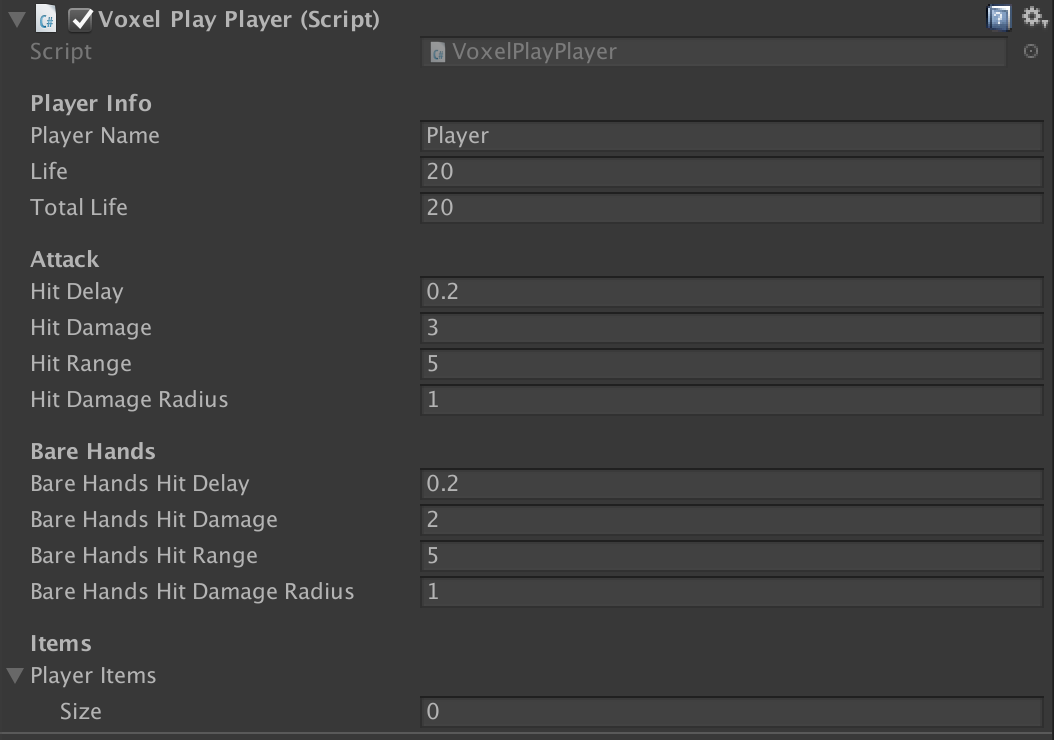
2) Use scripting. Call VoxelPlayPlayer.instance.AddInventoryItem method to add a number of items of certain type to player inventory. This method can be called when Voxel Play is initialized (check DemoEarth.cs script file from demo scene 1 for full example):
VoxelPlayEnvironment env;

        void Start () {
            env = VoxelPlayEnvironment.instance;

            // When Voxel Play is ready, do some stuff...
            env.OnInitialized += OnInitialized;
        }

        void OnInitialized () {

            // Item definitions are stored in Items folder within the world name folder

            // Add 3 torches to initial player inventory
            VoxelPlayPlayer.instance.AddInventoryItem (env.GetItemDefinition (ItemCategory.Torch), 3);

            // Add a shovel (no need to specify quantity it's 1 unit)
            VoxelPlayPlayer.instance.AddInventoryItem (env.GetItemDefinition ("Shovel"));

            // Add a sword
            VoxelPlayPlayer.instance.AddInventoryItem (env.GetItemDefinition ("Sword"));
}