This page documents every parameter available in the Edge Fusion Custom Pass Inspector for HDRP. Parameters are organized into the same groups shown in the component.
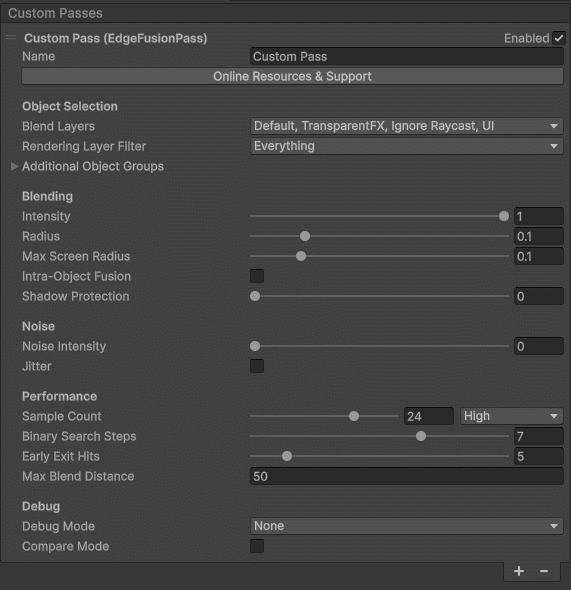
Object Selection
| Parameter | Description |
|---|
| Blend Layers | Layer mask that defines which objects participate in edge fusion blending. |
| Rendering Layer Filter | Optional HDRP Rendering Layer Filter to further refine single-sided object selection within the Blend Layers. |
Additional Object Groups
Double-Sided Objects
For meshes that render both front and back faces (walls, panels, etc.).
| Parameter | Description |
|---|
| Double-Sided Layers | Include objects with visible front and back faces in the object-ID texture. The main Blend Layers renders only front faces (cull back); this option captures both sides. |
| Rendering Layer Filter | Rendering Layer Filter exclusive to double-sided objects for finer selection control. |
Special Shader Objects
For objects using custom vertex shaders (displacement, animated vegetation, etc.).
| Parameter | Description |
|---|
| Special Group Layers | Select objects with custom vertex shaders (deformation, displacement, animated vertices) to include them in edge blending. |
| Rendering Layer Filter | Rendering Layer Filter for the special shader group. |
Blending Settings
| Parameter | Description |
|---|
| Intensity | Overall intensity of the edge fusion effect (0–1). |
| Radius | Default blur radius in world units (meters). |
| Max Screen Radius | Upper boundary for the on-screen radius to prevent excessive blur at close range. |
| Intra-Object Fusion | Enable fusion of edges within a single object based on normal discontinuities. |
| Normal Threshold | Angle threshold for detecting intra-object edges. |
| Concavity Test | When enabled, only concave edges are fused. |
| Per-Object | When enabled, only GameObjects with the EdgeFusionObject script receive intra-fusion. |
| Shadow Protection | Threshold for shadow detection. Prevents the blending from adding lighting over shadowed areas. |
Noise
| Parameter | Description |
|---|
| Noise Intensity | Strength of the 3D noise texture applied to blending (0–1). Adds organic variation to the blend boundary. |
| Jitter | Randomizes sampling to improve edge coverage and reduce banding patterns. TAA-friendly — enable Temporal Anti-Aliasing on the camera for smooth results. |
Performance
| Parameter | Description |
|---|
| Sample Count | Number of samples for edge detection (higher = better quality, more GPU cost). |
| Binary Search Steps | Refinement steps when locating the nearest edge boundary. |
| Early Exit Hits | Stop searching after N nearest-edge hits. Lower values improve performance. |
| Max Blend Distance | Maximum camera distance at which the effect is applied. Saves GPU on distant objects. |
Debug
| Parameter | Description |
|---|
| Debug Mode | Visualize intermediate buffers (object IDs, edge detection, blend mask) for troubleshooting. |
| Compare Mode | Split-screen comparison showing the scene with and without edge fusion. |
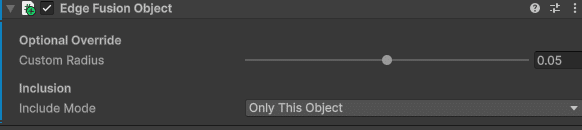
Edge Fusion Object (Per-Object Component)
Attach the EdgeFusionObject script to any GameObject to override global settings for that object.
| Parameter | Description |
|---|
| Override Radius | Enable a custom blend radius for this object. |
| Custom Radius | Per-object blend radius in meters. Set to 0 to disable blending entirely on this object. |
| Override Object ID | Assign a custom Object ID. Objects sharing the same ID are treated as one for inter-object detection. |
| Disallow Intra-Object Fusion | Disable intra-object fusion for this object while keeping inter-object fusion active. |