Shadows & Translucency
intermediate conceptsVolumetric Lights 2 (Built-in) · Core Concepts
Shadows & Translucency
Volumetric Lights 2 supports per-light shadow occlusion and translucent colored shadows. This page explains how to configure both features.
Shadow Occlusion
Enable Shadow Occlusion in the Volumetric Light inspector to have objects block the volumetric light rays, creating realistic shadow shafts.
| Setting | Recommendation |
|---|---|
| Shadow Resolution | Start at 256. Only increase if you see noticeable blocky shadows. |
| Shadow Culling Mask | Include only layers with objects that should cast shadows. Fewer layers = better performance. |
| Shadow Bake Interval | Use OnStart for static scenes. Use EveryFrame when shadow casters move. |
Direct Light Cast
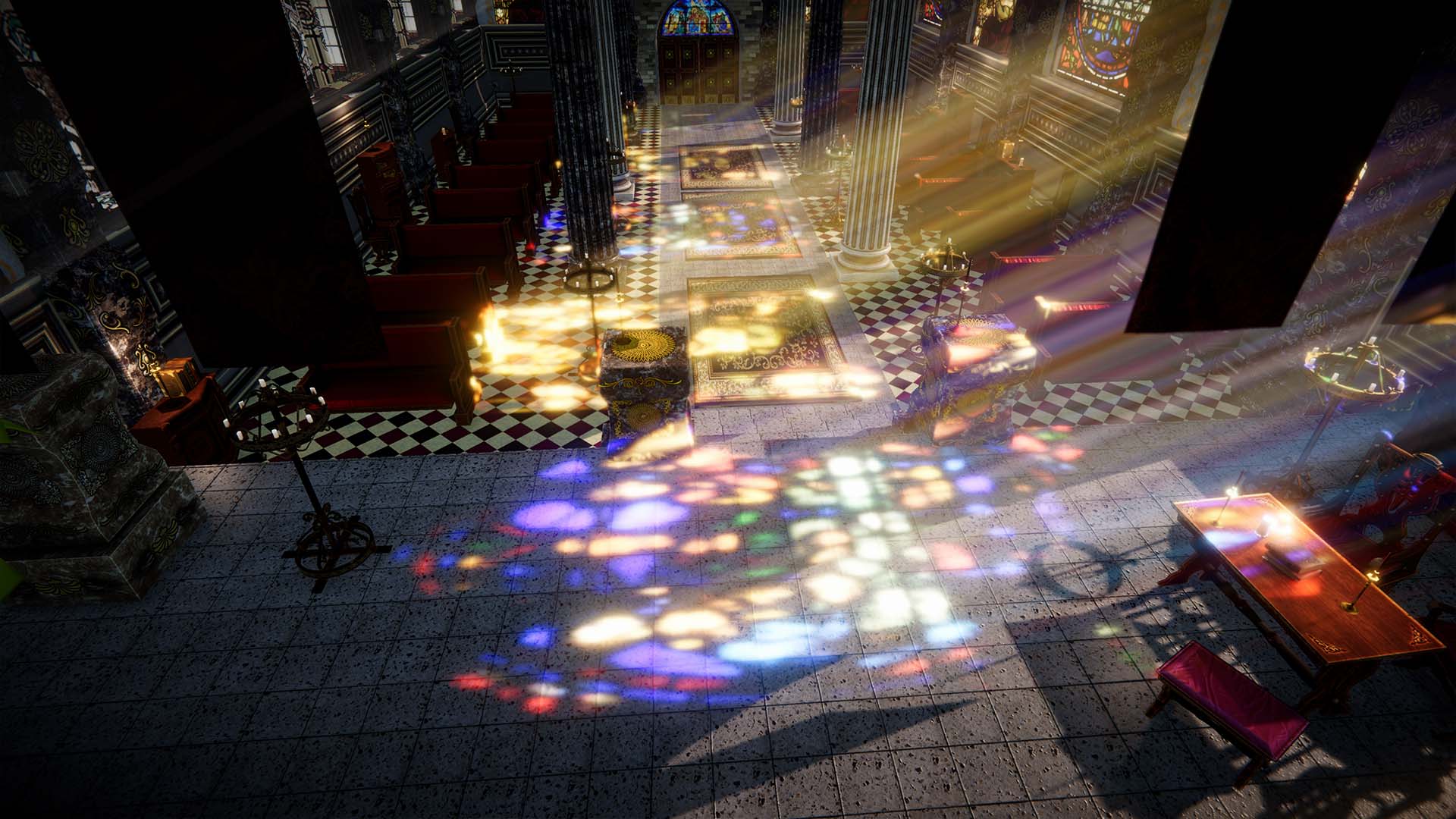
The Direct Light Cast option projects the volumetric light onto opaque surfaces, making them visible as if lit by a regular light. This feature requires the deferred rendering path.
To enable deferred rendering, go to your Camera settings and switch the rendering path to Deferred.

| Setting | Description |
|---|---|
| Additive Mode | Adds light intensity to surfaces. Works in both forward and deferred paths. |
| Blend Mode | Uses alpha blending for surface lighting. Requires deferred rendering path. Slightly slower than additive. |
Translucent Shadow Maps
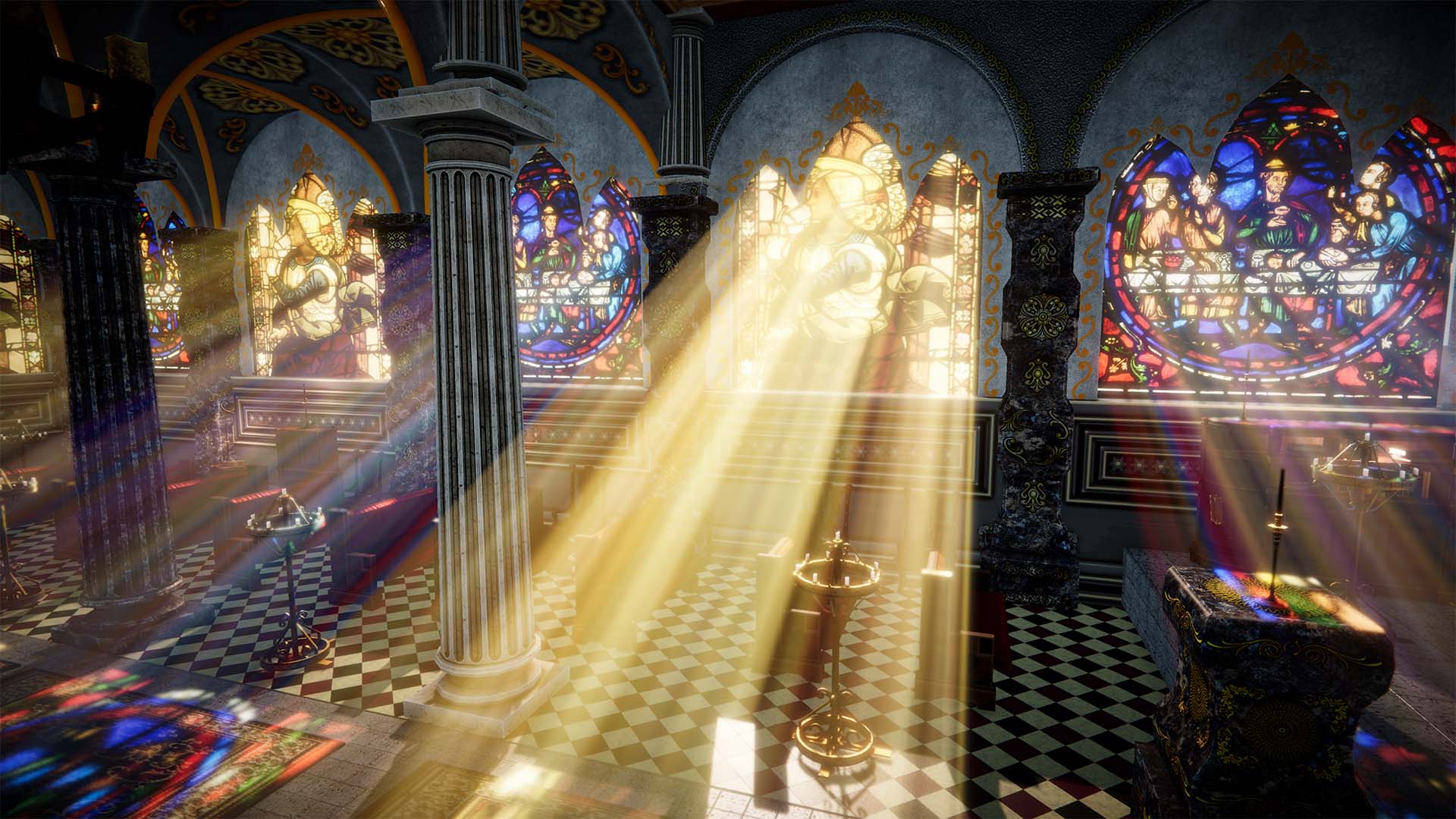
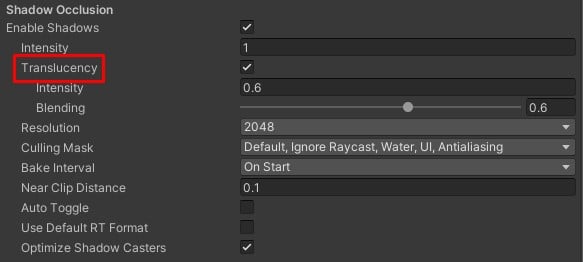
Enable Translucency in the Shadow Occlusion section to capture colors from semi-transparent objects (stained glass, colored panels, etc.).
Setup
- Enable Shadow Occlusion on the Volumetric Light component.
- Enable the Translucency option within the Shadow Occlusion section.
- Add the Volumetric Lights Translucency script to each transparent object that should cast colored shadows.

You can customize the intensity and blending factors of the captured colors over the regular scattering effect.
Next Steps
- Parameters Reference — full shadow parameter details.
- Performance Tips — optimize shadow performance.
- Scripting Support — control shadows via
ScheduleShadowCapture().
Suggest an improvement
Help us improve this documentation page.