Additional Components
intermediate tasksWorld Map 2D Edition · Common Tasks
Additional Components
World Map 2D Edition includes four extra components that extend the map's functionality. Each can be enabled from the Inspector (buttons at the bottom of the WorldMap2D component) or from code via accessor properties.
Calculator
Converts coordinates between different systems and calculates real-world distances.
Inspector
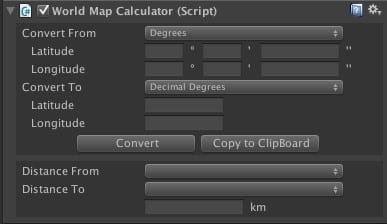
Coordinate Conversion from Code
Access via map.calc. The conversion workflow:
- Set the source unit:
calc.fromUnit = UNIT_TYPE.DecimalDegrees - Assign source values:
calc.fromLatDec = -15.281f - Call
calc.Convert() - Read results from
calc.to*fields
WorldMap2D map = WorldMap2D.instance;

// Convert from Decimal Degrees
map.calc.fromUnit = UNIT_TYPE.DecimalDegrees;
map.calc.fromLatDec = 40.4168f;
map.calc.fromLonDec = -3.7038f;
map.calc.Convert();
Debug.Log($"Plane: ({map.calc.toX}, {map.calc.toY})");

// Convert from Degrees (DMS)
map.calc.fromUnit = UNIT_TYPE.Degrees;
map.calc.fromLatDegrees = 40; map.calc.fromLatMinutes = 25; map.calc.fromLatSeconds = 0;
map.calc.fromLonDegrees = -3; map.calc.fromLonMinutes = 42; map.calc.fromLonSeconds = 14;
map.calc.Convert();

// Convert from Plane Coordinates
map.calc.fromUnit = UNIT_TYPE.PlaneCoordinates;
map.calc.fromX = 0.12f; map.calc.fromY = 0.34f;
map.calc.Convert();map.calc.captureCursor = true to continuously convert the cursor position until set to false or the user presses C.
Distance Calculator
Calculate real-world distance in meters between two points:
// By coordinates
float dist = map.calc.Distance(40.4168f, -3.7038f, 48.8566f, 2.3522f);

// By city objects
float dist = map.calc.Distance(city1, city2);
Ticker
Displays scrolling or static text banners over the map. Useful for news tickers, alerts, and notifications.
Inspector
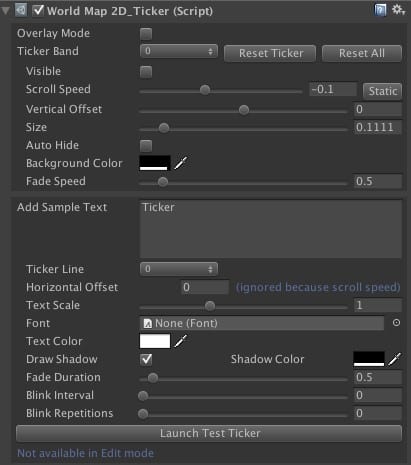
Ticker Bands
There are 9 available ticker bands (configurable). Each band has:
| Property | Description |
|---|---|
| Scroll Speed | Set to 0 for a static band. |
| Auto-Hide | Hides the band when no texts remain. |
| Fade Speed | How quickly the band appears/disappears. Set to 0 to disable. |
| Vertical Offset | Position of the band on the map. |
Ticker Text Options
| Property | Description |
|---|---|
| Horizontal Offset | Position offset (0 = center, range -0.5 to 0.5). |
| Fade Duration | Set to 0 to disable fading. |
| Blink Interval | Set to 0 to disable blinking. Repetitions = 0 blinks forever. |
Ticker API
WorldMap2D map = WorldMap2D.instance;
map.ticker.ResetTickerBands();

// Configure a red static band
TickerBand band = map.ticker.tickerBands[0];
band.verticalOffset = 0.2f;
band.backgroundColor = new Color(1, 0, 0, 0.9f);
band.scrollSpeed = 0;   // static
band.visible = true;
band.autoHide = true;

// Add a blinking text
TickerText text = new TickerText(0, "WARNING!!");
text.textColor = Color.yellow;
text.blinkInterval = 0.2f;
text.horizontalOffset = 0.1f;
text.duration = 10f;
map.ticker.AddTickerText(text);

// Configure a scrolling blue band
TickerBand band2 = map.ticker.tickerBands[1];
band2.verticalOffset = 0.1f;
band2.verticalSize = 0.05f;
band2.backgroundColor = new Color(0, 0, 1, 0.9f);
band2.visible = true;
band2.autoHide = true;

TickerText text2 = new TickerText(1, "INCOMING MESSAGE!!");
text2.textColor = Color.white;
map.ticker.AddTickerText(text2);
Ticker API Reference
int NUM_TICKERSNumber of available ticker band slots.
bool overlayModeWhen enabled, ticker texts display on top of everything at the camera's near clip distance.
int GetTickerTextCount() / GetTickerTextCount(int bandIndex)Returns the number of active ticker texts (total or per band).
int GetTickerBandsActiveCount()Returns the number of visible ticker bands.
void ResetTickerBands() / ResetTickerBand(int index)Resets all bands (or a specific band) to defaults and removes their texts.
void AddTickerText(TickerText text)Adds a ticker text to the specified band.
Decorator
Customizes the visual appearance of individual countries: labels, colors, and textures.
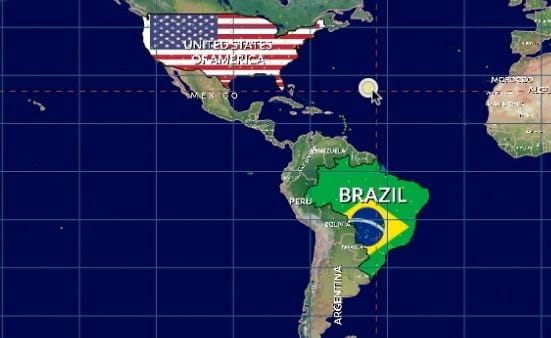
Decorator API
void SetCountryDecorator(int groupIndex, string countryName, CountryDecorator decorator)Assigns a decorator to a country within a group. Groups let you enable/disable multiple decorators at once.
void RemoveCountryDecorator(int groupIndex, string countryName)Removes a decorator and its visual effects from the group.
CountryDecorator Properties
| Property | Description |
|---|---|
customLabel | Custom label text (empty string = keep default). |
isColorized | Whether the country is filled with color. |
fillColor | The fill color. |
labelOverridesColor / labelColor | Override the label color. |
labelVisible | Whether the label is visible (default: true). |
labelOffset | Horizontal/vertical offset relative to country center. |
labelRotation | Label rotation in degrees. |
texture | Texture to apply to the country surface. |
textureScale / textureOffset / textureRotation | Texture mapping adjustments. |
Map Editor
An in-editor tool for modifying borders, countries, provinces, and cities interactively. Open it by clicking Open Editor at the bottom of the WorldMap2D inspector.
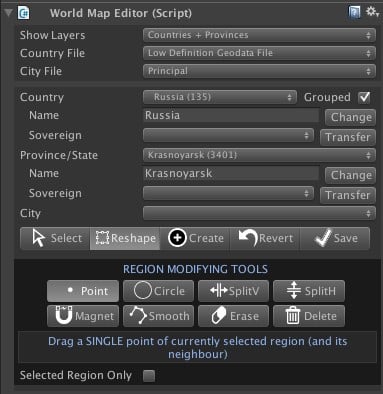
Configuration
| Setting | Description |
|---|---|
| Show Layers | Choose whether to visualize countries only or countries + provinces. |
| Country File | Low-definition (110M:1) or high-definition (30M:1) geodata file. |
| City File | Principal cities only, or principal + medium-sized cities. |
Toolbar Modes
| Mode | Description |
|---|---|
| Select | Click to select any country, province, or city in the Scene View. |
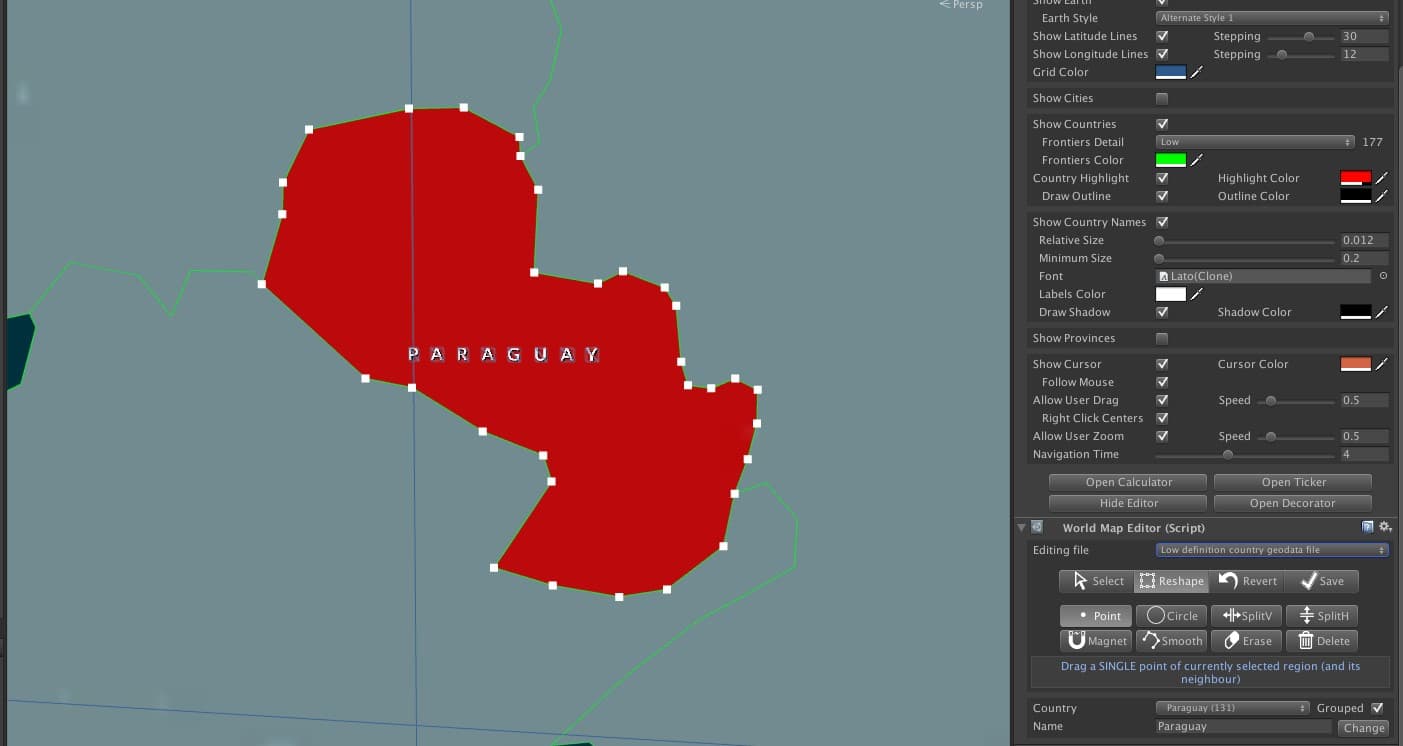
| Reshape | Modify borders with Point, Circle, Split, Magnet, Smooth, Erase, and Delete tools. |
| Create | Create new cities, provinces, or countries. |
| Revert | Discards changes and reloads data from geodata files. |
| Save | Saves changes to files in Resources/Geodata. |
Reshape Tools
| Tool | Description |
|---|---|
| Point | Move one point at a time. Neighbor points move together to maintain shared borders. |
| Circle | Moves all points inside a radius. Points nearer the center move faster unless Constant Move is checked. |
| SplitV / SplitH | Splits the region vertically or horizontally, creating a new entity named "New [original]". |
| Magnet | Click points from different regions to fuse them. Aggressive Mode moves all circle points to nearest neighbors and removes duplicates. |
| Smooth | Adds new points around the border for smoother curves. |
| Erase | Removes points inside the selection circle. |
| Delete | Deletes the selected region (or the entire entity if no regions remain). |
Create Mode
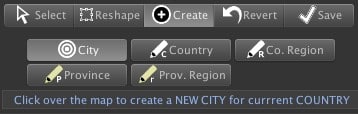
Countries and provinces consist of one or more regions. You can add new regions to an existing entity or create entirely new countries/provinces. The main region is always the largest by area.
Gear Menu Options
| Option | Description |
|---|---|
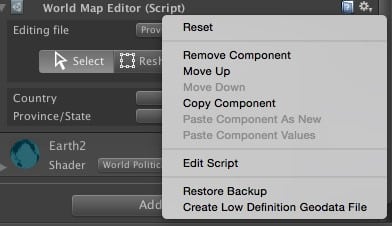
| Restore Backup | Restores original geodata files from the Backup folder (created on first save). |
| Create Low Def Geodata | Generates a simplified low-definition file from the high-definition geodata (only available when editing high-def). |
World Flags & Weather Symbols
Available as a separate purchase, this package includes 270+ vector and raster country flag images. Flag file names match the country names used in the map, enabling easy texture mapping:
WorldMap2D map = WorldMap2D.instance;
string countryName = "China";

Texture2D flag = Resources.Load<Texture2D>("Flags/png/" + countryName);
int idx = map.GetCountryIndex(countryName);
map.ToggleCountryMainRegionSurface(idx, true, flag);Suggest an improvement
Help us improve this documentation page.