Introduction
beginner start hereHexasphere Grid System · Start Here
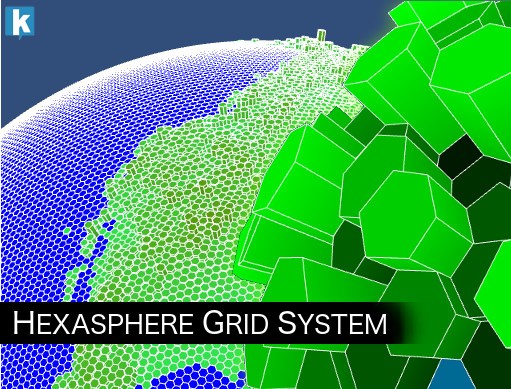
What is Hexasphere Grid System?
Hexasphere Grid System is a high-performance Unity asset that lets you create, render, and interact with hexagonal sphere grids (geodesic polyhedra). Built for Unity 2022.3 and later, it provides a complete solution for spherical grid-based gameplay, data visualization, and interactive globes.
The hexasphere is generated by subdividing an icosahedron into hexagonal and pentagonal tiles. You control the subdivision level, visual style (wireframe, shaded, or both), and tile interaction — all through a simple Inspector interface and a comprehensive C# API.
Key Features
Grid Rendering
- Multiple styles — wireframe, shaded, or combined display modes.
- Smart Edges — hides wireframe edges between adjacent tiles with the same material, creating clean visual regions.
- Inverted Mode — render the hexasphere inward, placing the camera at the center for inside-out views.
- Extrusion — give tiles 3D height with customizable gradient and per-tile extrusion amounts.
- Heightmap loading — import terrain data to automatically set tile extrusion values.
Interaction
- Tile highlighting & selection — hover and click detection with customizable highlight colors.
- Drag-to-rotate — intuitive sphere rotation via mouse or touch input.
- Zoom control — scroll-wheel or pinch zoom with configurable min/max distances.
- Fly-to — smoothly animate the camera to focus on any tile.
- VR support — compatible with Unity XR, including gaze and controller-based interaction.
Customization & Data
- Per-tile coloring & texturing — assign colors, textures, or labels to individual tiles.
- A* pathfinding — built-in pathfinding engine with configurable cost and estimation methods.
- Extensive C# API — full programmatic control over grid configuration, tile properties, navigation, and events.
Common Use Cases
- Spherical strategy games (globe-based board games, 4X strategy).
- Data visualization on Earth or custom planets (population density, weather, statistics).
- Interactive globes for educational or informational applications.
- Sci-fi planet interfaces and space simulations.
- Architectural or scientific spherical mapping.
System Requirements
| Requirement | Details |
|---|---|
| Unity version | 2022.3 LTS or later |
| Render pipeline | Built-in, URP, or HDRP |
| Platforms | Windows, macOS, Linux, iOS, Android, WebGL, consoles |
Next Steps
Ready to get started? Head to the Quick Start guide to see a hexasphere running in under 5 minutes, or explore the Settings reference for a full breakdown of all Inspector parameters.
Suggest an improvement
Help us improve this documentation page.