Scan Effect
intermediate tasksCompass Navigator Pro 3 · Common Tasks
The Scan effect performs a radar-like pulse from the player position, detecting POIs and triggering events. Multiple scans can run simultaneously.
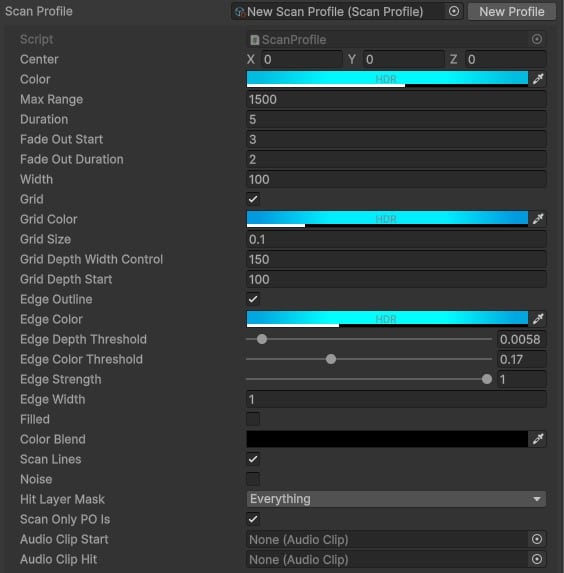
Setup
- In the CompassNavigatorPro inspector, create a Scan Profile asset (right-click in Project > Create > Compass Navigator Pro > Scan Profile).
- Assign the profile in the inspector to use as default, or pass it via script.
Triggering Scans via Script
| Method | Description |
|---|---|
Scan() | Scan using the default inspector profile. |
Scan(ScanProfile profile) | Scan with a custom profile asset. |
Scan(... parameters) | Scan with inline parameter values (no profile needed). |
Demo Scene
The included demo scene has a LevelManager.cs script that triggers a scan on the F key and shows light beacons over detected POIs.
See also: Light Beacons, Scripting Support (C#).
Was this page helpful?
Suggest an improvement
Help us improve this documentation page.