Fog of War
intermediate tasksCompass Navigator Pro 3 · Common Tasks
Fog of War hides unexplored areas on the mini-map until the player discovers them. It is a texture-based overlay managed by the compass system.
Enabling Fog of War
In the CompassNavigatorPro inspector, scroll to the Mini-Map section and enable Fog of War.
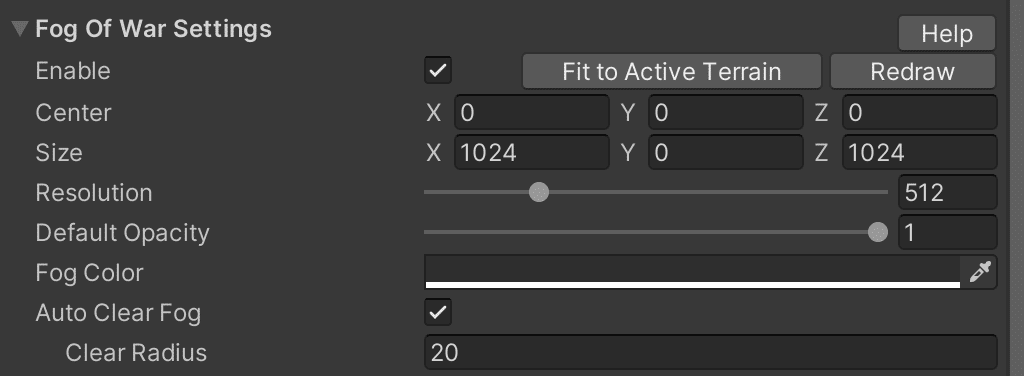
Fog of War Parameters
| Parameter | Description |
|---|---|
| Center & Size | World-space bounds where fog of war is active. |
| Resolution | Texture resolution for the fog effect. |
| Fog Color | Tint color for the fog overlay. |
| Auto-Clear Fog | Automatically reveal the area around the followed object. |
Fog Volumes
Add custom fog areas via GameObject > Create Other > Compass Fog Volume. Each volume is a BoxCollider-based region with a CompassProFogVolume script.
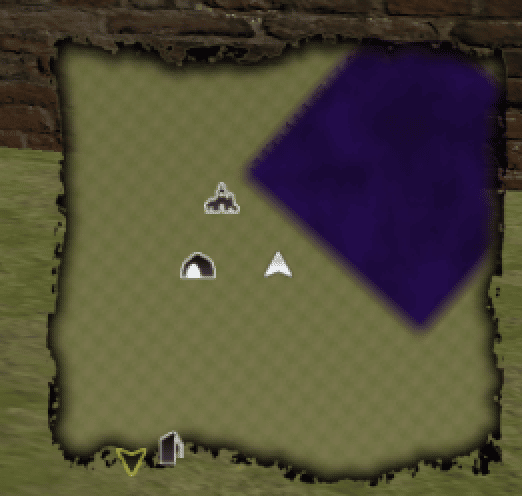
| Parameter | Description |
|---|---|
| Alpha | Fog transparency (1 = fully opaque). |
| Border | Width of the soft border around the fog volume. |
| Order | Rendering order when multiple fog volumes overlap. |
Performance note: Moving or resizing fog volumes at runtime triggers a fog texture update. For frequent changes, prefer the
SetFogOfWarAlpha() API method instead. See Scripting Support (C#).
Scripting Fog of War
// Reveal a circular area around a position
CompassPro.instance.SetFogOfWarAlpha(worldPos, 30f, 0f, 5f);

// Reset all fog
CompassPro.instance.ResetFogOfWar(1f);

// Save/load fog state
Color32[] fogData = CompassPro.instance.fogOfWarTextureData;
// ... save fogData, then restore:
CompassPro.instance.fogOfWarTextureData = savedFogData; Was this page helpful?
Suggest an improvement
Help us improve this documentation page.