Compass Bar Settings
beginner conceptsCompass Navigator Pro 3 · Core Concepts
Select the CompassNavigatorPro object to access the custom inspector. The Compass Bar section controls the look and behavior of the horizontal navigation strip.
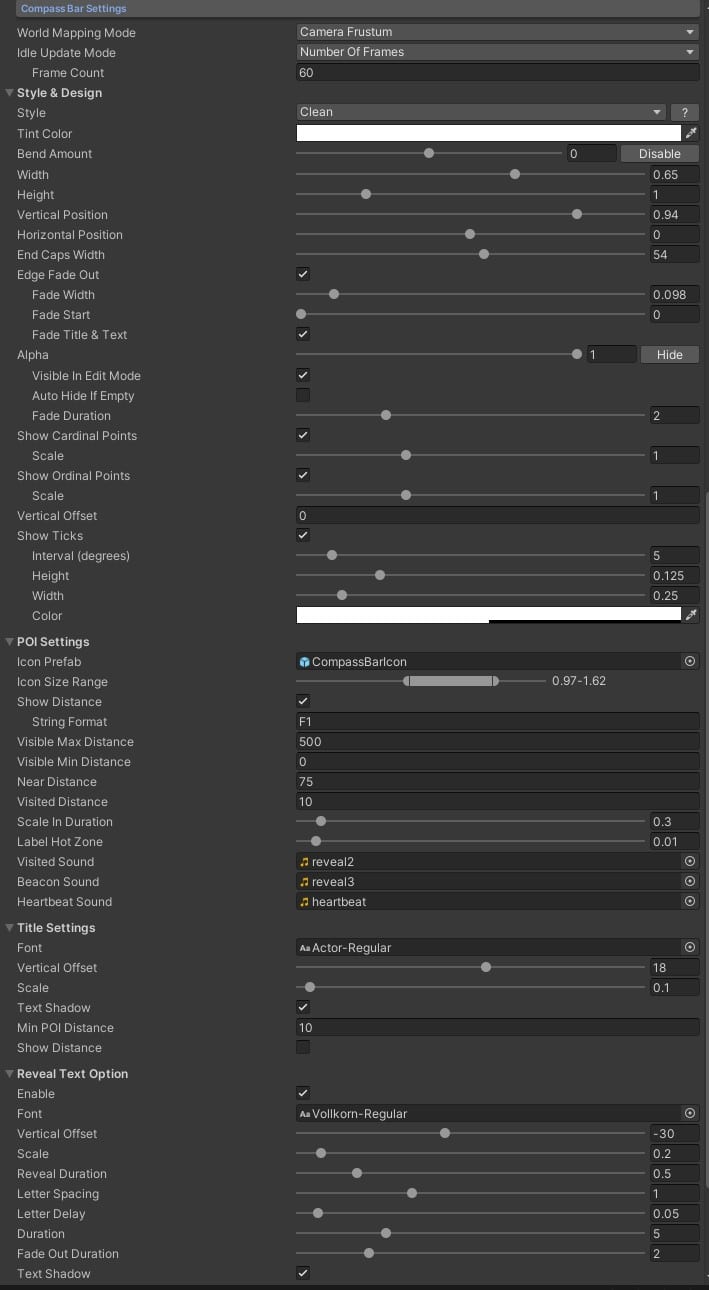
General Bar Settings
| Parameter | Description |
|---|---|
| World Mapping Mode | Algorithm used to fit POIs into the bar (Limited 180, Limited 90, Full 360, etc.). |
| Style | Built-in bar style: Angled, Rounded, Celtic, Fantasy, SciFi, Clean or Custom. Select Custom to use your own sprites. |
| Tint Color | Colorize the navigation bar. |
| Bend Amount | Curve the bar for a visual 3D-like effect. |
| Width | Bar width as a fraction of the screen width (0–1). |
| Height | Height of the bar element. |
| Vertical Position | Screen vertical position (0 = bottom, 1 = top). |
| Horizontal Position | Horizontal placement on screen. |
| End Caps Width | Margin preventing icons from overlapping the bar end-cap art. |
| Edge Fade Out | Enable fading at the bar edges, with configurable width and start position. |
| Alpha | Bar transparency at runtime (0–1). Use Visible in Edit Mode to preview regardless of alpha. |
| Show Cardinal Points | Display N, S, E, W on the bar, with adjustable scale. |
| Show Ordinal Points | Display NE, NW, SE, SW, with adjustable scale. |
| Show Ticks | Half-wind indicator ticks with configurable interval, width, height and color. |
| Fade Duration | Duration (seconds) for the bar appear/disappear animation. |
POI Settings (Bar)
| Parameter | Description |
|---|---|
| Icon Prefab | Default prefab for POI icons on the bar (used when not set per-POI). |
| Icon Size Range | Min/max icon size on the bar. |
| Show Distance | Display distance value next to POI icons. |
| Visible Max / Min Distance | Range in which POI icons appear on the bar. |
| Near Distance | Distance at which POI icon starts growing as the player approaches. |
| Visited Distance | Minimum distance for a POI to be considered visited. |
| Scale in Duration | Time for the icon scale-in animation when entering the bar. |
| Label Hot Zone | Distance from bar center where the POI title is displayed. |
| Visited / Beacon / Heartbeat Sound | Audio clips for POI events. |
Title Settings
| Parameter | Description |
|---|---|
| Font | TextMeshPro font asset for POI titles. |
| Vertical Offset | Vertical position of the title text. |
| Scale | Title text scale. |
| Text Shadow | Enable drop shadow on title text. |
| Min POI Distance | Minimum POI distance before the title is shown. |
| Show Distance | Show distance value next to the title. |
Reveal Text Options
| Parameter | Description |
|---|---|
| Font | TextMeshPro font for discovery/reveal text. |
| Vertical Offset / Scale | Position and size of the reveal text. |
| Reveal Duration | Total time the reveal text is on screen. |
| Letter Spacing / Delay | Spacing between letters and per-letter animation delay. |
| Fade Out Duration | Time for the reveal text to fade out. |
| Text Shadow | Enable drop shadow on reveal text. |
All compass bar parameters are also available via C#. See Scripting Support (C#).
Was this page helpful?
Suggest an improvement
Help us improve this documentation page.